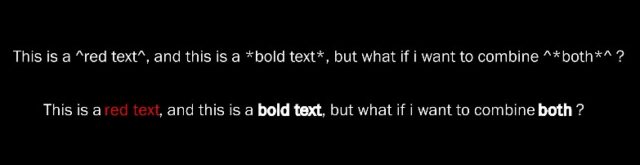
Hi Jean-François,
It’s unfortunately not yet possible to do a real font change of single words via expressions without doing a lot of complicated workarounds.
Usually a text-animator is added that increases the stroke width of a selected word resulting in a “faux bold” look.
Here’s a way to do it with text-animators:
A first text-animator hides the asterisk symbols:
- add a textanimator for scale
- set the value to 0,0
- remove the default range selector and replace it with an expression selector.
- the amount property of that selector gets this expression:
(text.sourceText.value.replace(/\r\n?|\n|\3/g,'')[textIndex-1]=="*") ? 100: 0;
- Any asterisk will disappear, but they leave behind a blank gap that should be tightened, so also add a ‘tracking’ property to this same animator, and finetune it’s negative value, the exact value depends on your font and fontsize, for example Helvetica Neue light at 100pts needs about -36 tracking to remove the gap.
- Now create the Faux bold look in a new Text-animator, with settings like for example:
- Stroke Width: 4
- Stroke Color: (explicitly set this to the same as the fill color)
- Stroke Opacity: explicitly set to 100%
- optionally a bit of positive tracking like +3,…
- You could even finetune the scale and anchorpoint so the baseline and x-height of the characters stays the same eventhough they are now outline
- remove the default range selector and replace it with an expression selector.
- the amount property of that selector gets this expression:
(text.sourceText.value.replace(/\r\n?|\n|\3/g,'').slice(textIndex-1).match(/\*/g)||[]).length % 2 ? 100 : 0;
That should work, but again, it depends on the font and your settings if this looks OK, it’s still just a faux-bold solution.
Some explanation on the expressions code:
Text-animator ranges, when they are based on “characters”, start counting at 1 and don’t count linebreaks and soft-breaks as characters while Javascript strings do (ofcourse) count these as a characters and start from 0.
So examining individual characters of the sourceText by directly using the internal counter of the expression selector (textIndex) is problematic.
To combat that, I always first do a .replace(/\r\n?|\n|\3/g,”) to get a string that contains the sourceText without all (soft) linebreaks. Getting the [textIndex-1] item of that string, gives us the exact character the animator is evaluating.
So if it is “*”, then (in the first animator) we want to fully apply the properties (100%) otherwise 0%. The properties are set up to hide the character (scale it to 0, and apply negative tracking to compress the gap)
The second expression does the same linebreak -eplace, then looks at the substring (slice) of all the characters form the start of the string up to the current character.
If an odd amount of “*” have occurred before the current character, we should be in bold, if an even amount of “*” have occurred, we shouldn’t be bold.
The regexp .match() method returns a list of matches, so counting the length of that list and doing modulo %2 is a check for odd or even.
But if there were no matches, the list is actually Null , and that doesn’t have a length so it would error the code.
That’s why we add ||[] -> the result of the .match() OR an empty list. Null isn’t ‘true’ so this expression becomes an empty list in that case, and we can ask for the length of an empty list.
if %2 is 1, we want to fully apply the properties of this animator (100%), otherwise 0. And the properties are set up to embolden the characters.