-
Render reflections more like how scene looks while editing?
So, total noob here… I have a pre-made object (a cannon) that I’ve laid on top of a circus tent photo. The background photo is a sky object, and I also want the photo to reflect in the surfaces of the cannon. I’ve been able to figure out how to make the materials of the cannon reflective, but the behavior of the surfaces seems to change drastically when rendering.
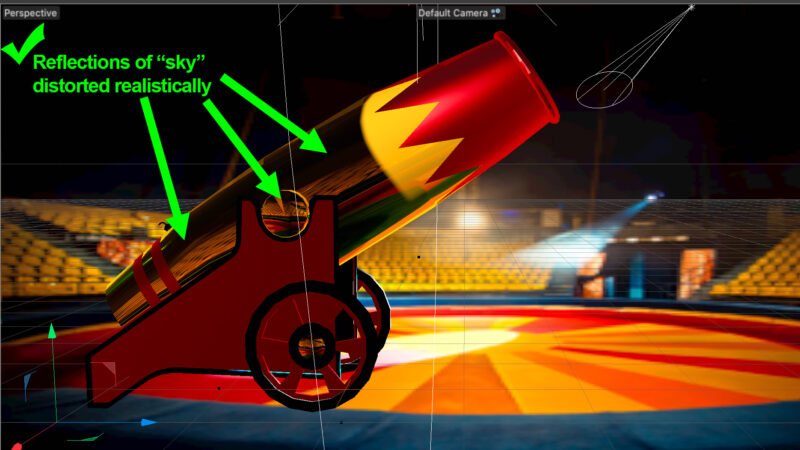
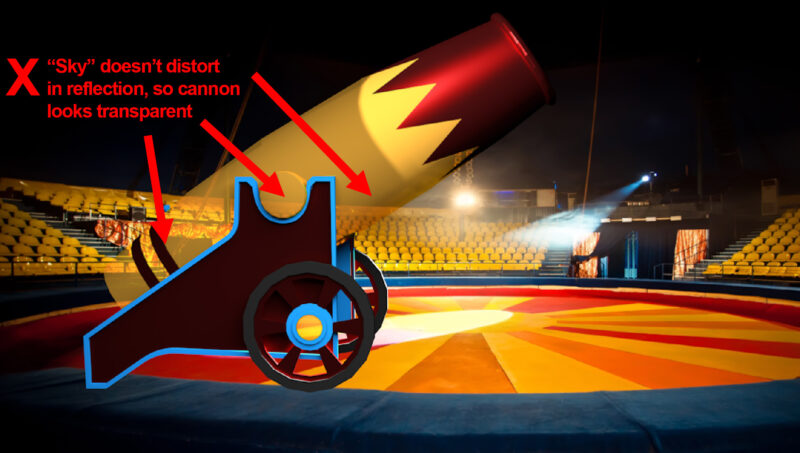
When I’m editing the scene, the reflective surfaces on the cannon appear distorted by the curves of the object, like you would expect them to be, since the object isn’t flat. When I render the scene, though, the reflections don’t seem to take into account the curvature of the object, so the “reflections” on the cannon make it look more like the cannon is transparent rather than reflective.
Is there a render setting somewhere to make the reflection distort the way it appears when I’m editing the scene?
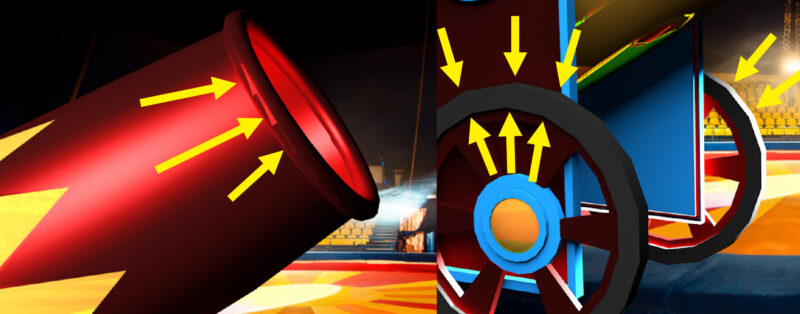
Bonus question… There are parts of the model that I would expect to be round that seem to have corners… Is this just how the model was created, or is there another setting I’m missing somewhere that would smooth out the edges of cylindrical objects?
THANKS!!!