

Activity › Forums › Adobe Premiere Pro › Relink Proxy Files to original audio
-
Relink Proxy Files to original audio
Posted by Aaron Martinez on September 21, 2021 at 11:24 pmHello,
I am taking over an edit. I was given the original Red Files and the Audio files, not linked together.
Aaron Martinez replied 4 years, 12 months ago 2 Members · 3 Replies -
3 Replies
-

Richard Martz
September 22, 2021 at 12:50 pmAre the Proxy files the same name as the original RED files (hopefully)? I’m guessing the sound files are in the timeline. So really for final edit the original audio files are OK and in place in the timeline. Are you doing audio mix in the timeline or will you be doing a AUDIO POST PROCESS in addition to your audio edit?
-

Aaron Martinez
September 22, 2021 at 4:48 pmThanks for the reply,
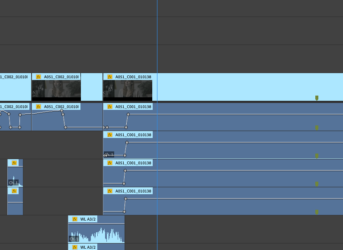
The files are named the same, yes, but the audio in the cut is empty.
-
Aaron Martinez
September 22, 2021 at 5:04 pmSorry I didn’t mean to send the last reply…
The audio links back to the Red video clips(empty) and not the on-set audio taken by the sound guys.
Reply to this Discussion! Login or Sign Up