Creative Communities of the World Forums

The peer to peer support community for media production professionals.

Activity Forums Maxon Cinema 4D Random mesh deformations artifacts only in render/animation

  • Random mesh deformations artifacts only in render/animation

    Posted by Josh Earle on September 23, 2025 at 2:59 am

    Cinema seems to be getting worse and more erratic the longer I use it.

    Tried to re-render a scene that I already had rendered perfectly. I had left some objects switch on accidentally in the take, so i turned them off and re-rendered.

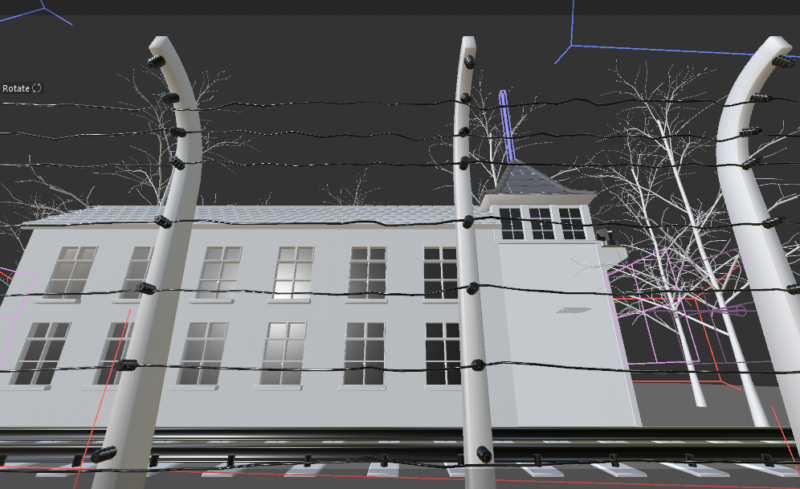
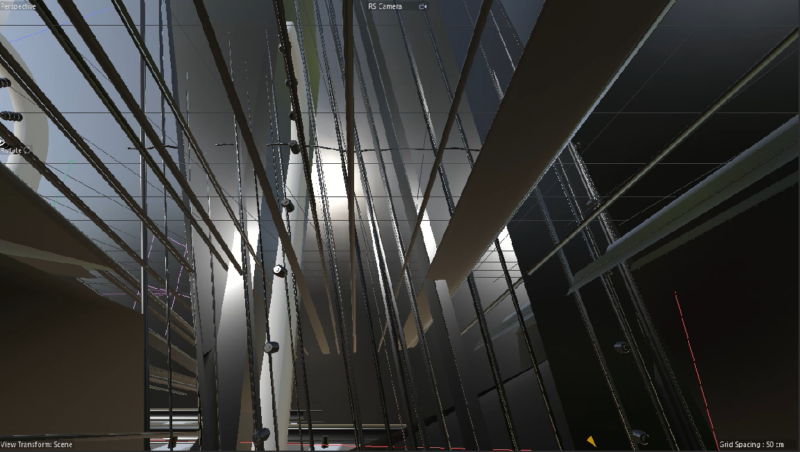
    The result was a mess of geometry completely distorting. Attached is the image of the viewport looking as it should (and also renders perfectly, then the preview of the animation of the same frame, and how it renders the sequence) I have narrowed it down to the sweep nurbs on the splines for the wire along the fence that is suddenly causing this. I had recently updated to the latest C4d (2026.0.0)

    The problem is that this neither shows up in the viewport, nor when rendering a still image. The moment I render a sequence it completely breaks. How is cinema bringing out new versions that break previous setups and not only that, but give you 0 indication that it has happened until you have left a render overnight.

    I think I have to switch software at this point. Any help appreciated.

    Kouraib Abdmalek
    replied 7 months, 3 weeks ago
    2 Members · 4 Replies
  • 4 Replies
  • Josh Earle

    September 23, 2025 at 3:10 am

    Further inspection seems to be something to do with the animated ‘growth’ attribute. Turning this off they rendered fine. But to keep the growth animation I needed to pull all the sweep nurbs out of the group into the top heirarchy then it works again.

    WHY is this not visible until rendering a sequence??? yet another bug discovered. What version is everyone using for C4D? is there a more stable version that everyone has a consensus on? The problem with the constant updates is that I will continue the projects with the newest update and then will not be able to continue them when I roll back versions.

  • Josh Earle

    September 23, 2025 at 3:15 am

    Ive just realised more problems with this project file now, the lighting has all changed too. but only in another take. I have changed no settings since update and it was rendering fine. Has the new update change lighting parameters for intensity/exposure in the new update? That is insane if so. Or another bug….

  • Kouraib Abdmalek

    September 23, 2025 at 10:19 am

    Hi Josh,

    There might be a difference between the viewport and the render, as if you were using a 360° or parallel camera, and that doesn’t mean there is a problem, but the strange thing is that the static frame render is different from the animation render. The reason might be the difference in the frame per second (FPS) between the project setting and the output setting, or that the scene has some tools that have editor vs render setting, so you should make the same value in both options (ex: Editor 2, Render 2) to ensure the result is identical between the render and the viewport. I hope this is helpful to you.

  • Kouraib Abdmalek

    September 23, 2025 at 12:28 pm

    As for the updates, it is recommended that work on a project in one version and don’t move to another version unless there is a good reason. I rule out that the update is the reason for the difference between the viewport and render, but is likely the reason of change in the light intensity.I don’t think we should rush to update to the latest version until we look at the aspects that has affected (You will find that on the Maxon website) and also wait for users’ opinions. The update often has problems, and this is common in various programs. If there is no need, l think it is better to stay on one version and settle with it for a while. I am working on 2024, it is good, and I have not encountered any problems (except for the problems that I caused, of course!) I have also heard many people praising 2025. I hope this is helpful for you.

We use anonymous cookies to give you the best experience we can.
Our Privacy policy | GDPR Policy