Creative Communities of the World Forums

The peer to peer support community for media production professionals.

Activity Forums VEGAS Pro Problem with Sony Vegas 8: Some options are cut off

  • Problem with Sony Vegas 8: Some options are cut off

    Posted by Oscar Hernandez on January 31, 2009 at 3:23 pm

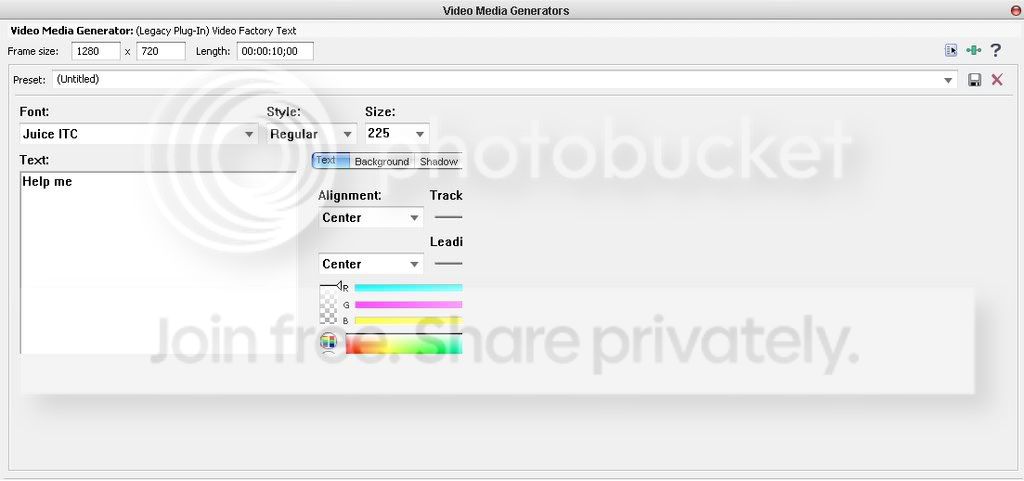
    here is an example of what i mean:
    Photobucket

    i cant scroll down or to the right and so some options such as feather are being cut off and i cant use them. it also happens for all the other media generator options such as when editing text or a noise texture.
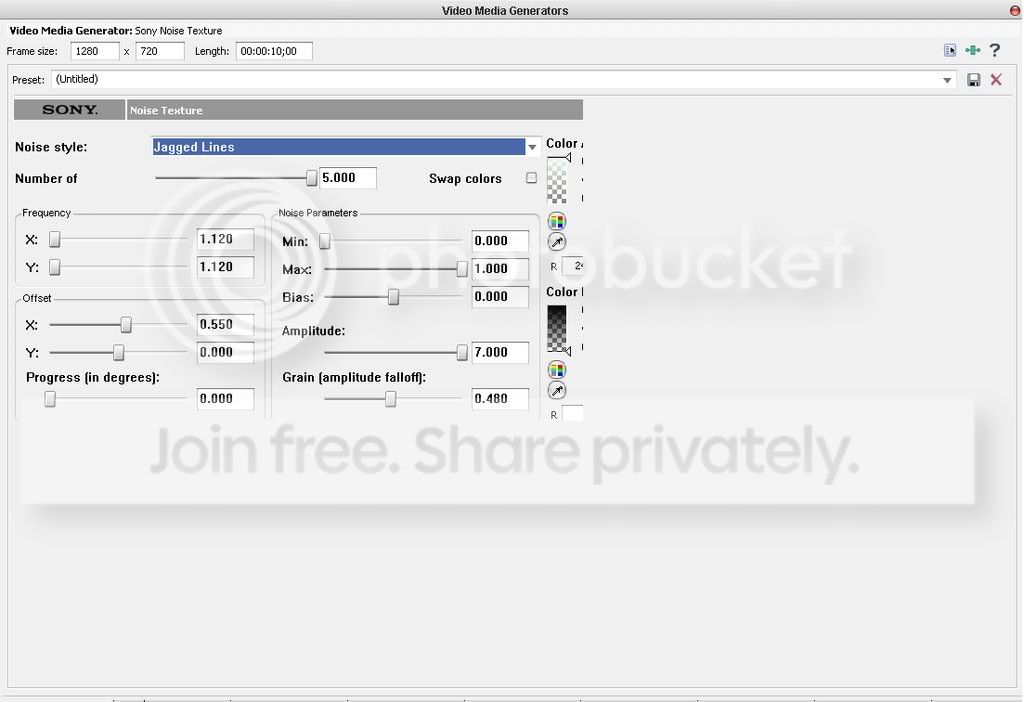
    here is another example. i know that at the bottom there is supposed to be a timeline which allows me to set keyframes. and to the right there are supposed to be some options for editing color. thnx in advance for the help.
    Photobucket

    Kim Nance replied 17 years, 3 months ago 4 Members · 5 Replies
  • 5 Replies
  • Mike Kujbida

    January 31, 2009 at 4:58 pm

    Bring your cursor almost down to the bottom of the FX window and you’ll see it change into an + sign with arrows above and below it.
    Left-click and drag it upwards to reveal the missing timeline, etc.

  • Oscar Hernandez

    February 1, 2009 at 3:45 pm

    that does not fix the problem Mike. i did that and then took the screenshot and the product is what you see in my post. any other ideas?

  • John Rofrano

    February 1, 2009 at 4:00 pm

    Have you changed the DPI of your display from the default 96 DPI. If so, that’s your problem. Change it back again and the dialogs will not be cut off.

    If it’s not that, then it’s probably an incompatibility with the window manager that you are using. Try disabling the window manager and see if it fixes the problem.

    ~jr

    http://www.johnrofrano.com
    http://www.vasst.com

  • Oscar Hernandez

    February 1, 2009 at 8:30 pm

    nice tip. i actually had to increase the DPI not change it back. it was already set to 96. i increased it to 120 DPI and i was able to see the rest of the dialogs. my text looks awkward though but at least i can see it all now. thnx John.

  • Kim Nance

    February 2, 2009 at 4:32 am

    On you Windows Display Properties – Appearance tab, what is Font size set to – Normal, Large or Extra large?

    Regards
    Kim Nance
    Armadillo Post

We use anonymous cookies to give you the best experience we can.
Our Privacy policy | GDPR Policy