Creative Communities of the World Forums

The peer to peer support community for media production professionals.

Activity Forums Maxon Cinema 4D Problem with Displacer Deformer in Spherical Direction mode

  • Problem with Displacer Deformer in Spherical Direction mode

    Posted by Eugene Tkhorzhevsky on August 18, 2024 at 8:54 pm

    Hello,
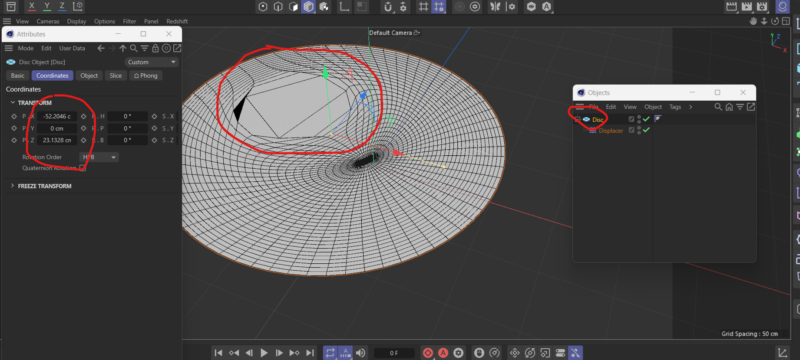
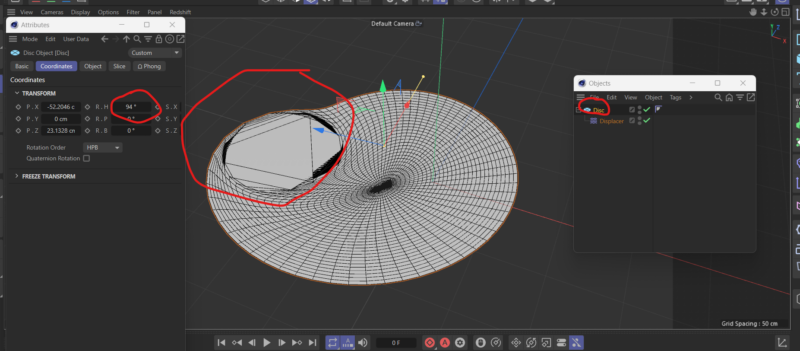
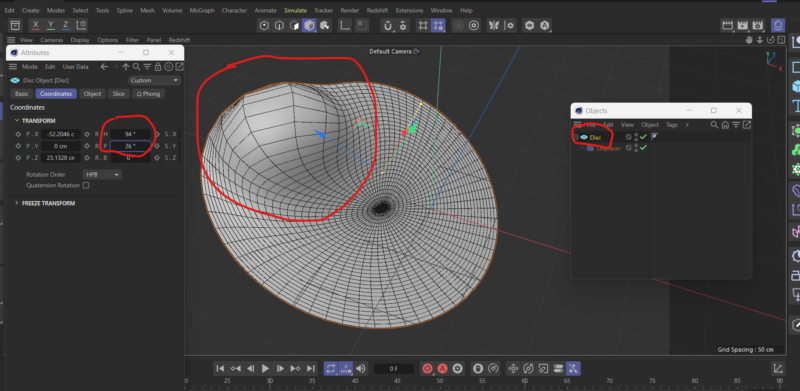
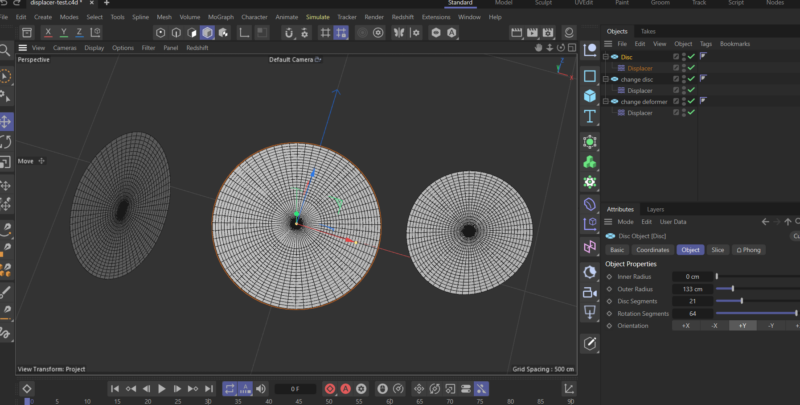
    I’ve try to use a Displacer Deformer for Disk Object (or other object, whatever) and apply some shader on it. In this simple case, Color Shader for example. Everything is OK (screen 1) until I try to move/rotate/scale my Disk (screen 2, 3). It start look like Deformer Shader not link with coordinates with parent object. Well, I could fix it with some Expression Tag tricks like negate coordinates only for child Displacer Object (screen 4), but it stop work when I rotate a parent object (screen 5, 6).

    Well, it looks like a Displacer Deformer have an independent coordinates for imagine sphere in Spherical Direction mode, that always fix stay in 0,0,0 World Coordinates.

    The problem is I watch tutorial where tutor use Displacer Deformer with similar case (C4D 2023.1.3), and there is no problems to apply transformations for parent object — Displacer Deformer linked to parent object correctly, and there is no black magic. In my case I use C4D 2024.2.0.

    I don’t know what is it — C4D version bug or I do something wrong? Please, help to solve.

    Kouraib Abdmalek
    replied 1 year, 10 months ago
    2 Members · 3 Replies
  • 3 Replies
  • Kouraib Abdmalek

    August 19, 2024 at 10:22 am

    Hi Eugene,

    The changes you are experiencing are supposed to occur when you change the coordinates of the displacer and not the model as in the screen recording below. I have attached the file for you to open and check if the problem is in your version. maybe there is a feature in the scene settings or the program settings that makes the model translate the deformers changes, but I did not find anything similar.

    I hope this will be useful to you.

  • Eugene Tkhorzhevsky

    August 20, 2024 at 7:15 pm

    Dear Kouraib,

    Thank you for your reply and for your time. I’ve check your c4d file file and interact with it. Screen in attachment

  • Kouraib Abdmalek

    August 21, 2024 at 8:28 am

    You’re welcome, Eugene! so I suggest you change the layout and try again. If it doesn’t work, try to rest the default settings by going to Edit>Preferences, then deleting any additional files resulting from a possible previous modification of the settings or you could reinstall the program to make sure that all the settings are back to the default. If the problem persists after all this, then there is definitely a bug in the version so you have to contact Maxon to fix it.

    Hope this will help you.

We use anonymous cookies to give you the best experience we can.
Our Privacy policy | GDPR Policy