Creative Communities of the World Forums

The peer to peer support community for media production professionals.

Activity Forums Adobe After Effects Prickly circle – howto?

  • Prickly circle – howto?

    Posted by Roger Maus on October 31, 2021 at 5:45 pm

    Hi there,

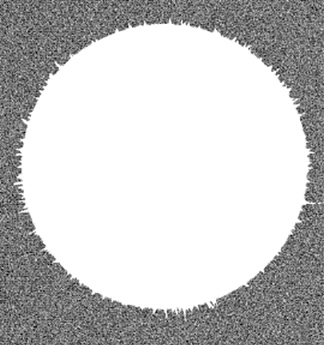
    I would like to animate a prickly, spikey circle. I attached a picture which shows the aesthetic I am trying to achieve. (grey background)

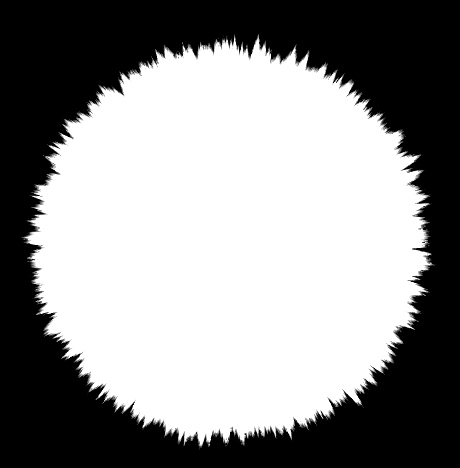
    I already did some tests with Turbulent Displacement plus Radial Blur, yet it looks “wrong”. And it’s quite demanding, regarding performance. (example with black background attached)

    Any ideas?

    Michael Szalapski replied 4 years, 6 months ago 3 Members · 5 Replies
  • 5 Replies
  • Anders Hattne

    October 31, 2021 at 6:47 pm

    I found I achieved a similar result with a shape layer:

    Make two circles. Top copy I set to 2 points larger than the bottom one.
    The bottom one I added a Wiggle Paths. Size 76, Details 86, Smooth Points, 0 frequency (For example..).
    And below all that Merge Paths in Add mode.
    Lastly a Stroke…

    Was gonna see if you could add several Wiggle Paths to create smaller and larger details, but then After Effects stopped responding.. 🙃

  • Roger Maus

    November 1, 2021 at 9:50 am

    Thanks a ton!
    Just added Simple Choker to smoothen it out.

    See attached clip for final result: it’s the circle on the very right.

    PS: i can’t embed videoclips here, can I?

  • Anders Hattne

    November 2, 2021 at 11:54 am

    So that ended up working for you in the end?

    A completely different method, that Harry Frank did, (I believe) was just a line, displace it with greyscale gradients distoring the line with Displacement Maps and then using Polar Cordinates to make it a circle.
    Probably would be a lot slower though.

    No idea if you can attach videos. Have not been active here for two ! years!

  • Roger Maus

    November 2, 2021 at 3:28 pm

    Hi Anders,

    yes I am happy with the outcome. Polar Coordinates is a powerful tool, but your approach is easier to handle.

  • Michael Szalapski

    November 2, 2021 at 5:39 pm

    That looks like something you could get with the Roughen Edges effect set to spike.

We use anonymous cookies to give you the best experience we can.
Our Privacy policy | GDPR Policy