Creative Communities of the World Forums

The peer to peer support community for media production professionals.

Activity Forums Adobe Premiere Pro Premiere Pro Huge File Size

  • Premiere Pro Huge File Size

    Posted by David Flores on April 13, 2022 at 1:36 am

    Greetings to all in the community.

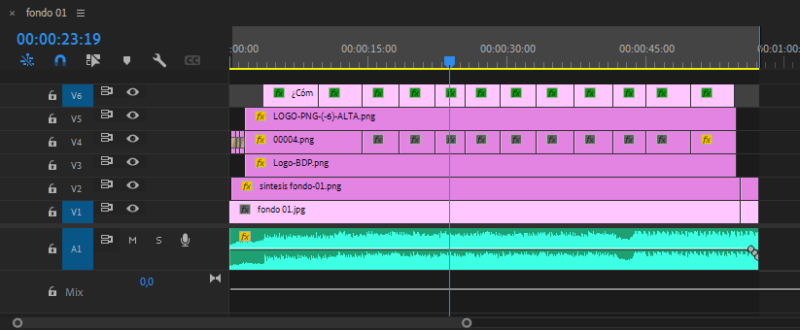
    I was given an Adobe Premiere project to render, the video is 58 sec long and it’s just PNG image layers.

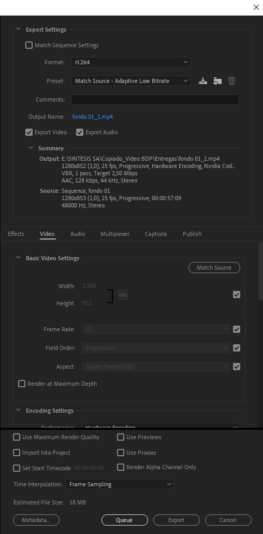
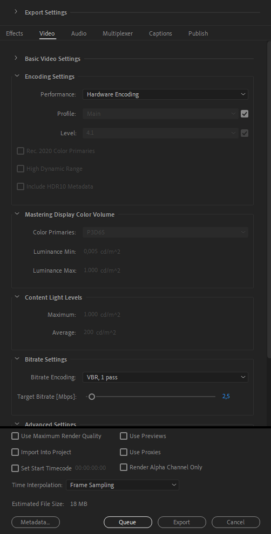
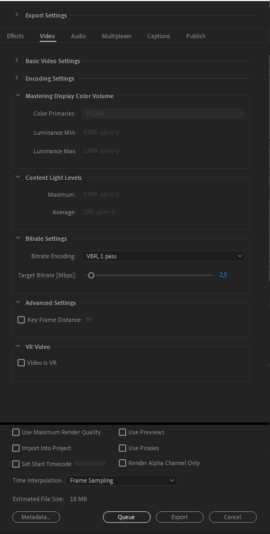
    The problem is that when I render video it weighs more than 200mb, I have rendered other videos of 4 min duration that weigh much less. I don’t understand what could be the problem, the Export Panel Settings tells me that the video should weigh 6mb. I hope you can help me.

    I take this opportunity to congratulate you for the excellent community you have. I have always found solutions in this place for many of my editing problems, you guys are the best. I hope one day to have the necessary knowledge to help others with their doubts.

    Chris Wright replied 4 years, 2 months ago 3 Members · 4 Replies
  • 4 Replies
  • Chris Wright

    April 13, 2022 at 4:16 am

    that is strange. what does mediainfo say is the bitrate and length of video? what type of audio?

    try with software encoding or prores with handbrake or shutter encoder to get a second encoding opinion.

  • Santanu Bhattacharjee

    April 13, 2022 at 8:10 am

    Chris is right, often hardware encoding is unpredictable. Try the software encoding.

    Santanu

    http://www.santanu.biz

  • David Flores

    April 13, 2022 at 7:01 pm

    Thanks for the reply.

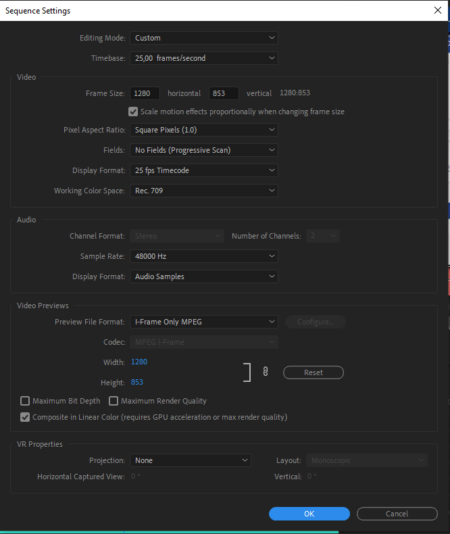
    Due to the need to deliver the video yesterday, I entered the project in search of elements that perhaps I was not taking into account. I immediately noticed that the PNG images had an exaggerated size of 11mb, the resolution of the images was 1280*853 and it did not make sense for their size to be 11mb. In photoshop I was able to reduce the weight without losing quality and I continued to reduce the weight on a page dedicated to compressing PNG until I reached 30KB per image. I replaced the original files with the new PNG images and EUREKA the video was able to render at a wonderful 6mb without losing quality!!!

    Every day we learn something new and I’m glad I was able to solve it and share it with you. Thank you very much again for the reply, I really appreciate it.

    PS: English is not my native language, I hope I have been able to be clear.

  • Chris Wright

    April 13, 2022 at 7:51 pm

    If you were exporting to h.264, it shouldn’t have mattered how large the source files were. It’s mostly dependent on the bitrate and audio compression. Maybe VBR couldn’t compress the png correctly and cbr could. Regardless, i’d chock this up to a premiere bug but thx for reporting back with the solution.

We use anonymous cookies to give you the best experience we can.
Our Privacy policy | GDPR Policy