Creative Communities of the World Forums

The peer to peer support community for media production professionals.

Activity Forums Adobe Premiere Pro Premiere Pro CC 2015 Major Playback Issue

  • Premiere Pro CC 2015 Major Playback Issue

    Posted by Ben Holmes on October 14, 2015 at 3:58 am

    I’ve just installed the new version of Premiere CC 2015. It is a demo copy for now, until I can pay for a yearly license in a few days. I’m on a Macbook Pro Retina, late 2013 model.

    I was editing a project in PP CC 2014, then updated to the demo 2015, and now I am getting an issue with the playback monitors. I have attached an example image.
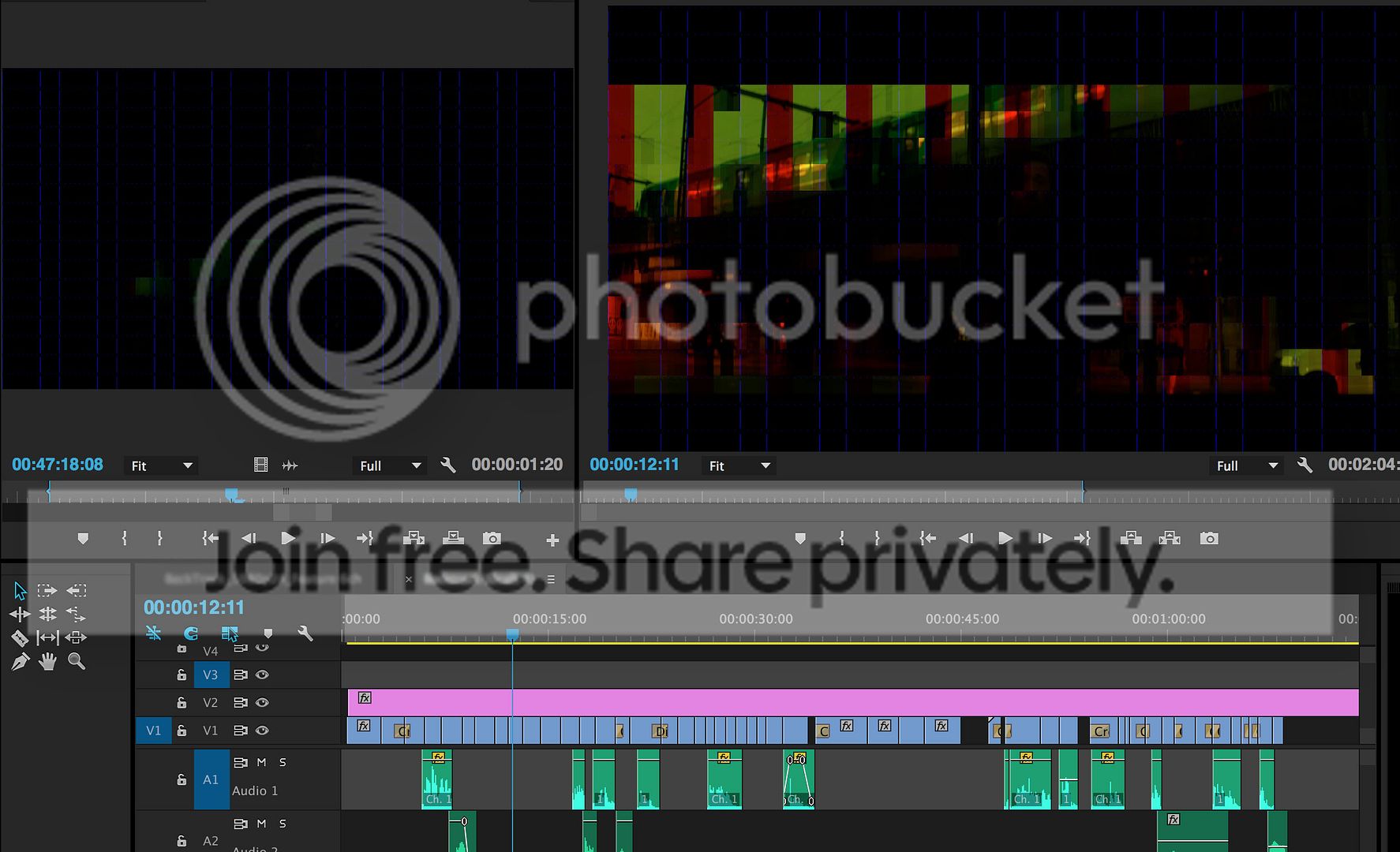
     photo Premiere Screenshot_1.jpg

    The funny thing is, playback is fine. When I play the timeline, it plays fine. Just when I stop/pause, it gives me the distorted screen as shown above. I have tried exporting, and unfortunately the error is contained throughout the exported file (tried Prores and mp4 h264).

    I have tried re-rendering preview files, as well as changing the preview format from i-mpeg to QT h264. Still the issue persists.

    Does anyone have any ideas?

    Just as a note, I am not connected to any external tape capturing devices or anything of the sort. Just me and my laptop.

    Thanks in advance,

    Ben

    Ben Holmes replied 10 years, 6 months ago 2 Members · 4 Replies
  • 4 Replies
  • Tero Ahlfors

    October 14, 2015 at 4:03 am

    You upgraded to El Capitan. As a workaround you might want to turn off the GPU accelerated Mercury Playback Engine in the project settings.

  • Ben Holmes

    October 14, 2015 at 4:10 am

    Thanks, worked. What a bumber. Any downsides to not using GPU accelerated Mercury Playback Engine? I’m hoping the issue will be solved asap…

    I’ve put it onto ‘Software Only’. Cheers for the help!

  • Tero Ahlfors

    October 14, 2015 at 4:33 am

    Just a protip for the future: Never ever upgrade a Mac OS before the developers of the software you use say it’s OK.

  • Ben Holmes

    October 14, 2015 at 4:40 am

    Lesson learned, thanks.

    So far, cons easily outweigh the benefits of upgrading to OSX El Capitan.

We use anonymous cookies to give you the best experience we can.
Our Privacy policy | GDPR Policy