Creative Communities of the World Forums

The peer to peer support community for media production professionals.

Activity Forums Adobe Premiere Pro Premier Pro crashes with one particular project

  • Dennis Dean

    September 14, 2026 at 4:03 pm

    So even tho the dialogue says ‘while open’ I presume you are not getting through the opening process without a crash? If I am wrong and you can get the project open – try exporting it through the project manager. Saving a copy to another folder with (or without) all the linked files. All you want is the new project document. I don’t know if it will simply copy the document or not, I think it will create a new one specific to the files it is saving. You might also try simply renaming the project file and see if that has any impact.

  • Mads Nybo jørgensen

    September 14, 2026 at 4:08 pm

    Hey Mary,

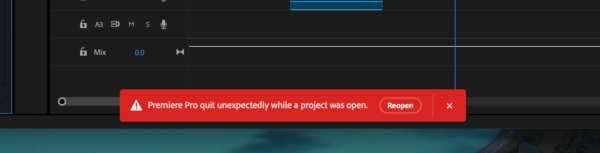
    That RED bar is a standard fare with PPro, and v25 was amongst the worst releases ever.
    I lost multiple v25 projects, and Adobe did not care enough to fix it.

    On the last remaining client projects, I am currently running 26.3.2 (Build 2) and that appears stable.

    There are not enough money in the world to pay me to convince me to get the latest v26.5, so be careful if you upgrade.

    Only other thing I can suggest is for you to delete your media cache (Trash you preferences).

    Hope this helps.

    Atb
    Mads

  • Mary Gerber

    September 14, 2026 at 4:58 pm

    Dennis,

    Thanks so much for your reply. I can’t get past the error message to export anything. I just locks up. Do you think uninstalling the version that I am using and reinstalling would be a good idea? I’ve tried renaming, renaming and saving it to my desktop instead of the external drive. I have had no issues with this until today. All my other ongoing projects are opening just fine – for now.

  • Dennis Dean

    September 14, 2026 at 5:13 pm

    I honestly don’t know if installing and reinstalling would help. You can try it, though I’d try Mads’ idea (above) 1st – trash your prefs. If it’s just one project I rather think the file is corrupt, rather than the software being the issue, but I’m not enough of an expert in that area to say for sure. Do you have any earlier versions of the project – on a backup disk? If you’re running Mac check Time Machine.

  • Mary Gerber

    September 14, 2026 at 5:15 pm

    Yep, I would have a time machine backup.

We use anonymous cookies to give you the best experience we can.
Our Privacy policy | GDPR Policy