

-
PPro issue relinking incorrect clips when importing XML from Davinci Resolve
I have a client who likes to do a pre-edit on her own before sending me the material in order for me to “clean it up”, as it were, and do the post. She works on FCPX, so I she exports an FCPXML file of the project and sends me all the original material. I use PPro, so I import her FCPXML to Davinci Resolve and export from there a normal XML I can then open in PPro.
So I open this project in Davinci Resolve, I relink all the media that might not be in the exact same place it was when she worked the project, and I go through the edit to make sure everything is correct. And it is.
But when I import the XML I got from Davinci Resolve to PPro is where the problems begin. First off, it finds all the media, but one click, one inexistent click, I should say, that is basically a duplication of a real clip but without the file termination: it looks for the source “P1400535”. There’s a “P1400535.MOV”, so I then replace the one with the other.
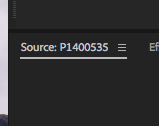
But the thing is that other clips with other clip names on the timeline seem to be linked to this weird clip, for some reason. I submit the attached images as examples:
The selected clip on the timeline clearly says P1400556 (sans extension, as you can see) but it’s linking to that strange, extension-less clip P1400535 when I click “F” on the timeline clip.
And simply replacing the faulty timeline clip with the actual clip it should link to (by selecting the clip and dragging in the real clip while pressing OPT—or ALT—) obviously doesn’t take into consideration the actual IN/OUT values of the original selected clip.
What could be going on here?


Sorry, there were no replies found.