Creative Communities of the World Forums

The peer to peer support community for media production professionals.

Activity Forums Adobe After Effects Position of Image controlled by two Right Justified Text Layers… Help!

  • Position of Image controlled by two Right Justified Text Layers… Help!

    Posted by Manuel Roman on October 13, 2020 at 7:29 pm

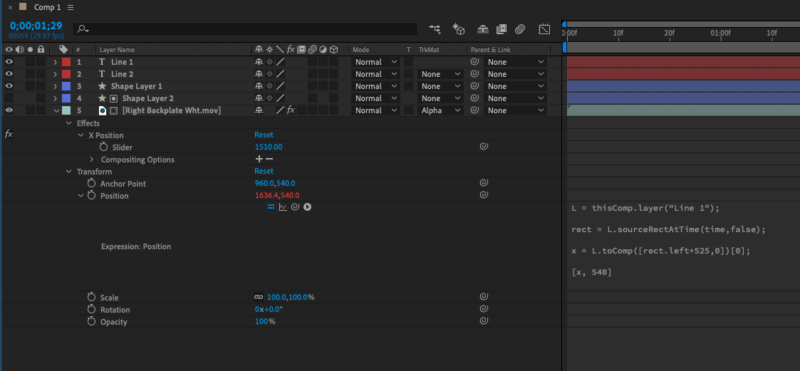
    I am trying to control the position of an image(lower third backplate .mov file)that slides from the right side. I want the position to move toward the left as the text characters increase. I need two lines of right justified text. By some miracle I was able to make the top line do it, but cannot seem to make the bottom line control the length as well. I need the bottom one to work because most likely it will contain more characters than the top. So basically, which ever layer has more text will control the position of the image. Anyone have any idea how to make both layers share control of the position?

    This is the expression on the backplate/.mov I have that works with the top text line(Line 1)

    L = thisComp.layer(“Line 1”);

    rect = L.sourceRectAtTime(time,false);

    x = L.toComp([rect.left+525,0])[0];

    [x, 540]

    I need the bottom text line(Line 2) to also control the same .mov/image.

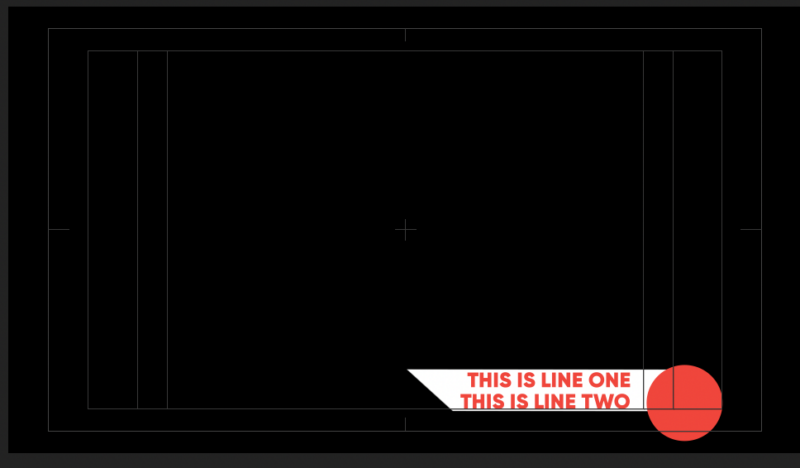
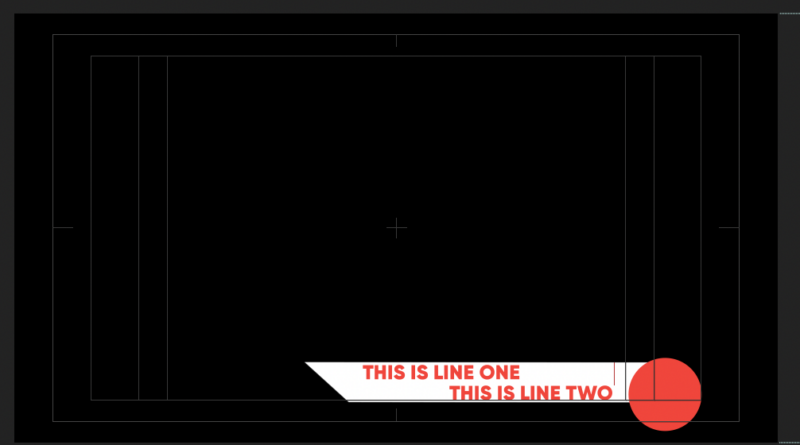
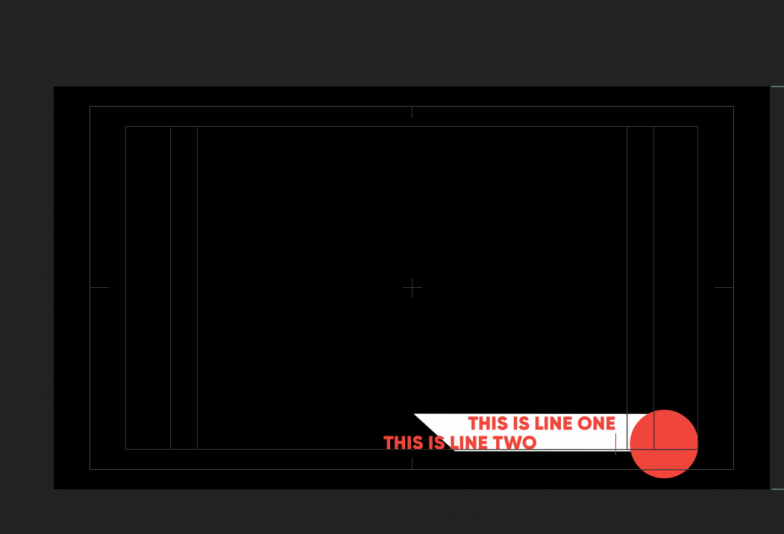
    On the images you can see when I add spaces to the top line, the position moves with it.

    The bottom line, doesn’t work at all.

    I’d really appreciate some help with this… Thanks!

    Manuel Roman replied 5 years, 10 months ago 2 Members · 3 Replies
  • 3 Replies
  • Walter Soyka

    October 13, 2020 at 7:50 pm

    Your expression needs to look at both the left-most coordinate of Line 1 and the left-most coordinate of Line 2, and use whichever is “lefter” (the smaller of the two X positions).

    Here’s some sample code:

    L1 = thisComp.layer("Line 1");
    rect1 = L1.sourceRectAtTime(time,false);
    L2 = thisComp.layer("Line 2");
    rect2 = L2.sourceRectAtTime(time,false);
    x = Math.min(L1.toComp([rect1.left+525,0])[0], L2.toComp([rect2.left+525,0])[0]);
    [x, 540]
  • Manuel Roman

    October 13, 2020 at 7:54 pm

    Oh my god. It worked! You are amazing! I messed with this way too long yesterday. Thank you, thank you!Smile

  • Manuel Roman

    October 13, 2020 at 8:55 pm

    Dan also posted this on my duplicate post, before I realized there was a Forum for expressions… this worked great as well! Thanks to both of you!

    L1 = thisComp.layer("Line 1");

    rect1 = L1.sourceRectAtTime(time,false);

    x1 = L1.toComp([rect1.left+525,0])[0];

    L2 = thisComp.layer("Line 2");

    rect2 = L2.sourceRectAtTime(time,false);

    x2 = L2.toComp([rect2.left+525,0])[0];

    [Math.min(x1,x2), 540]

We use anonymous cookies to give you the best experience we can.
Our Privacy policy | GDPR Policy