Creative Communities of the World Forums

The peer to peer support community for media production professionals.

Activity Forums DaVinci Resolve Portable HDR Reference Monitor

  • Portable HDR Reference Monitor

    Posted by Matthew Jeschke
    on May 23, 2026 at 6:51 pm

    I am looking for a compact, 13.3″, monitor to use as a “good enough” reference monitor. That size will fit my editing workstation perfectly (image attached). Unfortunately, I’m quite budget constrained as my business isn’t doing great right now otherwise I’d just spring on a EIZO, Sony, or another monitor sold as a reference display.

    My requirements:

    — 13.3″ HDR display

    — GOOD ENOUGH —

    70+% rec 2020 coverage & HD resolution

    — IF POSSIBLE —

    — “ideal” 90+% would be great but unnecessary & UHD resolution


    8bit+FRC is fine (don’t care what pixel tech it has OLED/miniLED/QLED)

    I don’t need broadcast quality performance for what I’m doing right now.


    I can find my specs in a TV with ~90% rec 2020 but having hard time finding them in a small display that will fit in my office where I edit.
    Affordability is key. If I had $2000 then this would be simple. I am looking to spend a few hundred bucks, preferably less.

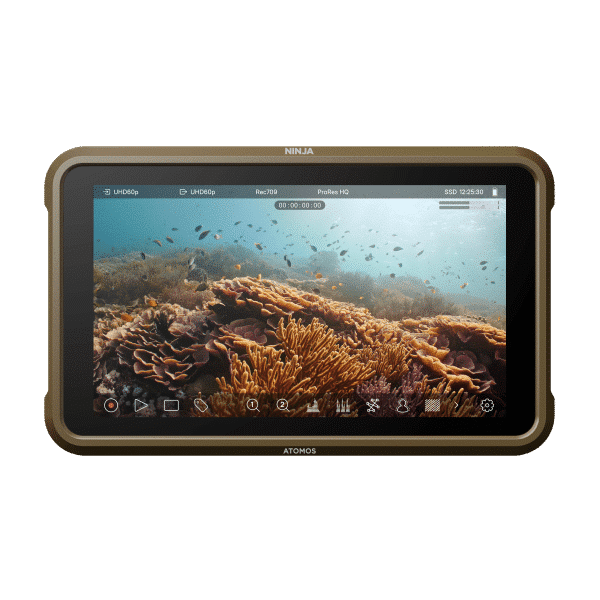
    Atmos Ninja V I have one viable option, the Atmos Ninja. It’s a bit small but will work to do that I need for now. However, surely there’s a better option before I spend $400 on a used ninja. That said it offers overlays (false color, zebras, etc) which would be useful in editing. I think I can also hook it directly to a PC as a display?? I’ve owned these in the past but never tried to connect them to my PC.

    https://www.atomos.com/product/ninja/

    UPerfect HN133BU this is exactly the size I’m looking for but I’m not familiar with this brand, and it’s color performance is less than “good enough”; 109% of DCI-PC approx 55% rec 2020. I can only find reviews of it for playing video games. Not sure I want to spend the $280 just to try it out. However, the size is exactly what I’m looking for.

    https://uperfect.com/collections/portable-monitors/products/macbook-mini-monitor?_pos=4&_fid=90932f22a&_ss=c

    Separate requirement:

    I had an SDR calibration tool from x-rite. I need to find an HDR calibration tool now…

    Backstory:

    I bought a large panel TV to screen videos to screen my videos to a test audience. It’s a Hisense U7 (separate post). There was an unintended side effect of purchasing the display. I fell in love with HDR grading. However, the monitor at my grading machine is a SDR display (LG 31MU97). I’m having to grade using scopes only which is time consuming…

    Matthew Jeschke
    replied 1 week, 1 day ago
    2 Members · 5 Replies
  • 5 Replies
  • Mads Nybo jørgensen

    May 28, 2026 at 12:11 am

    Hey Matthew,

    You’ve built a great setup.
    And it is fab to hear that you are getting excited about grading HDR.

    For what it is worth, and it is not necessarily the advice that you are seeking, but this is my opinion:
    even a “small” 13.3″ HDR display is not going to give you the scale that you are looking for. And the small ninja is even worse, as you’ll soon find it too small for doing detailed work on.
    Not joking, although I am: You might be better off getting a 4K VR headset…

    I get your point about cost v earnings, that those two have to match before you can invest in a bigger screen.
    I’ve got my eye on the new ASUS 4K selfcalibrating monitors – they are not top of the range, but will work for 98% of the work I do. Anything at a higher quality for DCP distribution, I’ll hire in a bigger and better calibrated monitor.

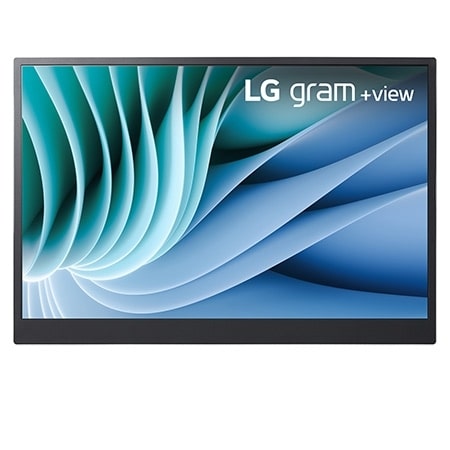
    Currently, for when I go on location, or to the offices of my client(s), I have a 16″ portable LG screen.
    It is not HDR, but
    – 16:10 WQXGA (2560×1600) Display
    – DCI-P3 99% (Typ.)

    https://www.lg.com/uk/laptops/16mr70/

    Although I have 2 screens in my office setup, similar to your setup, I can when required add the LG screen to run my scopes and other measurement tools on.

    When I purchased the “big box” items from DELL, I got enough points + added a bit money to buy a DELL 27″ 4K monitor for my boys to use for the X-BOX. There is a newer version out that could potentially be suitable for you:
    https://www.dell.com/en-uk/shop/dell-27-plus-4k-monitor-s2725qs/apd/210-bqwm/monitors-monitor-accessories
    Which offers:

    Video

    Maximum Resolution

    3840 x 2160

    Standard Refresh Rate

    120 Hz

    Color Supported

    1.07 Billion Colors

    Native Contrast Ratio

    1,500:1

    Brightness

    350 cd/m<sup>2</sup>

    Tearing Prevention Technology

    FreeSync Premium

    Color Gamut

    99% sRGB (CIE 1931)

    Maximum Preset Resolution

    3840 x 2160 at 120 Hz

    Pixel Per Inch (PPI)

    163

    This option is not perfect, but it is at the same time likely to give you the quality of image that your viewers will be watching on at home. And, it get you moving forward in the pursuit of HDR, without breaking the bank.

    Hope this helps?

    Atb
    Mads

  • Matthew Jeschke

    May 28, 2026 at 1:28 am

    Thanks for your confidence inspiring words about my editing setup. I’m so in love with this 31MU97 though it’s like parting with an old recliner 😂

    I’d thought of buying a second larger format monitor like that DELL or a Samsung S80. Mounting it portrait and somehow placing the scopes on the bottom and timeline preview on the top… Then if that didn’t work well I could just rotate it landscape and use conventionally. However, I’m unsure if resolve will let me dock the scopes and preview like that?

    Interesting to note, some full time editors I came across through the grape vine said they were using the Samsung S80 which has similar color performance to DELL you recommended. They’re doing some mainstream stuff too, although not sure if they’re doing much HDR.

  • Mads Nybo jørgensen

    May 28, 2026 at 7:30 am

    Hey Matthew,

    It would not be a surprise if some monitors have near identical output, as there are only soo many patents and factories for making the core component for the screen (OLED/LED/???).

    And at the money that you are initially spending, you can easily be spending too much time researching whether to spend $200 or $500, where it really only make a difference if you are spending more than $2,000 – just an opinion.

    “However, I’m unsure if resolve will let me dock the scopes and preview like that”
    Search on Google, or similar, and you shall find.

    Keep in mind that BlackMagic are continuously adding new features to Davinci.
    This is what I got from my search:

    Enabling Dual Screen Interface

    1. Navigate to the top menu bar and select Workspace.
    2. Select Dual Screen and click On.
    3. You can then choose how to arrange your panels, such as placing the viewer on one monitor and the media pool or nodes on the other.

    Atb
    Mads

  • Matthew Jeschke

    May 28, 2026 at 7:03 pm

    Thanks for your help. I’m skeptical Davinci at this point in time could give me a separate window for the viewer as well. My searches haven’t come up with how to do that. I’m going see if they’d be interested in updating the software to do that.

    I borrowed a Atmos Ninja 5. It plugs in and works as expected. As you’d eluded to, it’s not a realistic option for viewer screen. As you mentioned, it’s SMALL though, even smaller than timeline viewer on my main display. I could possibly live with that however, I think I saw more color detail on my main display, 31MU97 despite it being SDR. I could likely nail the contrast but would have to switch between previews on the two displays. I really liked the ability to click overlays for false color, etc. but not really my intention.

    In reality ideally, I’d have a portrait display w/ good rec 2020 performance to offload the scopes and viewer too… However, even if that was possible it’s beyond my budget right now.

    I think I’m going to take a chance on this generic 13.3″ monitor. It’ll fit my desk perfectly, has a bit better rec 2020 coverage (though not nearly as good as my HDR TV). It’ll get my part way there till I can get some more $$ and software catches up.

    Thanks for the help!

  • Matthew Jeschke

    June 3, 2026 at 6:08 pm

    The monitor profiles aren’t that great on these things. I have a system for SDR to correct that. However, it won’t handle HDR.

    A clean video feed from Davinci Resolve: is it possible to have resolve send a video feed without any influence from the windows color management stuff? Maybe a box I buy or something that sends a clean feed?

    A application to calibrate HDR: is there application that provides finer control to tweak HDR? A full on calibration would be best, otherwise I’ve only the ability to adjust most basic things right now (contrast, brightness, and saturation).

    Side note: I got my hands on a small portable monitor saying it does HDR… It claimed 120% DCI-P3 which seemed reasonable. However, it’s claims were far off or at least its ICC profile is all wrong. I also got my hands on another desktop ASUS monitor which does HDR. Out the box the ASUS is much better suited.

We use anonymous cookies to give you the best experience we can.
Our Privacy policy | GDPR Policy