Creative Communities of the World Forums

The peer to peer support community for media production professionals.

Activity Forums Adobe After Effects Path Import

  • Path Import

    Posted by Jeffrey Mantlo on April 6, 2008 at 4:37 pm

    Hi there.
    I have 2 questions for both Illustrator and After Effects…

    I came across a video where someone used a used a path (made in Illustrator) to make a 3D Stroke run around the outline of his text.

    My first question is…
    How do you make a path (in Illustrator CS3) like the one in this picture?
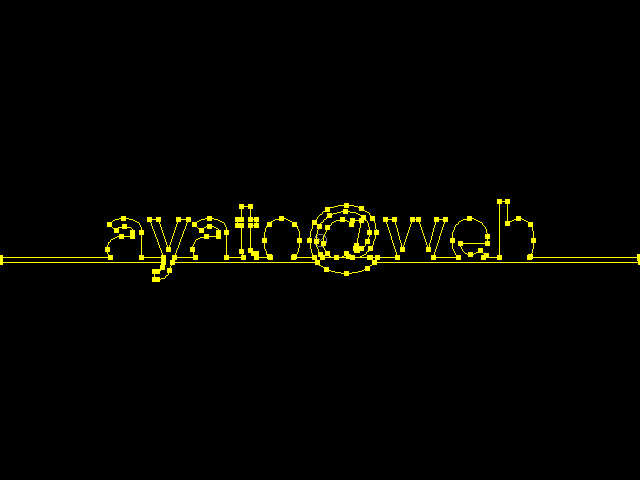
    And also…
    How do i import the path into After Effects after iv made it?

    Ian Corey replied 18 years, 1 month ago 3 Members · 2 Replies
  • 2 Replies
  • Mike Clasby

    April 6, 2008 at 10:36 pm

    1) With the Pen Tool?

    2) Copy, Paste… but this from the Help files:

    “To make the data copied from Illustrator compatible with After Effects, the AICB option must be selected in the Files & Clipboard section of the Adobe Illustrator Preferences dialog box.”

    Or just import the Text/Graphic from AI, with it alpha, then in AE when its been dropped into a layer:

    Layer>Auto Trace (set Tolerance and Threshold to 1)

    or if it is just Text, Import it then:

    Layer>Create Outlines

  • Ian Corey

    April 7, 2008 at 1:47 pm

    Command + Shift + O while your text is selected will trace it.

We use anonymous cookies to give you the best experience we can.
Our Privacy policy | GDPR Policy