Creative Communities of the World Forums

The peer to peer support community for media production professionals.

Activity Forums Adobe After Effects Expressions Paragraph Text Question via scripting

  • Paragraph Text Question via scripting

    Posted by Mirza Kadic on November 23, 2020 at 4:49 pm

    Hi guys, I’ve been trying to solve a certain problem for two days without any success. Let’s say I have text variable

    var text = “Lorem ipsum dolor sit amet, consectetur adipiscing elit. Etiam rutrum sapien ultrices sapien condimentum, et congue risus placerat.”

    And I want to apply it to boxText (paragraph text)

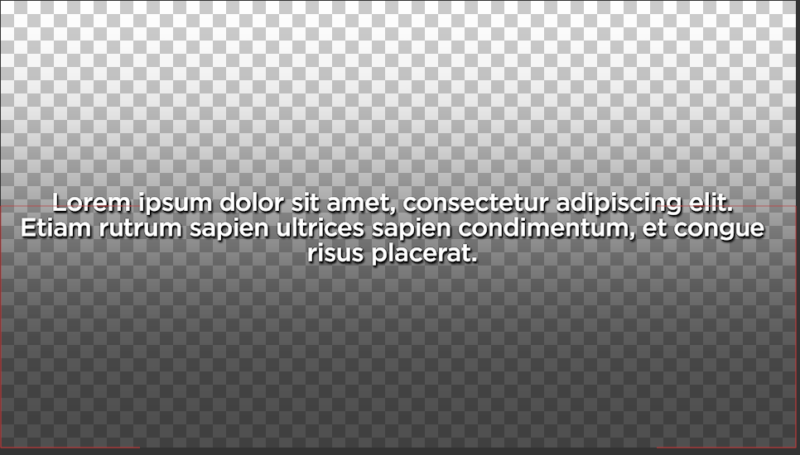
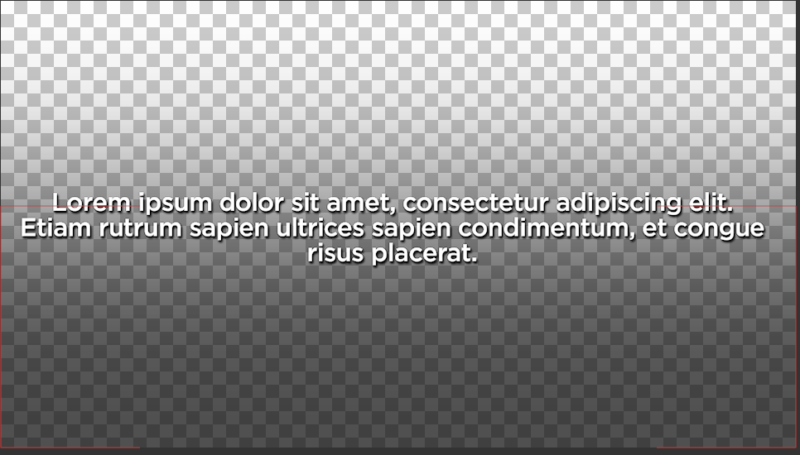
    I get something like on attached picture nr.1. What I want is to have equal (around equal) number of words in each line. So, script should set boxTextSize to have equal number of words in each line. See picture nr. 2. I’ve tried braking the text with \r and everything else what would come first to your mind, but it just doesn’t work. The only possible solution in my head is set boxTextSize based on number of words or some magic like that :D. Just not experienced enough in scripting to get it on my own. Thank you very much in advance!

    Mirza Kadic replied 5 years, 5 months ago 2 Members · 6 Replies
  • 6 Replies
  • Mirza Kadic

    November 25, 2020 at 10:37 am

    Any help would be greatly appreciated. This is a non-profit project where there would be thousands of these text boxes and I really want them to look decent without the need to correct all 6000ish of them. Thanks again! 🙂

  • Filip Vandueren

    November 25, 2020 at 12:43 pm

    Try this, it’s a kind of brute-force approach (it tries every possible line length and chooses the one that has the least difference in line-lengths), but it works:

    You will have to manually input the ideal maxWidth-value though, as that depends on the font used and the width of the box.

    If the value is too high, then the text-box will also wrapping, and we don’t want that.

    But you might not even need to use text-boxes using this approach ?

    var txt = "Lorem ipsum dolor sit amet, consectetur adipiscing elit. Etiam rutrum sapien ultrices sapien condimentum, et congue risus placerat.";
    maxWidth = 110;
    minWidth = 30;
    var results=[];
    for (i=maxWidth; i>=minWidth; i--) {
    const splitter = new RegExp('(.{'+i+'}[^ ]* )', 'g');
    const newTxt = txt.replace(splitter, '$1\n');
    const lines = newTxt.split('\n');
    const lineLengths = lines.map(a=> a.length);
    results[i] = {
    index: i,
    txt: newTxt,
    lines: lines.length,
    contrast: Math.max.apply(Math, lineLengths) - Math.min.apply(Math, lineLengths)
    }
    }
    // best match has the lowest contrast (diff betweens longest and shortest line) and the lowest amount of lines
    results.reduce( (acc, curr) => ((curr.contrast < acc.contrast) && (curr.lines<=acc.lines)) ? curr : acc , results[maxWidth]).txt;

    One Last thing: if there are line-breaks in the input-text already, then it won’t work as expected. You might want to first filter them out.

  • Mirza Kadic

    November 25, 2020 at 3:03 pm

    Wow, thanks a lot, the problem is (since this is too high stuff for me, just started learning javascript/extendscript last year), is that I get an error, “> does not have a value” in (a=> a.length); Am I doing something wrong?

  • Filip Vandueren

    November 26, 2020 at 12:31 am

    That would probably mean you are either working in an older version of After Effects, or the current version’s expressions – engine is set to Legacy mode (in the project settings )

    I can rewrite the code tomorrow so it works on older versions of After Effects tomorrow

  • Mirza Kadic

    November 26, 2020 at 12:55 pm

    It’s latest AE, but switching to javascript did the trick. It’s working, thank you so much, it’s actually working without text box, just regular text. I really really appreciate this Filip, thank a lot!

  • Mirza Kadic

    November 27, 2020 at 1:39 pm

    Just one question, is it possible to rewrite this for a script? If it’s in expression I have to convert expression to keyframes and all that pain… Thanks!

We use anonymous cookies to give you the best experience we can.
Our Privacy policy | GDPR Policy