

Activity › Forums › Avid Media Composer › omf to mxf
-
omf to mxf
Posted by John Watts on December 14, 2010 at 2:46 pmAm transcoding a lot of old omf files from older Avid Symphony to use in new Avid Symphony Nitris DX.
First test has been unsuccessful as far as Avid seeing the files. I believe the files are correctly located in the Avid Mediafiles/MXF/1 structure, but don’t know why media indicates offline. Re-linking doesn’t seem to help.
Same project reads fine from omf, but when I make that folder unavailable, media goes away?
I have many thousands of files, which is why I need to convert to mxf.Any ideas would be greatly appreciated?
John Watts
Christopher Lowden replied 8 months, 3 weeks ago 7 Members · 9 Replies -
9 Replies
-

Michael Kammes
December 14, 2010 at 3:15 pmAvid can use both OMF (SD) and MXF (SD & HD) files. Why do you need to convert? You may be making more work for yourself.
If you still want to convert them, keep in mind the different file structures. OMFIMediaFiles (OMF) via Avid MediaFiles/MXF/1 (MXF). Also, don;t forget to kill the database files, so Avid knows to rescan the folders. (Conversely, you can try the Media Tool, but I prefer to kill the database files.)
Good Luck!
~Michael
.: michael kammes mpse
.: senior applications editor . post workflow consultant
.: audio specialist . act fcp . acsr
.: michaelkammes.com -

Ed Cilley
December 14, 2010 at 3:41 pm[Michael Kammes] “Avid MediaFiles/MXF/1”
OMF lives in a different file structure.
Best way is to change the media creation setting in Avid, create a garbage title and save as OMF. Avid will create the folder structure. Then copy all your media into the proper OMF folder. Avid will rescan and you can transcode into MXF if needed.
Hope that helps.
EdAvid and FCP Preditor
_________________________________________________
Anything worth doing at all, is worth doing well.
– Philip Dormer Stanhope, Earl of Chesterfield -

John Watts
December 14, 2010 at 6:58 pmI need to convert because of the total number of files involved, well over 10,000. Anything over 5,000 impedes performance in the old omf file structure.
Have trashed the database files twice and rebooted/relaunched but they are still showing offline.
For the moment I’m stuck, feel like I’m doing it correctly but don’t understand why it’s not happening.
Next stop is a call to Tewksbury for some help, I guess.Thanks for the responses!
John Watts
-

Job Ter burg
December 16, 2010 at 7:51 amTake the OMF files offline.
Go into an SD project, set your media creation preferences to an OMF compression type, and either create tone media from the Audio Tool or import some random graphic. Then select that imported clip, choose File->Reveal file, and make sure that you drag your OMF media into that very same newly created OMFI MediaFiles folder.
-

Brian Waz
December 16, 2010 at 5:03 pmNot to hijack this, but I have some old omf files(from a symphony)that i’ve loaded into MC5. Works ok, but when I try to archive them as aaf files with the media embedded, I keep getting an error. It’s saying invalid media type for MXF. I thought MXF was the be all to file format, is there somehting that it doesn’t like?
https://img130.imageshack.us/img130/3963/aafml.jpg
-
Ed Cilley
December 16, 2010 at 5:13 pmFirst you need to transcode into MXF, then you could archive to aaf.
Avid and FCP Preditor
_________________________________________________
Anything worth doing at all, is worth doing well.
– Philip Dormer Stanhope, Earl of Chesterfield -
John Watts
December 16, 2010 at 7:31 pmEven though the transcoded files are in what appears to be the proper location within Avid Mediafiles/MXF/1, I can’t get them to come up…so…When I did the transcode I only selected MASTER CLIPS.
However this project is complex and has many precomputes, effects, mixdowns, subclips etc.., so I’m going to retranscode overnight and select MASTER CLIPS, PRECOMPUTES and MEDIA FILES. See if that makes it work, although I’m not feeling like it will make the difference.John Watts
-

Christopher Lowden
December 30, 2025 at 7:41 amShutter encoder
https://www.shutterencoder.com/
transcodes old OMFI video files to DNXHR .mov or Avid MXF structured files (pretty much any other video format) with embedded audio.
Shutter encoder is one of the best apps on the internet. It is free – but you can contribute – and constantly updated.
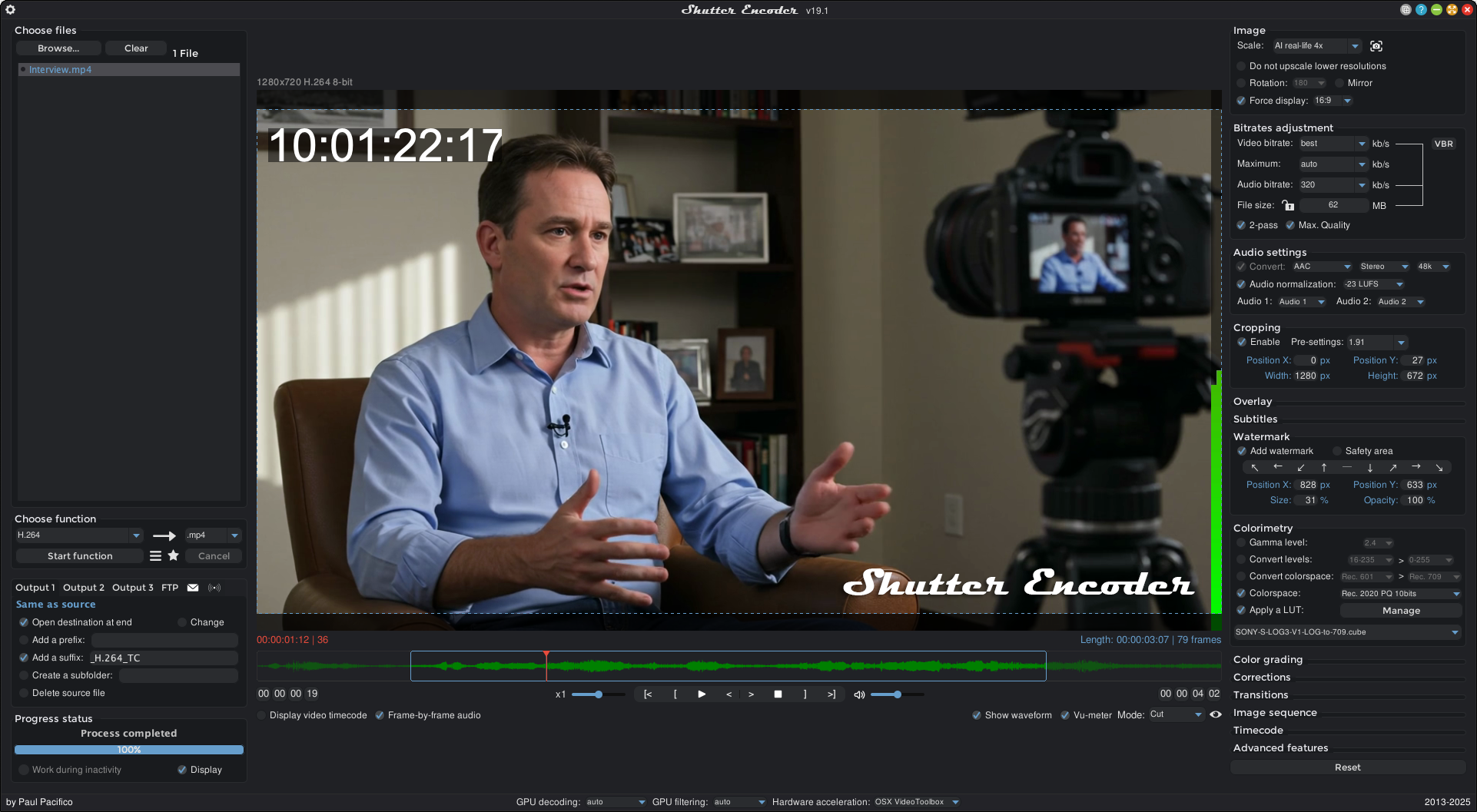
shutterencoder.com
Shutter Encoder - FREE video/audio/image converter
Open source software without any restrictions - converter all formats video|audio|image professionals codecs and standards - Windows|OS X|Linux.

Reply to this Discussion! Login or Sign Up