-
Odd glitch in some DVD machine playbacks
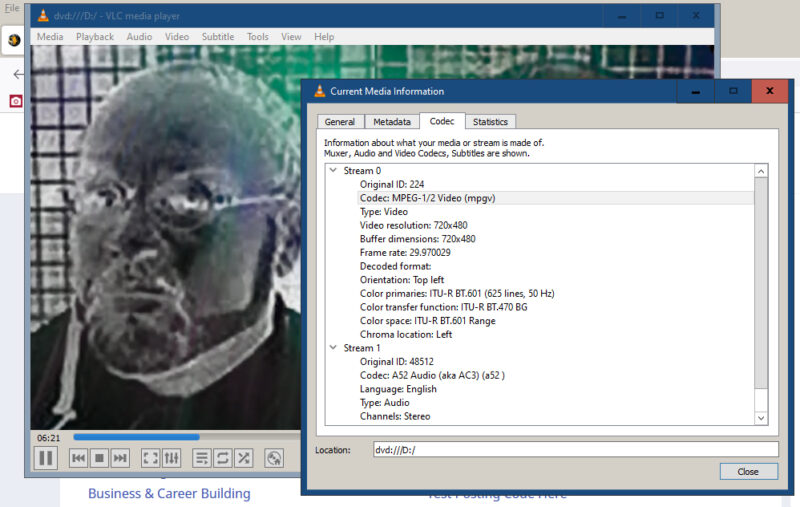
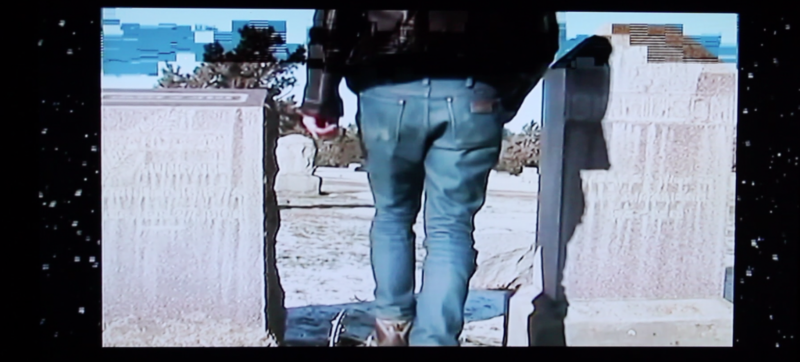
I wish I had more information to give to looking into this but I was just asked about this and I am looking to confirm my theory. A gentleman gave me a call asking about a glitch that happens on “some”but not all dvd players with video playback of a DVD. Same copy plays fro multiple machines. To me it looks like a scan conversion problem which isn’t as easy to track down. However, I will be doing his final mux to DVD through Encore CS5, since idk wtf program to really use anymore to author to DVD since Encore was discontinued years ago. Here is a screen grab of the glitch, it did not replicate on my PC through VLC player and I also attached a screenshot of the codec information from VLC. I noticed the frame rate was 29.970029, which may be an issue, but also the codec being MPEG-1/2 which I assume is standard MPEG 1 or MPEG 2 containers for DVD playback. The “Glitching” he states only happens during transitions which leads me back to the thinking the DVD players are “Upconverting” to HDTV’s and there isn’t enough information in the stream to convert all of the pixels needed. I won’t really know until I meet with him and do his final edit and prep it with subtitles for the Final DVD burn.
You guys have any thoughts?