-
Need help with this texture format
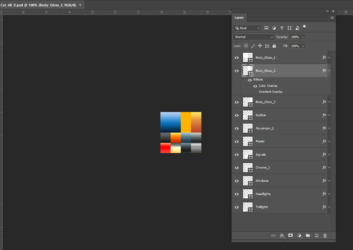
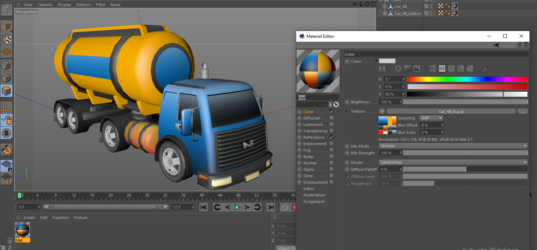
I want to understand this texturing format as per the attached image. I have recently purchased low-poly 3d models of vehicles from an online marketplace and each model in that collection has come as fbx and obj format model with their textures saved in “.PSD” format with standard layer format. When I import any of these models in Cinema 4d, I obviously see these multilayer PSD textures as a single image as you see in the attached sample (C4d texture query.jpg). When I open this “.PSD” texture file in Photoshop, I see a multi-layered structure like the attached image “C4d texture query 2.jpg”
What I want to do for example is to change the color of the capsule-like tank only to a single color instead of the currently shown 3 colors blue, yellow and grey by making changes in this PSD file.
If you have a link to any such tutorial in HTML or preferably in video format, then please send that link to me. I also want to know for my own understanding what exactly we call this texturing technique in technical terms.
If you find any missing info in my query do let me know. I have some questions regarding splitting the mesh to have better control over my texturing and animation but I will ask in a separate thread. For now, please shed some light on my query regarding my required changes to the texture file for any part of the model.
Cheers