Creative Communities of the World Forums

The peer to peer support community for media production professionals.

Activity Forums Adobe After Effects need help with a project (tight schedule)

  • need help with a project (tight schedule)

    Posted by Francesco Barese on December 1, 2020 at 3:23 pm

    hi guys,

    i know asking to be “spoonfed” information is kinda frowned upon but im kinda new to AE and im on a tight schedule. i could really use some help. im taking AE classes and im quite versed in the areas ive been learning so far but this particular one hasnt been touched on yet in the course im following. i did the best i could with my current knowledge but im trying to see if theres an easier and more convenient way(or trick) to do it.

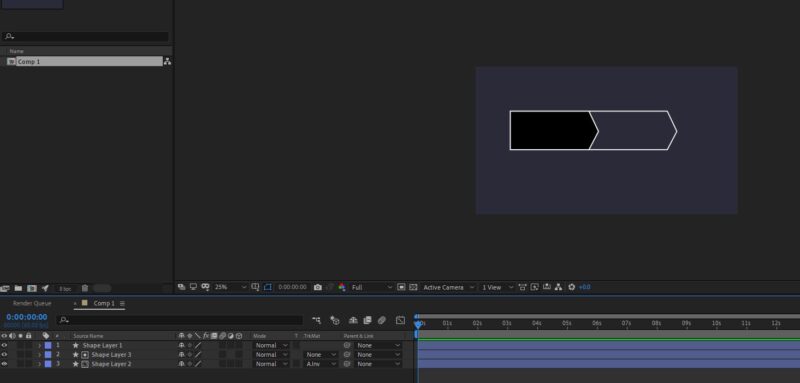
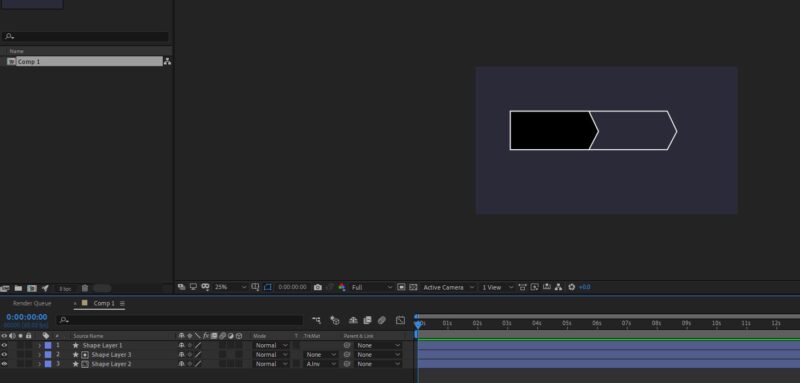
    -first of all, heres the final result im trying to replicate(picture 1).im trying to create this kind of grid for imputs.im doing it manually, however i think there would be a better way by adding repeaters maybe?i just dont know how to make it work

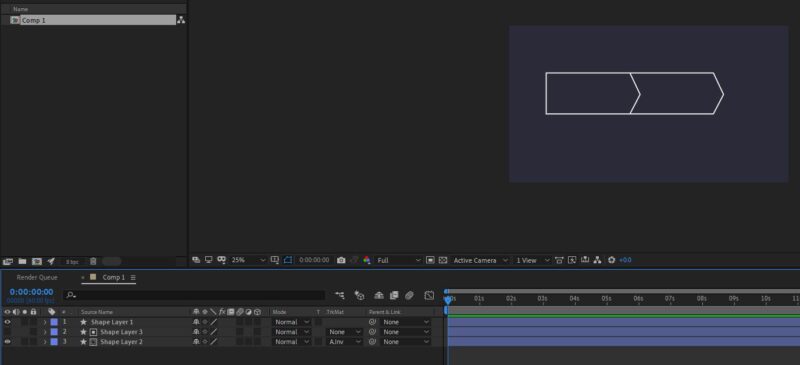
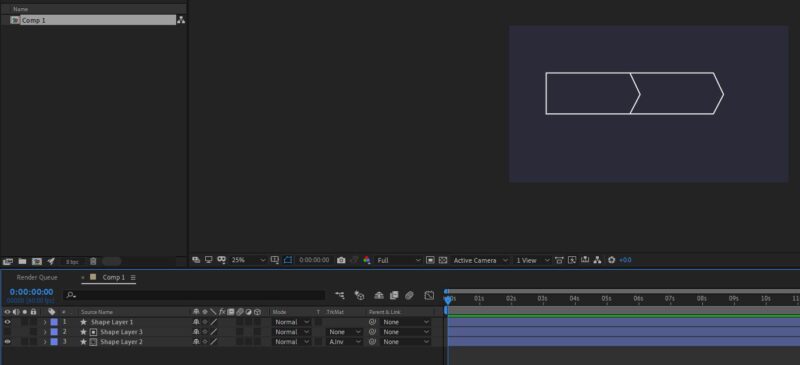
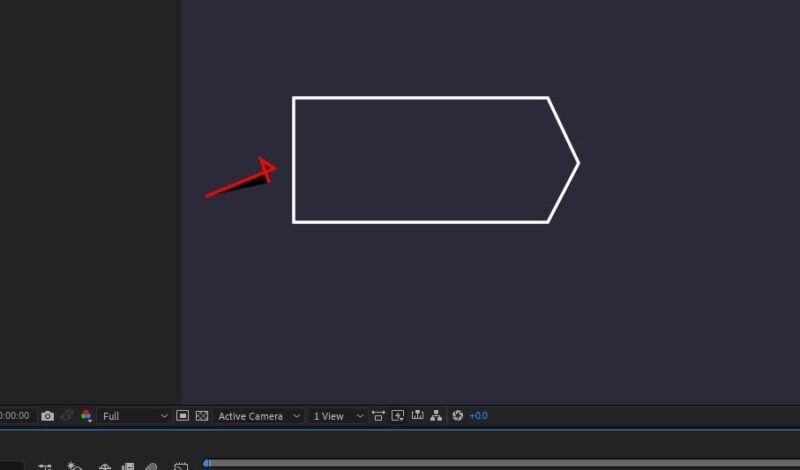
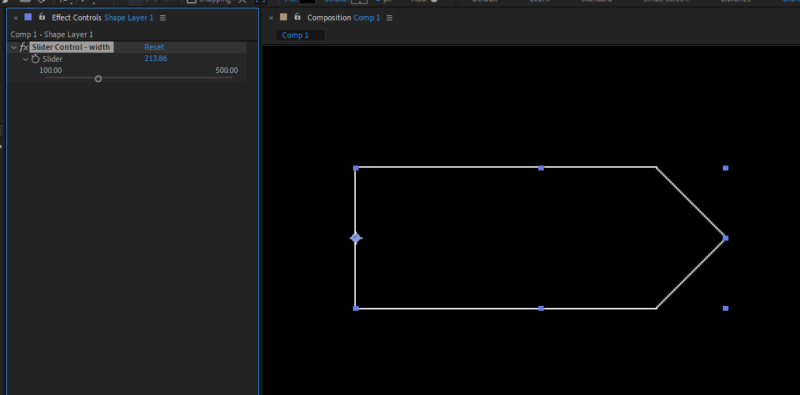
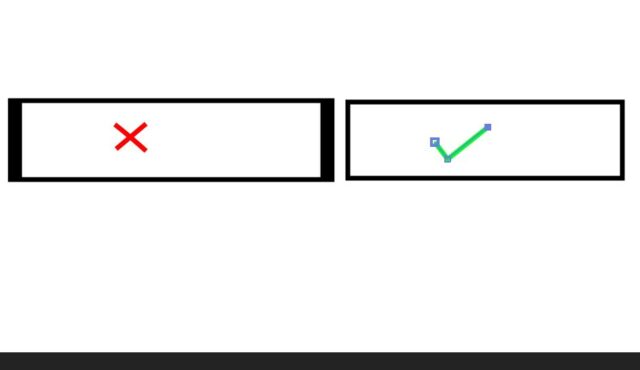
    -(pictures 2 and 3 are how i do it). i duplicate the first shape layer,fill with black,add alpha inverted to the second shape layer,and set the black one to invisible (and rinse and repeat until i get them all i guess)

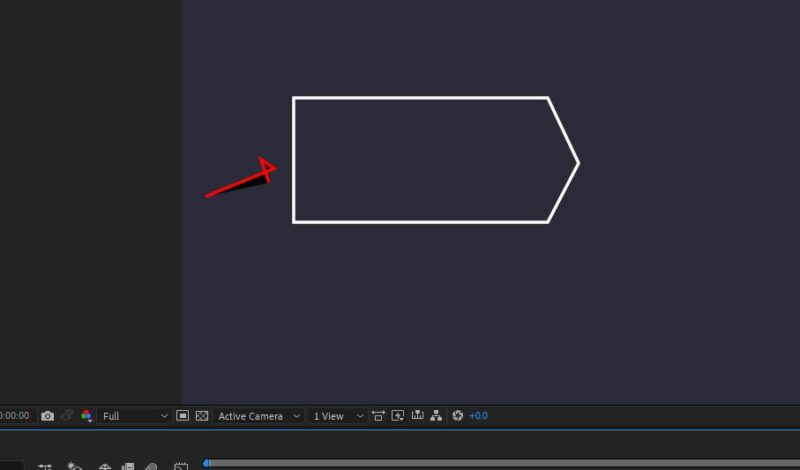
    -now, what i’d like to do would be to just delete the vertex shown in (picture3).but i cant seem to do it.i tried the vertex delete pen tool but it doesnt work

    -and another thing.is there a way to make shapes in ae act like vector graphics?

    meaning, i would like to resize them at will without actually stretching them.i would just redraw them.cause for example if i were to elongate this rectangle ,the pointy side would get thicker .

    -also, is there a way to resize things like you would in a precomp without actually making a precomp?cause now if i select all the shapes and resize they resize to their own anchor point.i tried to play around with anchor points but nothing is working

    so in conclusion. could anyone recomend a faster and more efficient way or workaround to achieve what im looking for? (remember, the empty space inside the shape needs to be “flexible” to accomodate different lenghts of inputs. they arent always the same. it depends.so i also need a way to quickly adjust each shape to fit my needs for each particulat slot.

    thank you in advance for the help (im trying my best but im on a schedule and running out of time)


    Eric Santiago replied 5 years, 5 months ago 5 Members · 10 Replies
  • 10 Replies
  • Chris Gomersall

    December 1, 2020 at 3:28 pm

    pictures did not come through

  • Francesco Barese

    December 1, 2020 at 3:35 pm

    i see them on my end. trying again now. can you see?

  • Eric Santiago

    December 1, 2020 at 10:58 pm

    For starters yes you can create vector layers in AE and I believe you have that using a Shape Layer.

    The only way I know you could make that “flexible” part is to select the Path attribute and drag-select over the arrow points and move it to your desire.

    I don’t know if there is a script that could force that for you.

  • Graham Quince

    December 2, 2020 at 9:31 am

    I think the way I would do this is a shape layer with a rectangle path and a triangle path (you can draw a square and delete a point)

    I’d then add an Slider expression control and in the rectangle pathos property, use an expression on the size to link the width to the slider and set a fixed height. For the triangle, I’d then link its position to the slider. Positioning the triangle underneath the rectangle could be set to hide the left hand edge so it appears as one shape.

    Recently I did a tutorial on creating social media buttons which uses a lot of the same techniques, including forcing the anchor point to be on the left.

    A completely different approach: use a text layer and add a >. Then use the grid effect on another layer to draw the horizontal lines.

    And I can’t speak for anyone else, but I have no problem spoon-feeding an answer. We’re here to help and everyone was where you are at some point 😉

  • Graham Quince

    December 2, 2020 at 10:11 am

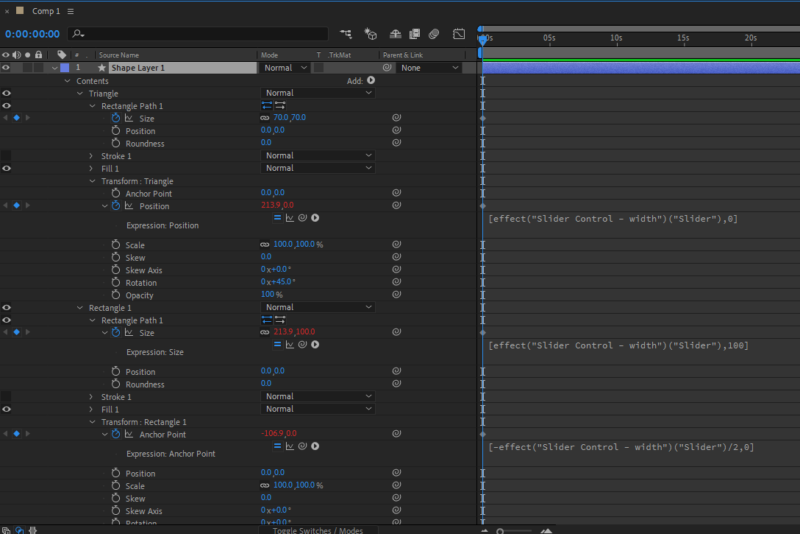
    Had a few minutes, so put this together. It was a little more involved than I first explained, but in a nutshell:

    Make a rectangle

    Make a square

    Rotate the square by 45 degrees.

    Add an slider control and match all the timeline properties and expressions to the image.

    Drag one of the shape’s Stroke options out of the shape and place it at the bottom of the shape list. This will then run on both shapes (and turn the other stroke off).

  • Walter Soyka

    December 2, 2020 at 3:03 pm

    Doing shapes like this procedurally is something that seems like it should be simple, but is actually pretty complicated.

    I also built an expression-based solution, this one based on actually creating the geometry for the chevrons, point by point, almost like the LOGO language and turtle graphics.

    I’ve attached the project file including the shape and a set of rigged, animatable shapes. I’d always rather help people learn than just do the work for them, so please ask questions!

  • Francesco Barese

    December 3, 2020 at 5:30 pm

    oh my god, thats amazing.thank you its exactly what i needed.

    im exploring the project file to see whats under the hood and try to replicate it on my own.

    for some reason it just didnt click in my head to make it pointy on the right and indented on the left. your solution is very elegant in its complexity. thank you again!

  • Francesco Barese

    December 3, 2020 at 5:32 pm

    thank you, i will study this to master the sliders for the control. very appreciated !

  • Francesco Barese

    December 3, 2020 at 10:05 pm

    but how can i keep the stroke of the sides of (lets say) a rectangle from getting stretched if im resizing it only on one axis? i would like the stroke to always be 4px no mater how i stretch or resize the shape. is there a way to do that?

  • Eric Santiago

    December 4, 2020 at 2:50 am

    You need to play with the CONTROLS layer keyframes to extend the boxed area.

    Make sure your CTI is on a keyframe during edits.

We use anonymous cookies to give you the best experience we can.
Our Privacy policy | GDPR Policy