

-
Multicam cut-and-switch with two stacked storylines
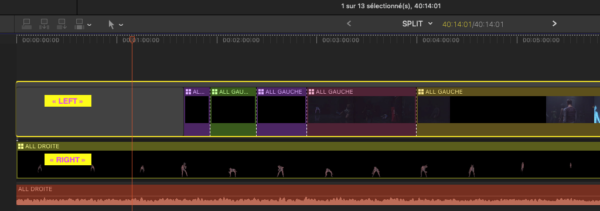
Hi everyone. I’m editing a dual-screen project with two stacked connected storylines in the timeline (one called “left”, one called “right”), each containing a multicam clip. I use multicam cut-and-switch (number keys 1-9, or clicking in the angle viewer) at the playhead.
The problem: the switch only ever applies to ONE storyline at a time, and I can’t toggle which one. At first every cut went to the upper storyline only. Then I did something (I’m not sure what) and now every cut goes to the lower storyline only — never the upper one. It’s always all-or-nothing on one storyline, and I can’t find how to switch the targeting back and forth between the two.
Clicking on the storyline / on a clip in the other storyline doesn’t change which one receives the cut. What’s the correct way to control which stacked storyline the multicam switch targets? An instructor once showed me a click to do this, but I can’t reproduce it.
Running FCP on an M1 Max.
Thanks!
Sorry, there were no replies found.