Creative Communities of the World Forums

The peer to peer support community for media production professionals.

Activity Forums Maxon Cinema 4D Mountain Wireframe

  • Kouraib Abdmalek

    November 1, 2025 at 10:05 am

    Hi Robert,

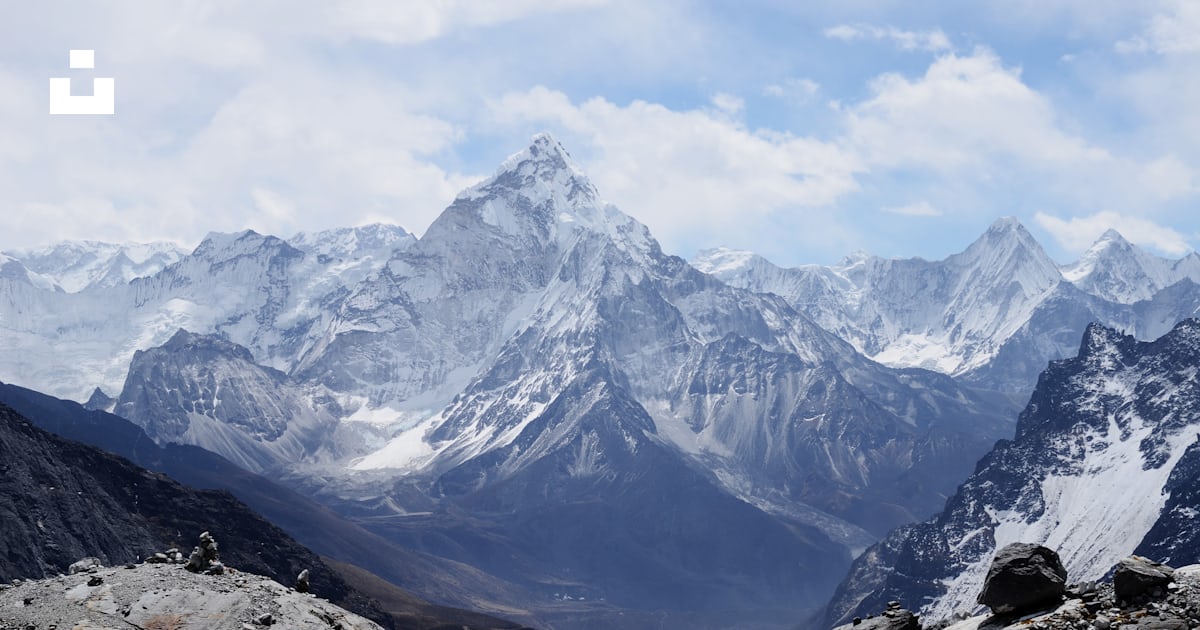
    You could put the image in a background and then make a rough model of the part of the mountain that the mesh you want to create will interact with. You can simulate part of the mountain either by modeling it or by using a Landscape Object and playing with the properties until you get something similar. Then you will hide that and let the mesh appear as if it is interacting with the image. I attach a screen recording to explain how this works, I hope this is helpful to you.

  • Robert Lanier

    November 2, 2025 at 6:13 pm

    Thanks so much Kouraib! That’s really helpful. I probably should’ve made this clearer, but I’ll be dealing with video footage here. So the scene will be very similar to the image, but it’ll have a slight pan to it. I’m guessing I could just make the landscape as you mentioned, then 3D camera track within cinema 4d?

  • Kouraib Abdmalek

    November 3, 2025 at 8:52 am

    You’re welcome, Robert! If that’s the case, the same method applies, but using a camera movement path. If you have the option to make the movement only a zoom-in or zoom-out motion, that would be better. However, if you must move the camera along a path parallel to the image, it’s preferable to make the movement subtle and keep the camera at a distance to maintain the realism of the mesh’s interaction with the mountain image. Please let us know if it works for you so that everyone here can benefit from it.

  • Robert Lanier

    November 3, 2025 at 9:14 am

    Thanks Kouraib. So the movement will be in the footage. The real life camera is going to move from right to left very subtly. So I think it’ll just be a case of using C4D’s inbuilt cam tracking tools to match that movement, which then in a perfect world would create a Redshift camera that would match my mesh to the footage. Fingers crossed!

  • Kouraib Abdmalek

    November 3, 2025 at 10:18 am

    You are welcome! You’ll need tracking tools if you have a real video and want to match the position or movement of a model you created to the movement of objects in the video. I think in your case it’s different; you have a still image, and only the objects you created will move in your scene, so there’s no need for tracking. Just try to make the camera movement not too large on the axis parallel to the image to maintain the realism of the interaction between the mesh and the image of the mountain. I hope this makes sense.

We use anonymous cookies to give you the best experience we can.
Our Privacy policy | GDPR Policy