Creative Communities of the World Forums

The peer to peer support community for media production professionals.

Activity Forums Adobe After Effects Making After Effects Faster

  • Making After Effects Faster

    Posted by Malcolm Desoto on September 18, 2020 at 2:08 am

    Hey all, this is a bit of a PC nerd post.

    I’m looking to upgrade my work PC to get AE running faster. Currently running:

    AE 2020

    Windows 10

    AMD Ryzen Threadripper 1950x 16-core 3.4GHz

    64GB DDR4 RAM

    Nvidia GTX 1080

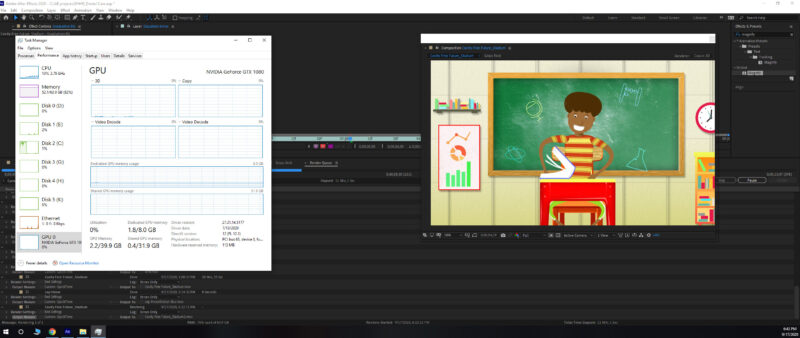
    My initial thought was to upgrade the graphics card to something like the Nvidia 3080, but when I look at the Task Manager, it seems like the graphics card is barely being utilized.

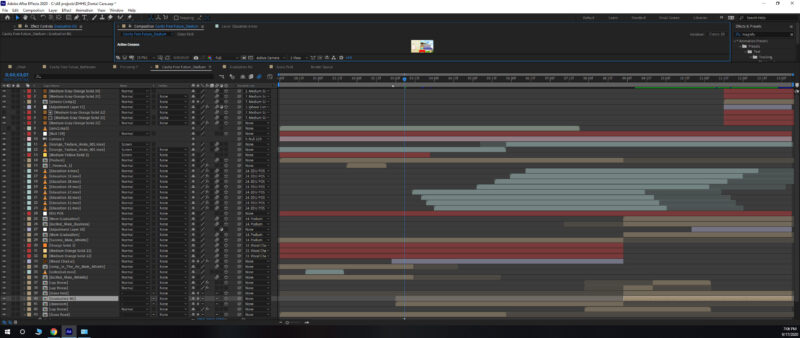
    As an example, I’m working on an animation project consisting mostly of solids, vector files and some puppet tool character rigs. Rendering a 13 second clip will take about 35 minutes.

    If you could upgrade anything, how would you optimize your system? More/faster RAM?

    Michael Szalapski replied 5 years, 11 months ago 3 Members · 5 Replies
  • 5 Replies
  • Malcolm Desoto

    September 18, 2020 at 3:26 am

    Thanks, Chris! I’ll read back through these past posts. I’m working off SSD drives as well and using an SSD as the scratch disk too.

    I haven’t used AERender either so I’ll definitely look into that.

  • Eric Santiago

    September 18, 2020 at 1:08 pm

    Mac or PC, AE has always been a CPU hog.

    Now the part about drives is def an issue to address.

    For the longest time, we were running everything off our local drives and when we decided to centralize our data on NAS RAID over Gigabit, then things got stupid around here 😛

    We couldn’t back out of it since it was pushed down from above.

    Its been like that for almost 10 years and just lately we are slowly getting out of it.

    Works great for the graphics designers (static work).

    We purchased new Mac Pros and made sure they had ample local space.

    I myself use AE on both platforms and made sure my Windows system has a RAID.

    Can’t beat that speed when you deal with vectors from Illustrator and large datasets from Photoshop (multi-layer hell).

    In the end though, the most important is the CPU since that’s the part that tends to sit and churn all your pixels.

    That’s what I’ve learned from most here at CC.

  • Michael Szalapski

    September 18, 2020 at 7:34 pm

    As soon as I saw your post, I was about to suggest Puget Systems whitepapers. They do a ridiculous amount of research and publicly post it so you can see what differences matter where.

    AE is still very CPU-based, so, as the info from Chris suggests, AE won’t benefit that much from a bigger GPU. That said, Task Manager is not a reliable way to track GPU usage at all. So I wouldn’t rely on its reporting that much.

    AE can use the GPU to accelerate some transformations, but the GPU acceleration really shines when you’re using the GPU-accelerated effects like Fractal Noise.

    To speed AE up on your machine, I’d say maybe look into something like Render Garden that can use more cores of your CPU vs. any hardware upgrade. Notice how little your CPU is being used? That’s where AE does most of its rendering work.

    Keep in mind that the AE team has publicly said that they are working on making AE’s rendering a lot more multithreaded, so hopefully that work pays off in the future for people like us with lots of cores.

  • Malcolm Desoto

    September 18, 2020 at 7:39 pm

    Definitely researching Render Garden and the Puget System papers.

    Looks like everyone is just praying for muktithread rendering

  • Michael Szalapski

    September 18, 2020 at 7:41 pm

    >Looks like everyone is just praying for muktithread rendering

    Basically, yes! lol

    If they can figure out how to use multithreaded rendering for most stuff, it’ll be a huge boost to almost everyone’s render speed. The problem is, making it do that without crashes and instability is ridiculous. Hopefully their work of separating the renderer and the ui over the past several years is making that easier. I know I wouldn’t want to try to unpack code that old to make it multithread safe.

We use anonymous cookies to give you the best experience we can.
Our Privacy policy | GDPR Policy