

Activity › Forums › Adobe After Effects › Maintain stroke width in 3d perspective
-
Maintain stroke width in 3d perspective
Posted by Christofer Kellgren on March 9, 2022 at 10:52 amAny one got a good solution, keeping the appearance of strokes on shape layers the same while positioned on the Z-axis, in a 3d environment?
Found this discussion:
https://www.reddit.com/r/AfterEffects/comments/cgbwod/maintain_stroke_width_on_shape_layer_set_to_3d/But preferably something that while solving without camera layers.
Maintain stroke width on shape layer set to 3D
byu/autofasurer inAfterEffectsFilip Vandueren replied 4 years, 6 months ago 4 Members · 7 Replies -
7 Replies
-

Graham Quince
March 9, 2022 at 11:20 amI’d use CC Particle World, with the particle velocity and gravity set to 0 and the producer radius probs yo at zero too. Link the producer to a 3D null and copy the path into its position ( https://youtu.be/dYYmeBOWXpw ). The particles will remain in place and act like a 3D stroke
Some contents or functionalities here are not available due to your cookie preferences!This happens because the functionality/content marked as “Google Youtube” uses cookies that you choosed to keep disabled. In order to view this content or use this functionality, please enable cookies: click here to open your cookie preferences.
-
Graham Quince
March 9, 2022 at 11:22 amAh, just re-read the Reddit post. So you want to zoom past the shape, but without it appear to thicker? Would scaling up the shape solve the problem instead of animating the camera move?
-

Christofer Kellgren
March 9, 2022 at 1:18 pmYes, you can scale it and add this expression:
” value / length(toComp([0,0]), toComp([0.7071,0.7071])) || 0.001; “
in order to keep it at the same size.
But i need something so that the appearance of the stroke will be the same, moving it back-forth on the depth axis in a 3d enviroment.
-
Christofer Kellgren
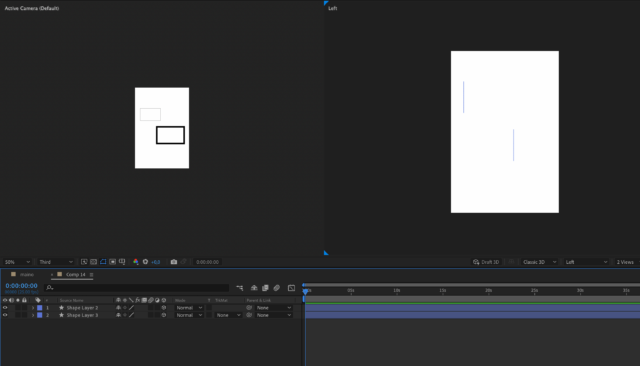
March 9, 2022 at 1:21 pmLike this, but with the stroke to appear similar, regardless of position to the z-axis

-

Matthew Woods
March 9, 2022 at 4:03 pmHave you tried using a Stroke Layer Style instead of the shape’s stroke? That will maintain width regardless of position in 3d, but only works on the alpha outline of shape. If you need to control internal strokes, you will need to separate your shape into multiple layers.
-

Filip Vandueren
March 10, 2022 at 12:16 pmTry this expression on the stroke width:
c=thisComp.activeCamera;
p=thisLayer.toWorld(thisLayer.transform.anchorPoint);
value * length(c.fromWorld(p)[2])/c.zoom; -
Filip Vandueren
March 10, 2022 at 12:48 pmOr this if you also want to counter any scaling that’s going on:
c=thisComp.activeCamera;
p=thisLayer.toWorld(thisLayer.transform.anchorPoint);
value * length(c.fromWorld(p)[2])/c.zoom * 100/scale[0];
Reply to this Discussion! Login or Sign Up