Creative Communities of the World Forums

The peer to peer support community for media production professionals.

Activity Forums Adobe After Effects MAC / CS3 / DVCPRO-HD color shifting

  • MAC / CS3 / DVCPRO-HD color shifting

    Posted by Aaron Neitz on October 29, 2007 at 10:58 pm

    I’m new to DVCPRO-HD footage. Noticed a problem that’s eluding me:

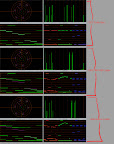
    75% color bars, DVCPRO-HD 720/24fps from FCP as a self-contained quicktime. Import into AE. Make a sequence from the bars. Render back to DVCPRO-HD. Import into FCP. There’s a gamma shift + a desaturation + a color shift of several degrees clockwise on the vectorscope! Way beyond the old gamma shift in quicktime problem.

    Render as Animation codec = same problem but the desaturation and color shift are different! ARGH!

    I’ve worked in “no color management” and “709” colorspace. 8bit, 16bit. To no avail. It almost feels like AE is reading a completely wrong colorspace on the footage and translating it… when it doesn’t have to. DVCPRO-HD is 709. end of story.

    Combustion and Shake both render fine in the exact same test.

    NTSC bars/tests are fine. everything locks in.

    HELP?!?! I’m totally miffed.

    AE 8.0.1.8
    FCP 6.0.1
    QT 7.2.0
    OS 10.4.10

    Mark Hatch replied 15 years, 6 months ago 34 Members · 91 Replies
  • 91 Replies
  • Aaron Neitz

    October 29, 2007 at 11:25 pm

  • Darby Edelen

    October 30, 2007 at 4:23 am

    You’re using HDTV (Rec. 709) as the working space of your project as well as making sure the imported footage is interpreted correctly?

    Darby Edelen
    DVD Menu Artist
    Left Coast Digital
    Aptos, CA

  • Aaron Neitz

    October 30, 2007 at 5:41 pm

    Yes. 709 the whole way.

  • Darby Edelen

    October 30, 2007 at 5:52 pm

    How are you exporting from Final Cut Pro? What are your sequence settings?

    Darby Edelen
    DVD Menu Artist
    Left Coast Digital
    Aptos, CA

  • Aaron Neitz

    October 30, 2007 at 6:51 pm

    New Test. Try this out yourself!

    I have a 1080/8bit Uncompressed QT of 75% bars.

    I import into FCP. Put into 8 bit uncompressed 1080 sequence. Bars check out against scopes.

    I import into AE. Put in timeline. Bars check against Color Finesse scopes. Working space in AE = 709. Assigned profile on QT comes up as 709. output module is rendering with 709. Color Finesse scopes set to 709.

    Render 8 bit 1080 QT from AE. Import into FCP. COLORS and GAMMA SHIFT.

    Bring that rendered file back into AE, check against orignal bars, it IS PERFECT.

    So it seems that Final Cut is completely mi-interpreting these quicktimes rendered by AE?

  • Aaron Neitz

    October 30, 2007 at 7:20 pm

    I’ve confirmed NTSC is fine. Just like always. Using same 8 bit codec, but now in 601 working space.

    pulls hair. Throws chair. 🙂

  • Darby Edelen

    October 31, 2007 at 7:05 am

    Just because I’m out of ideas… try rendering to Lossless and letting FCP conform the footage to your sequence settings.

    Darby Edelen
    DVD Menu Artist
    Left Coast Digital
    Aptos, CA

  • Mark Hatch

    February 22, 2008 at 7:10 pm

    Did anyone ever find an answer to this problem? Is FCP just doing things the wrong way?

  • Andre Farkatt

    April 24, 2008 at 8:49 pm

    I’m looking over foruns, threads, docs and haven’t found a straight, correct answer to this…

    I’m having the same problem, no matter what setting I make in AE color space, aja kona control panel (codec tab), fcp easy setups, AE render codecs (dvcprohd, uncompressed, aja, proRes) etc…

    the original FCP 6 timeline with native dvcproHD footage, imported from p2hd is ALWAYS much better than any combination of settings/renders from AE using the same file as source… SEVERE color space gamma shift and color crop…

    Please, if someone has managed this, answer us…

    Andre Farkatt
    RTV Producoes

  • Mark Hatch

    April 25, 2008 at 4:20 pm

    I also would still love to see an answer…

Page 1 of 10

We use anonymous cookies to give you the best experience we can.
Our Privacy policy | GDPR Policy