

Activity › Forums › Adobe After Effects Expressions › Loop Wiggle expression only one axis
-
Loop Wiggle expression only one axis
Posted by John Paulek on January 6, 2015 at 6:44 pmHello,
is there a way to loop a wiggle expression only for one axis?
Thanks!
i have this expression for the looping:freq = 1;
amp = 110;
loopTime = 3;
t = time % loopTime;
wiggle1 = 0;
wiggle2 = wiggle(freq, amp, 1, 0, t - loopTime);
linear(t, 0, loopTime, wiggle1, wiggle2)and this one for looping only one axis:
x axis:
org=value;
temp=wiggle (3,1100);
[temp[0],org[1]];y axis:
org=value;
temp=wiggle (2,900);
[org[0],temp[1]];Johann Da Costa replied 5 years, 7 months ago 3 Members · 9 Replies -
9 Replies
-

Dan Ebberts
January 6, 2015 at 7:31 pmTry this:
freq = 1;
amp = 110;
loopTime = 3;
t = time % loopTime;
wiggle1 = wiggle(freq, amp, 1, 0.5, t)[1];
wiggle2 = wiggle(freq, amp, 1, 0.5, t – loopTime)[1];
y = linear(t, 0, loopTime, wiggle1, wiggle2);
[value[0],y]Dan
-

John Paulek
January 6, 2015 at 8:18 pmthank you very much thats work great for the y axis.
what i have to change that it also works for the x axis? -
Dan Ebberts
January 6, 2015 at 8:29 pmChange this:
wiggle1 = wiggle(freq, amp, 1, 0.5, t)[1];
wiggle2 = wiggle(freq, amp, 1, 0.5, t – loopTime)[1];
y = linear(t, 0, loopTime, wiggle1, wiggle2);
[value[0],y]to this:
wiggle1 = wiggle(freq, amp, 1, 0.5, t)[0];
wiggle2 = wiggle(freq, amp, 1, 0.5, t – loopTime)[0];
x = linear(t, 0, loopTime, wiggle1, wiggle2);
[x,value[1]]Dan
-

Johann Da Costa
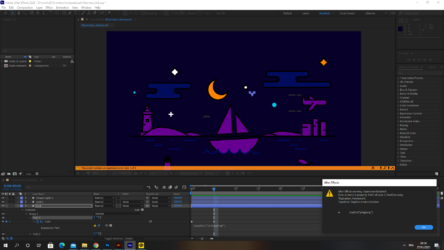
January 30, 2021 at 5:30 pmHello, I tried Dan’s solution for wiggle only one axis (X) but it doesn’t work and I get this error message (attached screenshot). What did I do wrong?
-
Dan Ebberts
January 30, 2021 at 9:28 pmI’m not sure why you ended up with a loopOut() expression, but if that’s really what you’re trying to do, it won’t work with a path. You can create your own pingpong version using valueAtTime() like this:
if (numKeys > 1 && time > key(numKeys).time){
t1 = key(1).time;
t2 = key(numKeys).time;
span = t2 - t1;
delta = time - t2;
seg = Math.floor(delta/span);
t = delta%span;
valueAtTime((seg%2) ? (t1 + t) : (t2 - t));
}else
value
-
Johann Da Costa
January 31, 2021 at 7:41 amSorry Dan, yesterday was a very stressful day so I didn’t take the time to explain well. Plus I am still a beginner in motion design and AE, hence it is also difficult for myself to understand all I am trying to do. Let me start again:
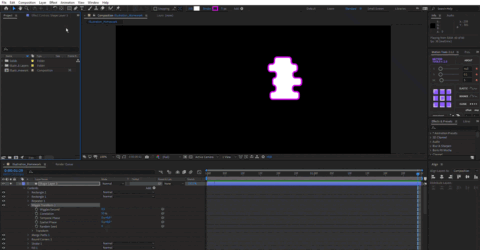
What I want is looping the animation that you can see on the attached video.
I tried to use your expression http://www.motionscript.com/design-guide/looping-wiggle.html, I applied it to “position” of the wiggle transform effect but I think I lost myself because it doesn’t loop and it wiggles on both X and Y axis.
I hope it is clear enough now? Thanks for your help.
-
Dan Ebberts
January 31, 2021 at 12:28 pmI can’t think of any way to make the Wiggle Transform loop. You could apply this to the built-in shape specific Transform for Position to get a looping wiggle for x only:
freq = 1;
amp = 110;
loopTime = 3;
t = time % loopTime;
wiggle1 = wiggle(freq, amp, 1, 0.5, t);
wiggle2 = wiggle(freq, amp, 1, 0.5, t - loopTime);
w = linear(t, 0, loopTime, wiggle1, wiggle2);
[w[0],value[1]]
-
Johann Da Costa
January 31, 2021 at 5:23 pmThanks Dan but the solution you provided did loop the wiggle of the global shape but I couldn’t get the “dancing rectangles” anymore. I solved my issue with another solution that I have found on another Creative Cow topic:
– set wiggles per second to 0;
– expression for Temporal Phase:
wigglesPerSecond = 1.5;
loopTime = 3.5;
Math.cos(degreesToRadians(360*time/loopTime))*360*wigglesPerSecond + value;
– expression for Spatial Phase:
wigglesPerSecond = 1.5;
loopTime = 3.5;
Math.sin(degreesToRadians(360*time/loopTime))*360*wigglesPerSecond + value;
Reply to this Discussion! Login or Sign Up