Creative Communities of the World Forums

The peer to peer support community for media production professionals.

Activity Forums Adobe After Effects Expressions Link text problem with expression

  • Link text problem with expression

    Posted by John Koronaios on December 1, 2021 at 12:59 pm

    Good morning to everyone!

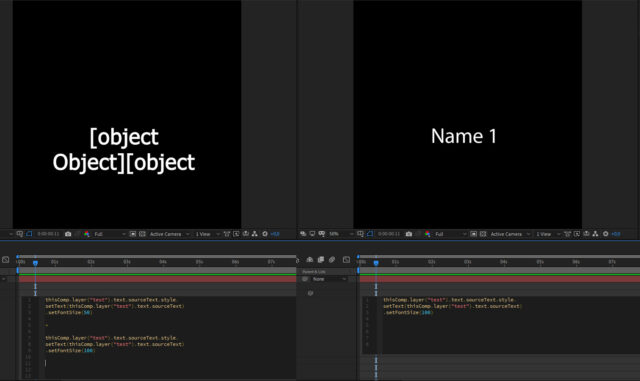
    I have the following problem.

    I link a text to get the data automatically.

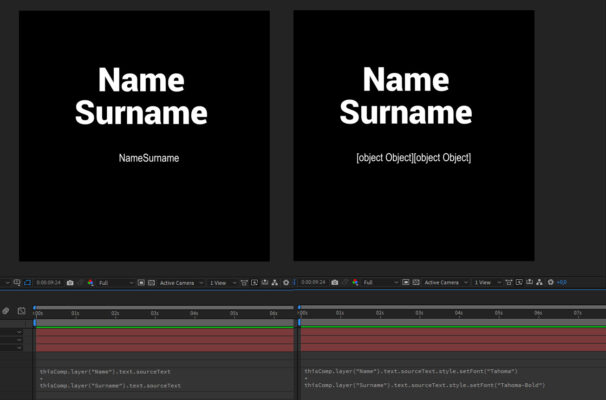
    When I connect only one text and modify the layer style with expressions, it works normally.

    When I connect and the second text, it does not show me the double texts, but sends me a message [objectObject]

    What i must change in the expression to make it work normally?

    Thank you in advance
    best wishes
    John K.


    Kevin Camp replied 4 years, 5 months ago 2 Members · 5 Replies
  • 5 Replies
  • John Koronaios

    December 1, 2021 at 1:04 pm

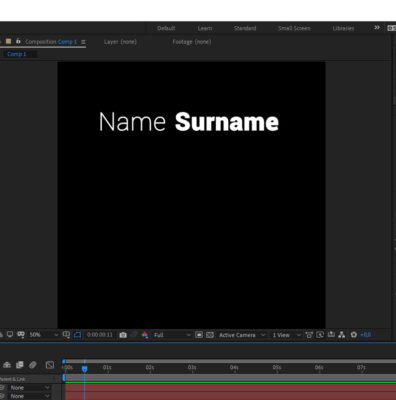
    I want the final text have the Name with Other font and the Surname with other font…Like this.

    For this reason i try to connect two diferrnet layer styles in the same text with expression…Other idea?

  • Kevin Camp

    December 2, 2021 at 12:36 am

    I don’t think you’ll be able to do this with a text style expression, as style is applied to the whole text layer, not a partial string.

    If you want one name regular (or light) and the other bold, I think you will need to make them separate text layers and then use a sourceRectAtTime() expression to make the second text layer follow the first, as if it were a single text layer.

    Try this:

    Create two text layers and parent layer 2 to layer 1.

    Add this expression to the position property of of layer 2:

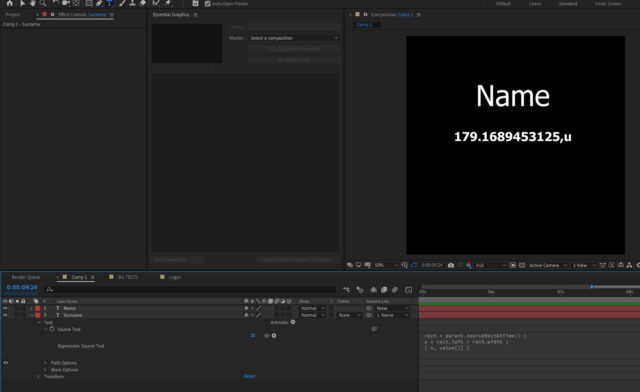
    rect = parent.sourceRectAtTime() ;
    x = rect.left + rect.width ;
    [ x, value[1] ]

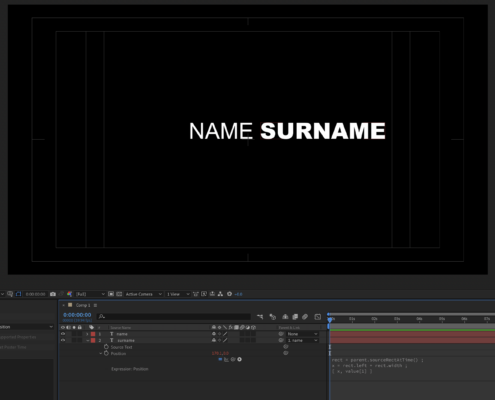
    Layer 2 should now follow layer 1 as you modify layer 1’s source text as if they were both on the same text line.

  • John Koronaios

    December 2, 2021 at 9:45 am

    I try and this but… :/

    Please if you have some idea help…

  • John Koronaios

    December 2, 2021 at 9:48 am

    I try and this with parent and Rect expression but didn’t wotk….

  • Kevin Camp

    December 2, 2021 at 4:50 pm

    For my set up, i was thinking you’d want each text layer lined up by their y-axis (like it is on a single line of text), and then the expression would go on the Position property rather than the Source Text property.

We use anonymous cookies to give you the best experience we can.
Our Privacy policy | GDPR Policy