

Activity › Forums › Apple Final Cut Pro Legacy › (Legal) DVD Ripping, Why Frame Blended?
-
(Legal) DVD Ripping, Why Frame Blended?
Posted by Collin Alexander on May 7, 2010 at 4:36 pmI’m working on a private documentary. The family wants me to use a bunch of home movie footage this guy shot in Alaska, and the only surviving copies are all on DVD.
I’m ripping the DVDs in MPEG Streamclip, and for some reason they come out frame blended, and I don’t want that. When I pause a frame in DVD player, it’s not frame blended, so it’s something in the ripping process. I don’t see a check-box in Streamclip for frame blending, and I’m stumped.
I’m not trying to change frame rates, or do any scaling. It’s interlaced on the DVD, I’m keeping it interlaced.
Help. Thanks.
Keith Pratt replied 16 years, 4 months ago 5 Members · 10 Replies -
10 Replies
-

Mark Spano
May 7, 2010 at 5:33 pmHow are you viewing the resulting exported file? If you’re looking at it in Quicktime player, you will only see blended frames – Quicktime player by default blends interlaced material to display as progressive. The true way to see if it really is interlaced is to look at the video output of your NLE on a CRT or step through it on a VTR after it has been output.
-

Collin Alexander
May 7, 2010 at 9:16 pmI’m looking at it in After Effects and Motion. I can make a comp at 59.94 FPS and make a frame out of every field, and it’s still frame blended. But the original DVD is not blended. So I don’t get it. It’s as if there is a checkbox in Streamclip for frame blending, except I don’t see one.
-

Bob Auiler
May 7, 2010 at 11:11 pmHi Collin,
My Streamclip version 1.9.2 has a frame blending option, it shows up in the export window.
Bob Auiler | bob.auiler@mvpcollaborative.com
-
Collin Alexander
May 8, 2010 at 1:12 amOMG, you’re right. It’s right there by frame rate. My bad and silly me. Checkbox for frame blending. Except it wasn’t checked. I restarted my whole computer and tried again. Same problem.
It’s just these particular DVDs. I’m ripping the DVD with Mac the Ripper. When I rip a different DVD, and convert the VOB with Streamclip, it’s not frame blended. So I would think the DVD itself is frame blended, except when I pause the same frame in the DVD player, it’s definitely not frame blended.
This is making me nuts.
Is there another good DVD ripper for Mac OS X? Maybe Mac the Ripper is doing it.
-

David Roth weiss
May 8, 2010 at 3:19 am[Collin Alexander] “Is there another good DVD ripper for Mac OS X? Maybe Mac the Ripper is doing it. “
I hate to make you feel really, really silly Collin, but…
MPEG Streamclip is is made for ripping DVDs, and it’s what every pro uses for the job. Mac the Ripper is for consumers. I suggest you read the Streamclip online manual or their website.
David Roth Weiss
Director/Editor/Colorist
David Weiss Productions, Inc.
Los AngelesPOST-PRODUCTION WITHOUT THE USUAL INSANITY ™
EPK Colorist – UP IN THE AIR – nominated for six academy awards
A forum host of Creative COW’s Apple Final Cut Pro, Business & Marketing, Indie Film & Documentary, and Film History & Appreciations forums.
-
Collin Alexander
May 8, 2010 at 6:24 pmDavid, I know Streamclip rips DVDs, that’s what I usually use. Post 1 I was using Streamclip to rip and export. Then I tried Mac the ripper to rip, and Streamclip to convert the VOBs to QT. I’m willing to try WHATEVER. Same problem. Unwanted Frame blending.Other DVDs, no problem,no matter which ripper I use. These DVDs, problem. I would think that the DVD itself was blended, except DVD player is able to pause and de-interlace, and it’s not blended.
I’ll post screen grabs in a minute.
-
Collin Alexander
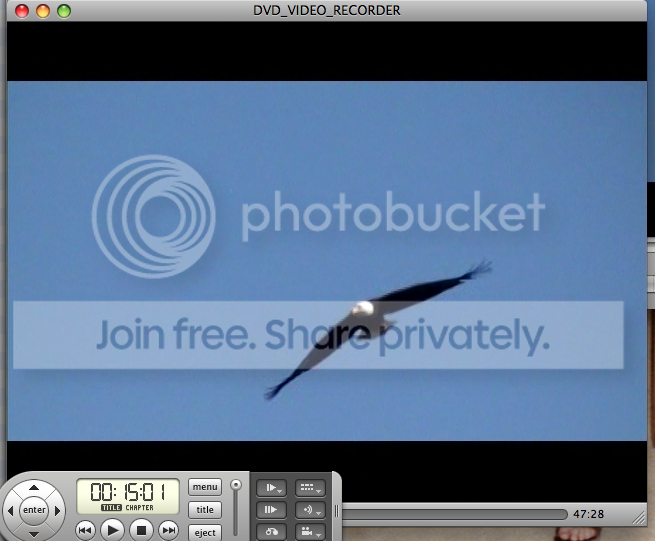
May 8, 2010 at 6:56 pm1. Screen cap from DVD player. Eagle is not frame blended.
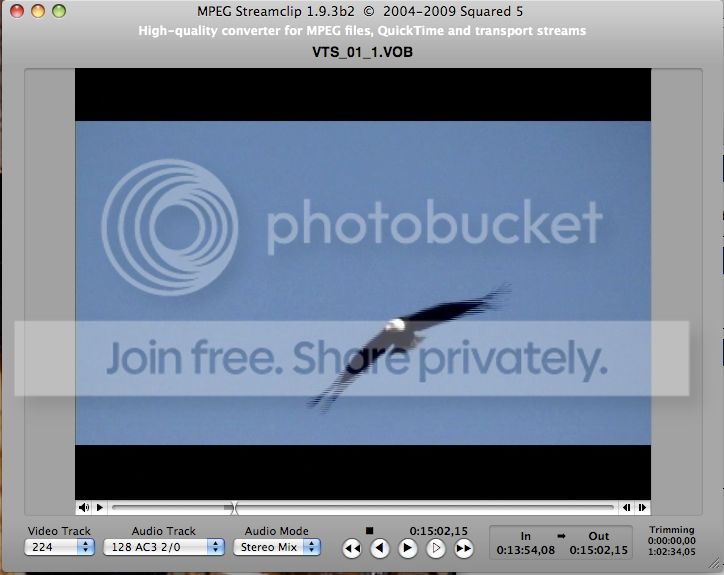
2. Screen cap from Streamclip, image is blended.
3. Streamclip export
, frame blending option not checked.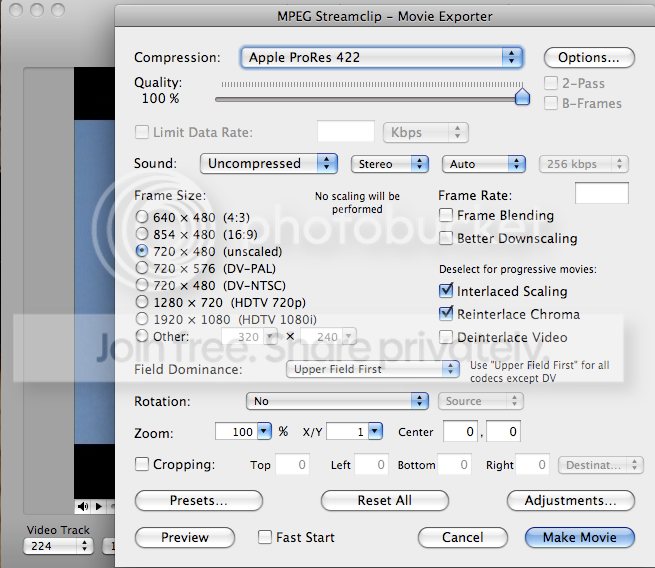
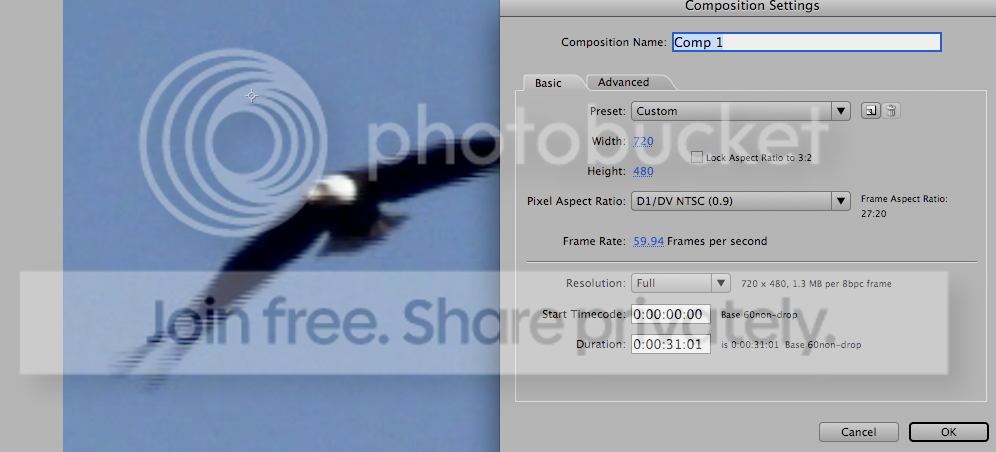
4. Resulting 29.97 footage, in After Effects, in a 59.94 comp, what should be one de-interlaced field made into one entire frame, appears to be a blend of two fields.
-

Keith Pratt
May 14, 2010 at 4:31 pmYou’ve got your understanding of “frame blending” the wrong way round.
Interlaced signals are a foreign language to computer, so when they display interlaced material they show both fields at once. Where you’d see 59.94 fields on a TV, you see 29.97 full frames on a computer monitor.
Most software designed for viewing media will have an option to de-interlace, and frame blending is a specific type of this. The reason you don’t see the interlacing in DVD Player is because its default setting is to de-interlace (though probably not using the frame blending method, incidentally).
To get a handle on the different types of de-interlacing, open the file you don’t like the look of in VLC, click Video, followed by De-interlace, and try Blend, then Bob, then Discard and finally Disable.
But all of that is actually a side-point. Your footage looks just as it should in Streamclip. Just ignore how it looks whilst you edit, and when you burn it back to DVD and watch on a TV, it’ll look just as it should.
-
Collin Alexander
May 14, 2010 at 4:52 pmI understand all that. But either my original DVD was frame-blended by someone, or else it wasn’t. It’s possible to de-interlace footage, then blend frames, then re-interlace it to an interlaced DVD. One would not then be able to un-frame blend that footage. Even if “pause” on a DVD player de-interlaced by doubling the lines of one field, it would still look blended, because the original source was blended.
Using 59.94 in After Effects is a handy way to make a full frame out of each field. It works. It does not blend fields. Except you can see what I am getting with this particular footage. Why?
If the original source was blended, it would be impossible for the DVD player, or anything else, to un-blend it. If the original source was not blended, then After Effects would be able to pull those fields apart and make a full frame out of each.
The only thing I can imagine is that Streamclip is choosing to blend fields on export, without being told to. Other DVDs I rip DO NOT DO THIS. They are fine. This DVD is different. I don’t get it.
I am over it though, the bald eagle is going to be frame blended, and everyone will just have to deal. 🙂
-
Keith Pratt
May 15, 2010 at 5:49 pmIs the field dominance correct all the way through your workflow? Have you tried an earlier version of Streamclip?


Reply to this Discussion! Login or Sign Up