-
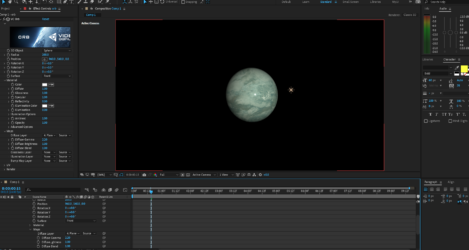
Jpeg image does doesn’t merge with the sphere, screen goes black
Guys in the image from the tutorial below, this guy selects the jpeg image from the diffuse layer and his image immediately merges with the sphere….see:<div>
https://i.ibb.co/c8nLX9r/aet13.jpg
This is from 3:48 of the YouTube tutorial: https://www.youtube.com/watch?v=iT12Q9O-Q30&ab_channel=VideoCopilot
But when I select the jpeg file, my screen goes black….why????
In my case, here is the image before selecting the jpeg image in the diffuse layer:
https://i.ibb.co/6RMDRn8/aet14.jpg
And here is what happens below after I select the jpeg image….where did the sphere go to???
https://i.ibb.co/Z8Q3HfY/aet15.jpg
Below is my EA file and contents where I’m stuck
Just need to know how the jpeg can be merged with the sphere
I’d appreciate every help on this
thx
</div>
Some contents or functionalities here are not available due to your cookie preferences!This happens because the functionality/content marked as “Google Youtube” uses cookies that you choosed to keep disabled. In order to view this content or use this functionality, please enable cookies: click here to open your cookie preferences.