Creative Communities of the World Forums

The peer to peer support community for media production professionals.

Activity Forums Adobe After Effects Jitter, skipping and green frames when playing back mov files

  • Jitter, skipping and green frames when playing back mov files

    Posted by Miguel Credito on May 14, 2021 at 3:48 pm

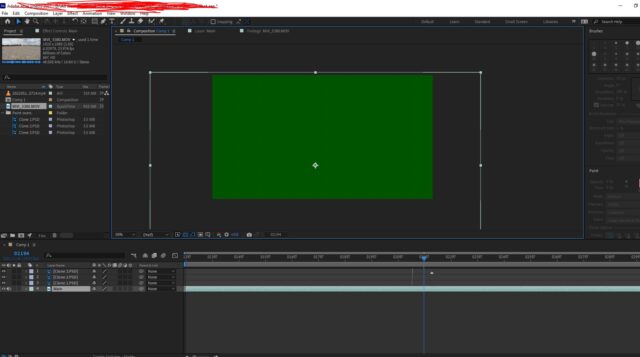
    Hello, I have a mov video from a DSLR camera that jitters and has some green screen on frames when I play back in AE.. When I play the video through VLC or media player, there is no jitter. Only when I put it in AE..

    I updated AE to the latest version. I have only have 16gb ram. Does anyone knows how to fix this?

    Kevin Camp replied 4 years, 11 months ago 2 Members · 5 Replies
  • 5 Replies
  • Kevin Camp

    May 14, 2021 at 4:09 pm

    I’ve had some similar issues with the Adobe products recently… not sure if it was related to recent updates or not, but I fixed it by transcoding with a non-Adobe product.

    I used Handbrake to transcode back to another mp4 container, but other products will probably work too (but not AME).

    I can’t run MPEG StreamClip anymore — I was forced to update my OSX and now can only run 64-bit apps, but StreamClip could transcode to better codecs and could re-wrap mp4s to movs avoiding further loss to recompression (not sure if re-wrapping would work here, but it would be great if it did)

  • Miguel Credito

    May 14, 2021 at 4:49 pm

    Is Handbrake free? Can you suggest any free software that can fix this?

    When you say “transcode” does that mean converting it to another file format? Noob here.

  • Kevin Camp

    May 14, 2021 at 5:01 pm

    Both Handbrake and MPEG StreamClip are free.

    Transcoding is just re-encoding the the file… normally it would to encode it to another codec (like H.264, or ProRes 422) or container (like MP4, AVI, MOV), but in this case you can re-encode to the same, or very similar codec and container (probably H.264 in an MP4 container).

  • Miguel Credito

    May 26, 2021 at 5:10 pm

    Kevin, thanks a lot for this suggestion, it fixed my problem.

    You’re the man!???

  • Kevin Camp

    May 26, 2021 at 5:22 pm

    Cool… here’s another free product that I just started using to encode to various formats (thanks Walter).

    https://www.shutterencoder.com/en/

We use anonymous cookies to give you the best experience we can.
Our Privacy policy | GDPR Policy