Creative Communities of the World Forums

The peer to peer support community for media production professionals.

Activity Forums Apple Final Cut Pro Legacy interlaced problems fcp

  • interlaced problems fcp

    Posted by Chi chi Desmond on May 4, 2009 at 8:40 am

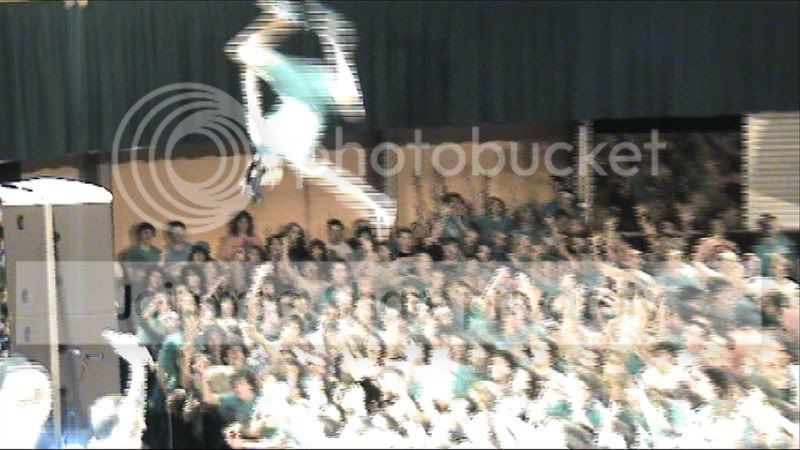
    Does anyone know what causes this?
    balcony
    Its footage of my friend stage diving. got the whole set from 4 angles, but this one is just from a random
    guy who filmed the show on an unknown camera, (obviously not a good one).
    only thing i know about the camera is that it was small and recorded to harddrive.
    it looks like interlacing but arnt the lines too thick to be that?
    ive tryd putting it through compressor with all sorts of interlacing settings but nothing seems to budge it.
    any ideas?
    its obviously shocking quality, but if i could get it so its at least usable id be happy!
    chichi

    Arnie Schlissel replied 17 years ago 4 Members · 4 Replies
  • 4 Replies
  • Captain Mench

    May 4, 2009 at 1:41 pm

    What’s the original size of the clip? Could be that FCP is scaling it in the given sequence. Try loading it into it’s OWN sequence with the same settings. Then de-interlace it and export as something that will match the rest of the other material. Then import it back in.

    Good luck,

    CaptM

  • Chi chi Desmond

    May 5, 2009 at 2:43 am

    CaptM,
    tryd that, no good.
    the original size of this footage is 1280×720, the same as my sequence.
    I have a feeling its been compressed by the camera in some way to do this.
    pretty annoying cause there were some good shots from this angle.
    oh well, thanks anyway

  • Michael Gissing

    May 5, 2009 at 2:54 am

    Before you needlessly throw away resolution by deinterlacing (unfortunately the common answer to interlacing problems), try adding the shift fields filter (found in the effects tab>video folder.

    It might be that the camera uses a different field order to your sequence. You can always check what FCP thinks is the field order by looking at the attributes of the clip.

  • Arnie Schlissel

    May 6, 2009 at 2:04 am

    [chi chi desmond] “the original size of this footage is 1280×720, the same as my sequence.”

    If it’s 1280×720 it should not be interlaced at all. 720 is always progressive. The still you posted looks like it may be interlaced SD that’s been blown up into your 720 timeline.

    Arnie
    Post production is not an afterthought!
    https://www.arniepix.com/

We use anonymous cookies to give you the best experience we can.
Our Privacy policy | GDPR Policy