Creative Communities of the World Forums

The peer to peer support community for media production professionals.

Activity Forums Maxon Cinema 4D Import JSON animations

  • Import JSON animations

    Posted by Fred Breslau on April 26, 2021 at 9:10 am

    Hello everyone.
    I cant even think of how to phrase the question properly, I couldn’t find anything online. But in essence, it is simple.
    C4D is awesome to export things to all sorts of programs, but I would like to know if there is any possibility to import a vector-based animation, such as a JSON file into C4D.

    My idea is that I can harness the power of Adobe Animate and After effects for 2D graphics and use it as the basis for extruding shapes or paths in C4D.
    If I have a cool logo animation, I could save myself quite some time by just bringing it in without redoing all the work.

    Maybe this feature already exists, but I have no idea where to look for it.

    Anyway, many thx.

    Justin Thomson replied 5 years ago 3 Members · 6 Replies
  • 6 Replies
  • Jim Scott

    April 26, 2021 at 3:50 pm

    A quick search brought up this discussion on reddit concerning importing a game asset in a JSON file:

    https://www.reddit.com/r/Cinema4D/comments/aqlr8y/has_anyone_ever_imported_a_json_format_file_to/

    I am not at all familiar with JSON files, but my impression from that discussion is that you’re pretty much out of luck as far as a simple solution is concerned. As you are aware, C4D has no import function for JSON files as it typically works with objects/meshes either generated internally or imported as objs, vector files that are then extruded, etc. There is an “ASCII Animation Import” option in the Timeline “Functions” menu, but as far as I know that wouldn’t help you.

    Unfortunately, I think you will need to import your vector artwork and reanimate it in C4D, but since I have never worked with JSON files I am open to brighter minds prevailing and being pleasantly surprised and corrected.

    Good luck.

  • Justin Thomson

    April 26, 2021 at 3:55 pm

    You may want to head in the direction of element 3d or similar plugin for extruding paths directly inside AE.

    https://aescripts.com/3d-extruder/ <– $10

    https://www.videocopilot.net/products/element2/

  • Fred Breslau

    May 5, 2021 at 8:03 am

    THANK YOU ALL.
    Well, it is a shame nobody thought of such a feature so far.
    I’m onto trying automating this crazy process I have in mind.

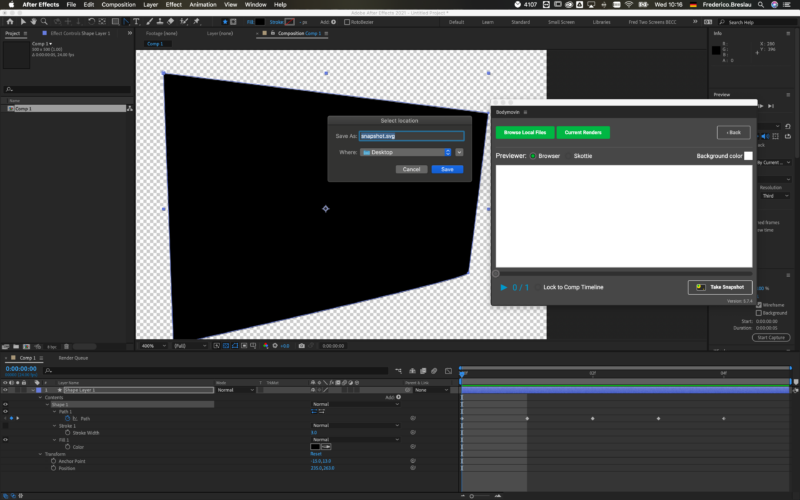
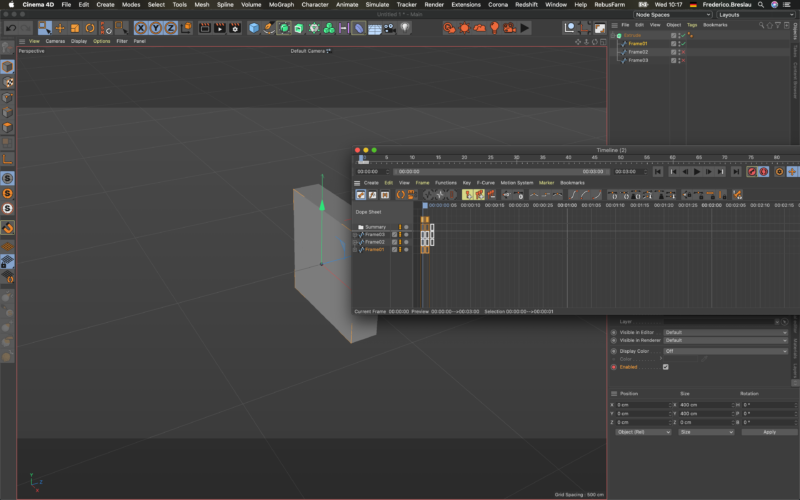
    Use BodyMovin in AE, I can export each frame as an SVG file, then import and sequence them under a Generator in C4D such as extrude.
    If we are talking about a handful of frames, doing it manually isn’t a big deal but for longer animations, I have to find a way to automate this process on both sides, AE and C4D.
    Any thoughts?

  • Fred Breslau

    May 5, 2021 at 9:16 am

    I FOUND A SOLUTION TO MY PROBLEM.
    My specific need was to bring in a sequence of vector files animated out of After effects.
    The desired outcome was to do an animation in AE and turn them into 3D assets in C4D.
    In fact, there is an out-of-the-box solution.
    Just turn your shape animation layer into a 3D layer and simply export it as a Cinema4D file. DONE.

  • Jim Scott

    May 5, 2021 at 1:58 pm

    Good work Fred, and thanks for sharing your solution.

  • Justin Thomson

    May 5, 2021 at 7:11 pm

    Whoa! ?

    Never though of doing this, super cool. Just tried and worked perfectly. Thanks for sharing.

We use anonymous cookies to give you the best experience we can.
Our Privacy policy | GDPR Policy