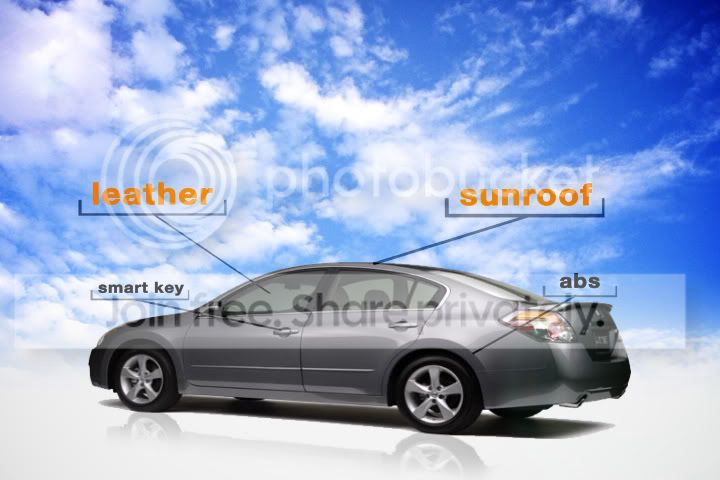
This should be easier than you think if the car is rotating at a constant speed (as objects on turntables usually do). I would recommend creating a 3D Null object and animating it’s Y rotation to match the car’s as closely as possible. Then I would create more Nulls in 3D space at the locations you want the line to ‘attach’ the car and yet more 3D Nulls where you want the line to meet the bracket =) Parent all of these Nulls to your original Null
Then I would use the following expression to create a beam from the ‘startNull’ to the ‘endNull’ for each line:
For the origin of the beam:
s = thisComp.layer('startNull').toComp(thisComp.layer('startNull').anchorPoint);
For the end of the beam:
e = thisComp.layer('endNull').toComp(thisComp.layer('endNull').anchorPoint);
Then I would import bracket graphics (with or without text) from Illustrator and parent each those to their respective Nulls and use Dan Ebberts's expression for Auto-Orienting to Y only on these layers:
https://www.motionscript.com/design-guide/auto-orient-y-only.html
Getting your original Null to rotate with the car at the correct speed and making sure that the beams and the brackets meet are going to be your biggest challenges with this technique, but the results should be pretty awesome.
Darby Edelen
DVD Menu Artist
Left Coast Digital
Aptos, CA