

Activity › Forums › Adobe After Effects Expressions › How to move timeline layers with marker?
-
How to move timeline layers with marker?
Posted by Palak Bhatt on August 23, 2022 at 7:22 amFor example,
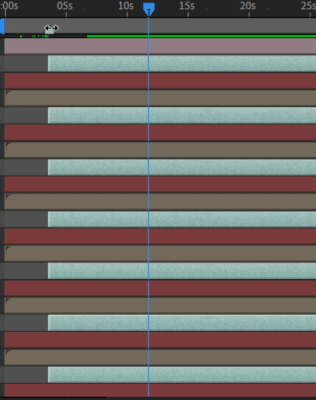
30 layers start at the 60th frame and then i just need to move marker to 90th frame and all layers are move within.
you can see in the image
 Fabrice Leconte replied 4 years, 1 month ago 3 Members · 10 Replies
 -
10 Replies
-

Fabrice Leconte
August 25, 2022 at 1:13 pmAn easy way is to add an expression on the opacity property to turn off the opacity before the marker.
time < thisComp.marker.key(1).time ? 0 :100;
Or you can select all your layers and run this script to really move layers to the marker position
proj = app.project;
thisComp = proj.activeItem;
thisComp.selectedLayers.map(function(layer){
layer.startTime = thisComp.markerProperty.keyTime(1);
})
-

Palak Bhatt
August 25, 2022 at 1:59 pmThank you so much for reply 🙂 very helpful
you are just near which I want to trigger same thing when i move marker, is it possible ?
-
Fabrice Leconte
August 25, 2022 at 3:46 pmWith the opacity expression, you can move the marker and then it will automatically affect all your layers who have the expression on it.
But using the script you’ll need to run the script each time you want to move selected layers to the marker position.
-
Palak Bhatt
August 25, 2022 at 4:12 pmScript method best in my case but, Is there any other way to control all layer start by marker?
-
Palak Bhatt
August 25, 2022 at 4:15 pmfind in gif, it would be great help if is it possible thanks in advance
-
Fabrice Leconte
August 25, 2022 at 4:47 pmWhat do you mean all layers in your composition or just layers with a specific label color?
-

Andrei Popa
August 25, 2022 at 4:54 pmIf you have all the layers selected, maybe go to the marker time with the timeline cursor and press “[“.
-
Palak Bhatt
August 25, 2022 at 4:59 pmthanks Andrei but I want expression on control with markers. [ will not work for me
-
Fabrice Leconte
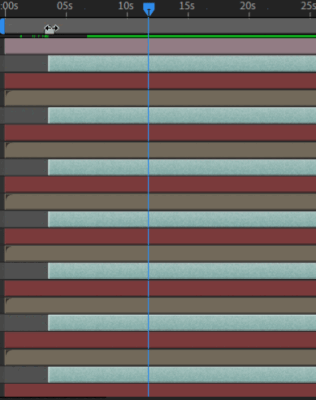
August 25, 2022 at 6:26 pmTry this script it will move your Aqua layers every times that you’ll press “move layers” button
Reply to this Discussion! Login or Sign Up