-
How to find ALL linked files in After Effects Project Bin?
Hi! I have to transfer a huge Ae file to a colleague, and the project has a ton of linked files like movie clips, images, etc in it. I’ve tried to keep all of the new files within the same project folder, but there are some files that are still in other areas of my desktop. As a result, these files don’t get copied when I copy the project folder over to my colleague’s computer.
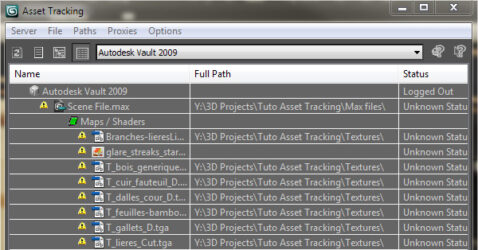
Is there something like an Asset Tracker or File Manager in After Effects that I can see the location of all linked files, similar to what they have in 3ds Max? This way I can replace or copy over the relevant files to my main project folder and have everything linked within it, so it won’t have a bunch of missing files when I copy it over. Thanks!