Creative Communities of the World Forums

The peer to peer support community for media production professionals.

Activity Forums Adobe After Effects How to create a “Cube map” with trapcode particular

  • How to create a “Cube map” with trapcode particular

    Posted by Marco Sillumeno on February 2, 2022 at 11:32 pm

    Hi everyone

    I wanted to ask the community for advice about how to set up the workflow for a project.

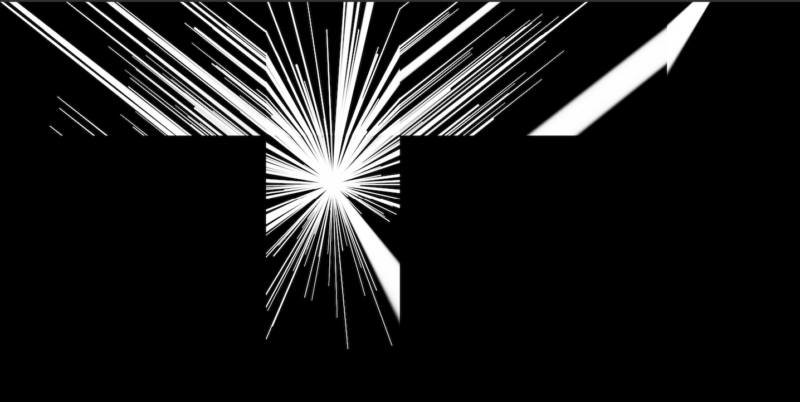
    I will have to do a 360 video projection in a room, so there are some projectors that cover all surfaces except the ceiling. The room has the shape of a parallelepiped, like 99.9% of rooms in the world 🙂 . I would like to create effects with trapcode particular (or other), but I would like to avoid having a visual break between some walls. So I have seen numerous tutorials about the “cube map”, and I can get results with the plugins already present in after effects, but my problem is that i’m able to create only videos on a 2d plane, such as a normal comp with particular, so when they are converted for the “cube map” they appear distorted. So I have a few questions:

    1-is it possible to create videos with trapcode plug-ins, apart from MIR, finalized for a 360 degree view? So i can have not distorted image on the “cube map”.

    2-is it possible to create not a cube map but a “parallelepiped map”? because the shape of my room is parallelepiped.

    Thank you

    Mario Jimenez replied 3 years, 7 months ago 3 Members · 5 Replies
  • 5 Replies
  • Marco Sillumeno

    February 3, 2022 at 10:27 am

    Sorry i mean apart Horizon not Mir

  • Marco Sillumeno

    February 3, 2022 at 12:21 pm

    I just solved my first question by following this tutorial: https://vimeo.com/126644307

    so well, i can get some 3d particulars in my cube map without distortion. Optimal. Now my next step is not to create a cube map but a “parallelepiped map” because my room will be a parallelepiped. Do you have any suggestions?

    Thank you

    Some contents or functionalities here are not available due to your cookie preferences!

    This happens because the functionality/content marked as “Vimeo framework” uses cookies that you choosed to keep disabled. In order to view this content or use this functionality, please enable cookies: click here to open your cookie preferences.

  • Graham Quince

    February 6, 2022 at 2:23 pm

    AE’s VR comps should do this for you. When you create the VR environment, it actually creates 6 precomps (one for each side of the cube), then it adds them all to a single comp and applies a blending effect. If you dig through the project panel, you’ll find the 6 precomps.

  • Marco Sillumeno

    February 8, 2022 at 9:15 am

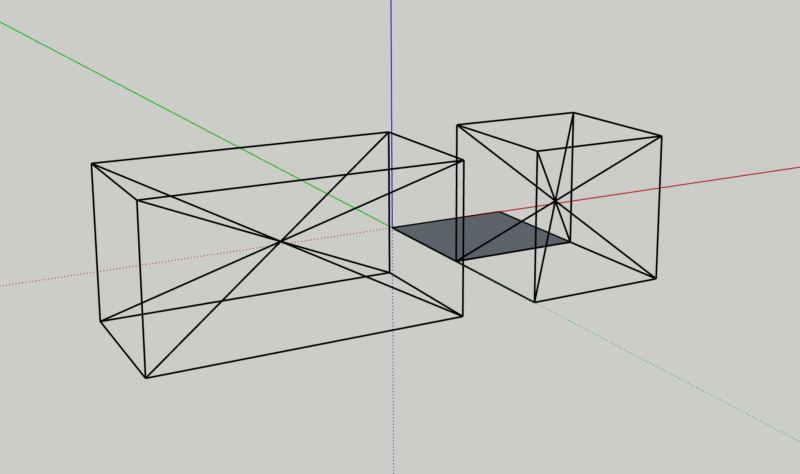
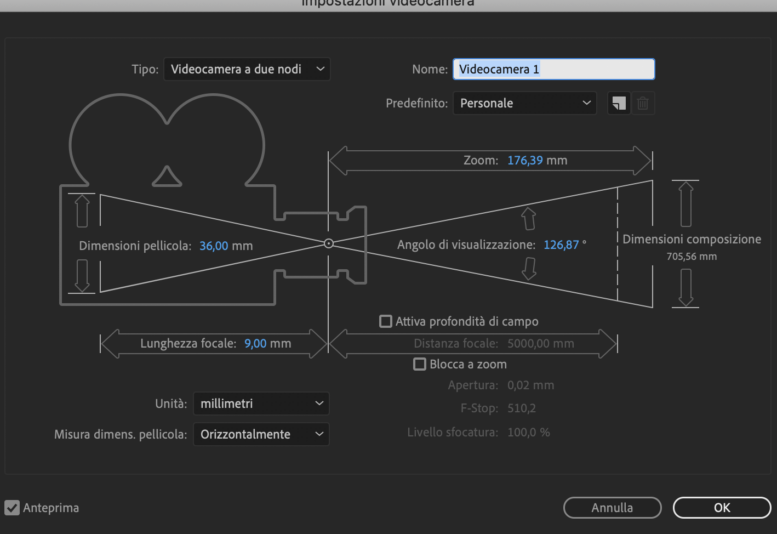
    Thanks for your advice. With the system you recommended it is perfect for making a cube map. I needed to make the shape of the parallelepiped. I found the solution by setting the viewing angle of the camera. I created a 3d parallelepiped on sketchup to understand what the viewing angle had to be and then I inserted it into the camera. I made the comps with the right proportions of my paralelepiped and then orienting the 6 cameras (5 in my case, I don’t need the ceiling face) in the right direction wuth the same position and I got the result I wanted. In practice I have done manually what the after effects VR does, but simply adapting it to the shape of the parallelepiped. Bye!

  • Mario Jimenez

    October 4, 2022 at 12:48 pm

    Hey man. I’m facing similar problem here. Could you tell if there is a rule of thumb in the focal/compsize/angle ratio? Did you mantain the same position in the cameras, only rotating? did you somehow reuse the same particle composition, or several with expression links?

    Thanks!

We use anonymous cookies to give you the best experience we can.
Our Privacy policy | GDPR Policy