-
How to color hair geometry from surface?
So plenty of videos out there explaining how to use instanced geometry on cinema4D hairs.
But how can they be coloured separately as they all share the same material and local UVs?
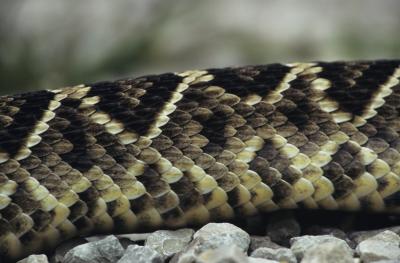
E.G picture a snake with a diamond pattern.
I want to use the hair object to cover the snake in scales, which are instanced geometry.
I want each snake scale to be coloured according to the diamond pattern.
With normal hair, we can use the ‘Surface’ tab to achieve this.
But if you use Polygonal Hair shader and choose ‘From Materials’, the Surface tab doesn’t apply anymore.
Could there be another way?
I need the hair object to remain dynamic and still be able to use all the dynamics and animate the hair parameters.