

Activity › Forums › Adobe After Effects › how to change the vertical unit in the animation graph?
-
how to change the vertical unit in the animation graph?
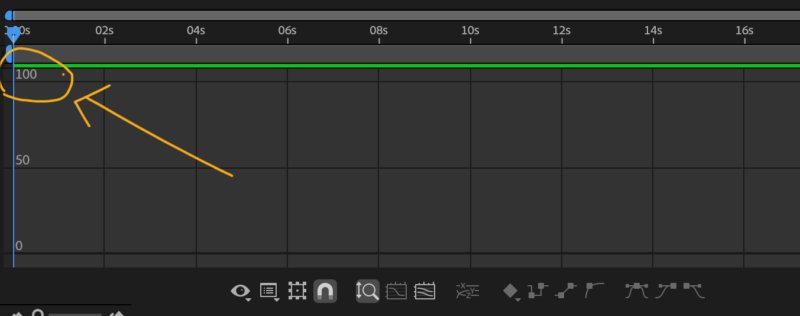
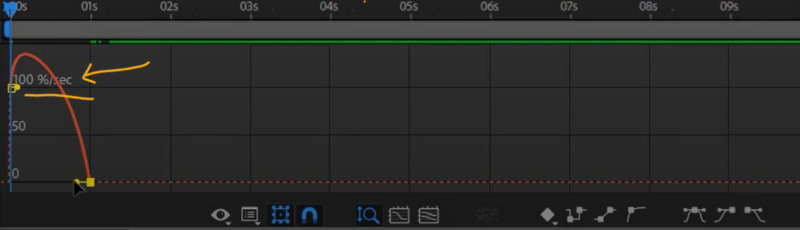
Posted by jess Mah on January 25, 2025 at 2:31 pmI have search the web but couldn’t find anything…
Pls help
 Nir Vanaskitz replied 1 year, 7 months ago 2 Members · 5 Replies
 -
5 Replies
-

Nir Vanaskitz
January 25, 2025 at 2:42 pmHi Jess,
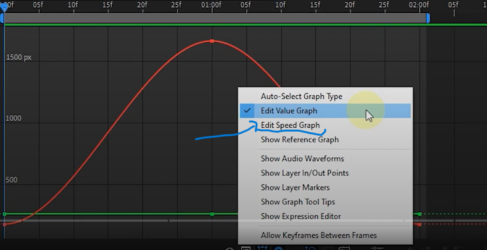
To change the vertical units in the Graph Editor, you can adjust the Y-axis scaling by selecting the property you’re animating and then right-clicking to choose Separate Dimensions if needed. Alternatively, you can scale the graph manually by dragging the Y-axis handles to fit your desired unit range. This should help you better visualize and control your animation curves.
Hope this helps!
Best,
Nir-Vana -
Nir Vanaskitz
January 25, 2025 at 2:46 pmHi Jess,
To adjust the vertical scale in the Graph Editor, first open the Graph Editor by clicking its icon. Then, select the specific property you’re working with. You can zoom in or out vertically by holding **Alt** (or **Option** on Mac) and scrolling with your mouse wheel, or by using the zoom controls located in the Graph Editor toolbar. This should help you better visualize and manipulate the animation values.
Hope this helps!
– Nir-Vana
-
Nir Vanaskitz
January 25, 2025 at 2:46 pmTo change the vertical units in the Graph Editor, you can adjust the **Y-axis scaling** by selecting the property you’re animating and then right-clicking to choose **Separate Dimensions** if needed. Alternatively, you can scale the graph manually by dragging the Y-axis handles to fit your desired unit range. This should help you better visualize and control your animation curves.
Hope this helps!
Best,
Nir-Vana

Reply to this Discussion! Login or Sign Up