

Activity › Forums › Adobe After Effects › How to approach this motion track?
Tagged: Basic
-
How to approach this motion track?
Posted by Anthony Sneed on October 1, 2023 at 7:51 amhttps://vimeo.com/anthonysneed/dronetrack?share=copy
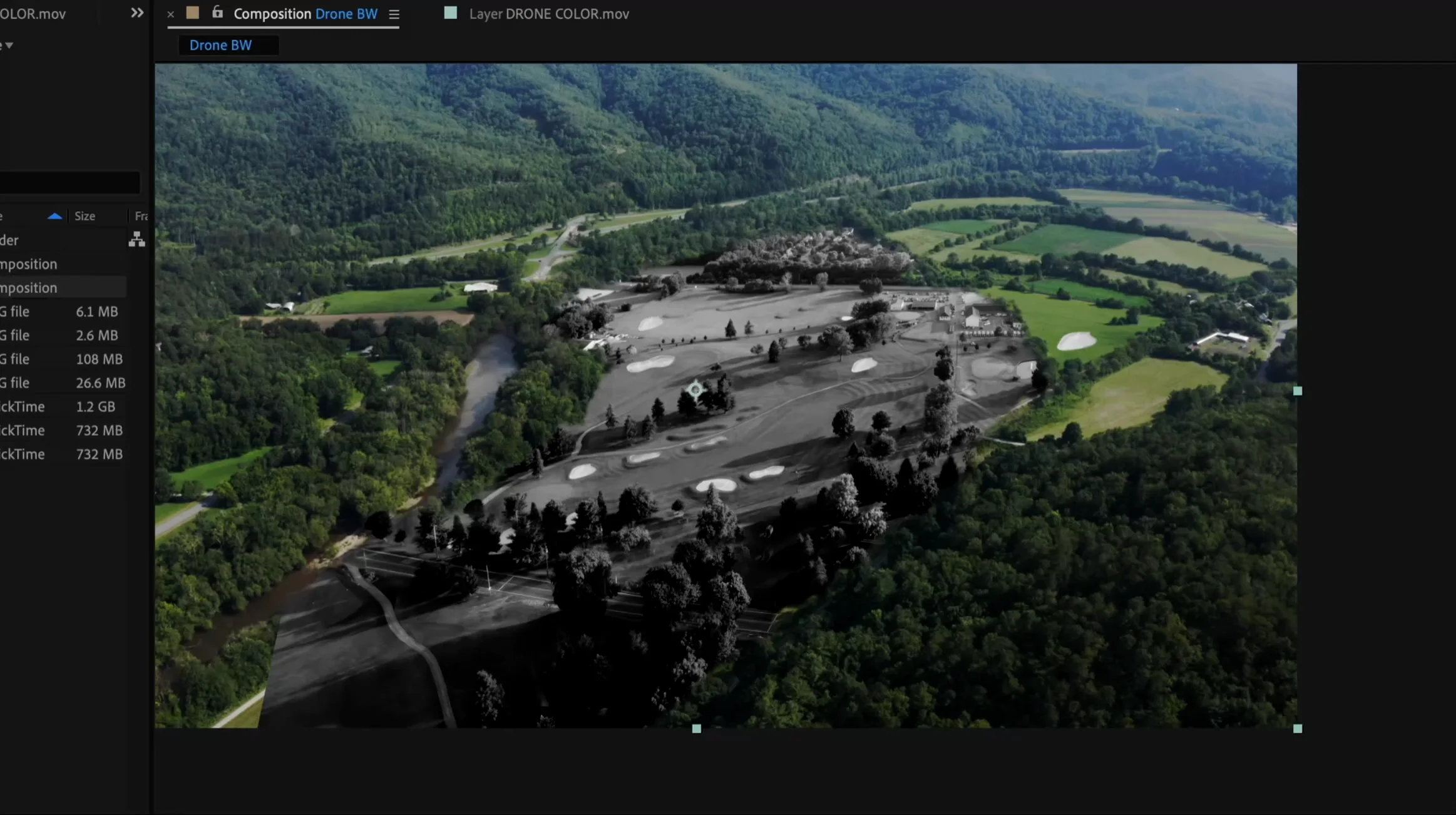
I’ve got a drone shot where I want to motion track a still of a golf course on top of it but for some reason all of my usual methods are not working. I’ve been banging my head trying to get this to work.
Any ideas?
(The final image will be B&W but I included the color base layer to make it easier for you to understand what I’m trying to do)
vimeo.com
This is "DRONE TRACK" by Anthony Sneed on Vimeo, the home for high quality videos and the people who love them.
Stephen Smith replied 2 years, 11 months ago 3 Members · 8 Replies -
8 Replies
-

Andy Kiernan
October 1, 2023 at 9:41 pmit’s a tricky one as the camera is moving in ‘Z’ space and you’re trying to add a 2D plane that is facing the camera, but the front and back of the plate are essentially moving at different speeds.
If I were to tackle this type of shot, I would probably have to bite the bullet and go down the projection mapping and multi-plane route.
So, 3D-track the shot, add a 3D solid aligned to the ground, and project the golf course on it. And add a lot of little solids where there are trees etc. so this adds paralax in. Not for every tree but some to sell it.
Time consuming and quite often a headache but will yield the best results I think.
Edit: also mask out the foreground trees and add them over the top
-

Anthony Sneed
October 1, 2023 at 9:52 pmThank you! I’ve been trying for hours today after I posted and you’re right on a lot of those points. Including the trees on top.
Greatly appreciated
-
Anthony Sneed
October 1, 2023 at 10:17 pmThis is going to sound crazy but since I edit in Resolve and after enough headbanging w AE and Mocha, etc, I said, let me just look up a Fusion tutorial and try because why the hell not. I literally figured it out and it looks great in under 15 minutes! I attached the final result.
https://vimeo.com/870116276/8d65923e4a?share=copy
Here’s the youtube video that taught me if you’re curious:
https://www.youtube.com/watch?v=AP7pIKWp4kE
Some contents or functionalities here are not available due to your cookie preferences!This happens because the functionality/content marked as “Vimeo framework” uses cookies that you choosed to keep disabled. In order to view this content or use this functionality, please enable cookies: click here to open your cookie preferences.
-
Andy Kiernan
October 1, 2023 at 10:27 pmah brilliant glad it’s sorted, and yer looks great!
I really need to start using fusion…
-
Anthony Sneed
October 1, 2023 at 10:28 pmThe motion tracking abilities in Resolve are hands down the best I’ve ever come across, though Fusion had always been a blind spot for me, I’m going to lean into it more and more so I can get off the Adobe teat for good.
-
Andy Kiernan
October 2, 2023 at 9:17 amyer i think thats a good idea. Thanks for spurring me on to get learning fusion, i needed a kick in the pants to do it ha
-

Stephen Smith
October 3, 2023 at 12:52 amI know you already found a solution…but if you ever want to do this in After Effects then this is how you pull it off: https://www.youtube.com/watch?v=C_dO9HGrYS8
Some contents or functionalities here are not available due to your cookie preferences!This happens because the functionality/content marked as “Google Youtube” uses cookies that you choosed to keep disabled. In order to view this content or use this functionality, please enable cookies: click here to open your cookie preferences.
Reply to this Discussion! Login or Sign Up