Creative Communities of the World Forums

The peer to peer support community for media production professionals.

Activity Forums Maxon Cinema 4D How to add jitter in a cloner?

  • How to add jitter in a cloner?

    Posted by Mahmoud Shokeir on December 10, 2020 at 11:57 am

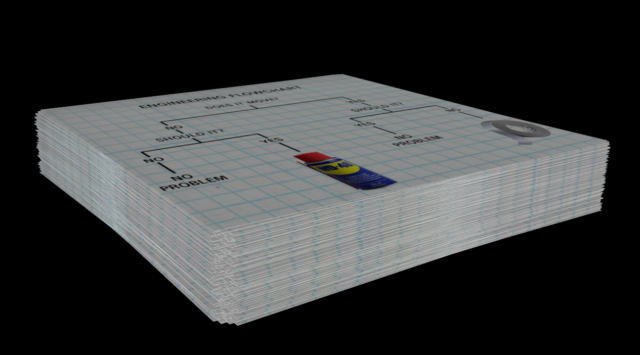
    So I wanna make a stack of papers, I don’t want them to be neatly sorted, so I tried using a cloner, but I can’t jitter the clones enough to make them look natural, they look too neat, I tried duplicating the paper many times and changing their positions and then adding them to the cloner, but that’s not good enough either.

    All tutorials tell you how to remove jitter, but I never had any jitter to begin with and I can’t reverse engineer it.

    Any assistance? Thanks.

    Jim Scott replied 5 years, 8 months ago 2 Members · 3 Replies
  • 3 Replies
  • Jim Scott

    December 10, 2020 at 6:35 pm

    Just add a Random effector with small position and rotation (H) values.

  • Mahmoud Shokeir

    December 11, 2020 at 2:54 pm

    Perfect! Thank you very much 😀

  • Jim Scott

    December 11, 2020 at 3:28 pm

    Glad I could help. Thanks for reporting back.

We use anonymous cookies to give you the best experience we can.
Our Privacy policy | GDPR Policy