

Activity › Forums › Adobe After Effects › Half D1 352×576, what is this?
-
Half D1 352×576, what is this?
Posted by Nico Jones on July 29, 2008 at 4:38 pmHello there,
I need to deliver an AE project in Pal Half D1 352×576 resolution as an mpeg 2.
I’ll be honest, I’ve never heard of this res. Obviously putting 352×576 in as a comp size with square pix looks odd, as it says on the spec sheet I got that the video should be widescreen when it’s done.
What is half D1 res? What’s the workflow? Is there a pixel aspect thing I should be aware of?
Many thanks,
nj
Nico Jones replied 18 years ago 2 Members · 5 Replies -
5 Replies
-

Ray Apokal
July 29, 2008 at 9:00 pmNico,
Half D1 is a real resolution, It’s rare but real. Don’t ask your contact ‘what the heck they are talking about’ just yet.
What program are you using to compress these files into a mpeg2?
LR Apokal
-
Ray Apokal
July 30, 2008 at 12:40 amThe idea is to get more video onto a DVD by taking half the horizontal resolution. I know it sounds horrible, but I think it was a workflow that was created for single-layer DVD constraints.
It was awhile ago that I worked on it, but my workflow was:
AE–> Final Cut –>Compressor –>DVD SP
In AE and FCP I worked in D1 720×486. I kept the pixel ratio to the typical NTSC .9. It wasn’t until I got to Compressor that I changed the resolution to Half D1 352×480 for NTSC. When I brought it into DVDSP it stretched it back.
Nico, I would do a quick test to make sure your aspect ratio in your square pixel workflow works. Also, I’m confused that they would want widescreen in an SD resolution. Do they want a letterbox?
LR Apokal
-

Nico Jones
July 30, 2008 at 8:47 amHi guys thanks for the help. Well, here is the full spec sheet…
Audio
Bitrate (Kbps) 192
Type MPEG1 Layer 2
SampleRate (KHz) 48
Number of Channels 2Video
Colour System PAL
Picture Mode Non Interlaced ( progressive )
Bitrate – VBR min, average, max (Mbps) N/A
Bitrate – CBR (Mbps) 4
Resolution Half D1 352×576
GOP Structure: IBBP
Closed or Open GOP OPEN
Scene Change Detection YES
Closed Captions N/A
MPEG 1,2 or 4 MPEG 2Stream
Stream Type MPEG2 TRANSPORT STREAM
PIDS : PMT/PCR/Video/Audio pmt:500,pcr:3FE,video:3FE,audio:3FF
Filesize segmentation Unlimited
Media Format mpgAnd is does specify ‘the video needs to be widescreen’ in the email I got. The video, apparently, needs to fit in to the box I’ve outlined in red here…
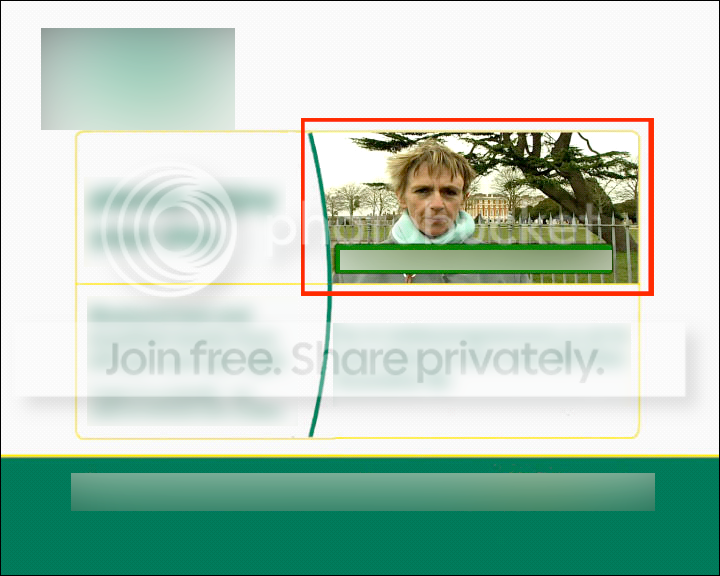
So Ray, if I have this right, the suggested workflow will leave me with a 4:3 file? Hmmmm. I guess they must mean letterboxed. I tried the workflow, but can’t get compressor to output at that resolution and there are no presets…how did you get it to work??? It also needs to have audio in the final MPEG2 file, which is what I’ll be supplying them with…
Thanks chaps
Nico J BB
-
Ray Apokal
July 30, 2008 at 3:28 pmNico,
Ah, I see…because it’s a video-box it wouldnt matter the aspect ratio (letterboxing). I assumed you were creating a full screen video.
This will be a little tricky (but very simple) in Compressor:
What you’ll have to do is create the custom Mpeg2 with the settings they provided minus the Half D1 resolution (yes, you’re forced to keep the Full D1).
Save the setting and name it something obvious (like ‘HalfD1’). Close Compressor and find that setting file (HalfD1.setting).
Open it in TextEdit and change the width resolution to 352. Overwrite the existing file and reopen Compressor. Your custom Half D1 should be updated.
You’ve got a peculiar spec sheet and Compressor is very anal-retentive and inflexible.
In other compression programs like BitVice I believe they have a myriad of presets like Half D1. It’s worth looking into.
LR Apokal

Reply to this Discussion! Login or Sign Up