Creative Communities of the World Forums

The peer to peer support community for media production professionals.

Activity Forums Adobe After Effects Geolayers for After Effects

Tagged: 

  • Geolayers for After Effects

    Posted by Ovy Mark on June 2, 2025 at 4:36 pm

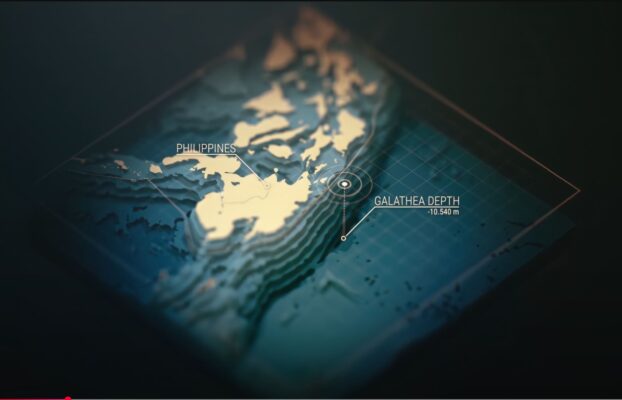
    Hi everyone! Hope you’re all having a great Monday_ Quick question for anyone familiar with GeoLayers for After Effects—does anyone know if it’s possible to create the effect shown in this picture? I saw it in the promo video, but I can’t figure out how they pulled it off. If anyone knows how to achieve it, I’d really appreciate your help! All the best!

    Ovy Mark replied 11 months, 2 weeks ago 2 Members · 2 Replies
  • 2 Replies
  • Graham Quince

    June 5, 2025 at 8:06 am

    Is it the blurring effect you want to emulate?

    That looks like Camera Lens Blur using a gradient layer as a blur map.

    If it’s the 3D:

    I don’t have GeoLayers but that looks like a combination of GeoLayers and Mettle FreeForm. You should be able get similar results with CC Ball Action with displacement or you could look at using Blender to do the displacement.

  • Ovy Mark

    June 6, 2025 at 3:52 pm

    Yes, I was referring to the “3D terraces” in the video.

    I know any 3D program could achieve this, but I think they did it with some plug-in in After Effects. Thanks, I’ll see if I can get it with Freeform. (never used before)

    Thank you appreciated. Cheers.

We use anonymous cookies to give you the best experience we can.
Our Privacy policy | GDPR Policy