Creative Communities of the World Forums

The peer to peer support community for media production professionals.

Activity Forums Maxon Cinema 4D fullscreen without any bar

  • fullscreen without any bar

    Posted by Ronny Traufeller on January 28, 2012 at 1:26 am

    hey,

    i need a second window where i can go fullscreen,
    if i do this i come very close, creating a new panel,
    drag it into my secondary display and choosing fullscreen.

    but i still have the menu bar on top…

    can i get rid of it?

    PS:
    actually i use the picture viewer wich supports 100% fullscreen,
    but it would be nice for the viewer also.

    thanks,
    Ronny!

    traufeller.de

    Kouraib Abdmalek replied 2 years, 2 months ago 3 Members · 2 Replies
  • 2 Replies
  • Brian Reeves

    February 9, 2024 at 3:15 pm

    Hi there, sorry to “necro-post,” but did you ever get any replies on/answer for this? I’ve been dealing with a similar issue– widescreen video, but trying to insert title cards that are fullscreen– and looking for insight on how I can potentially make things have the same dimensions/aspect ratio… anyway thanks!!

  • Kouraib Abdmalek

    February 10, 2024 at 9:44 am

    Hi Brian,

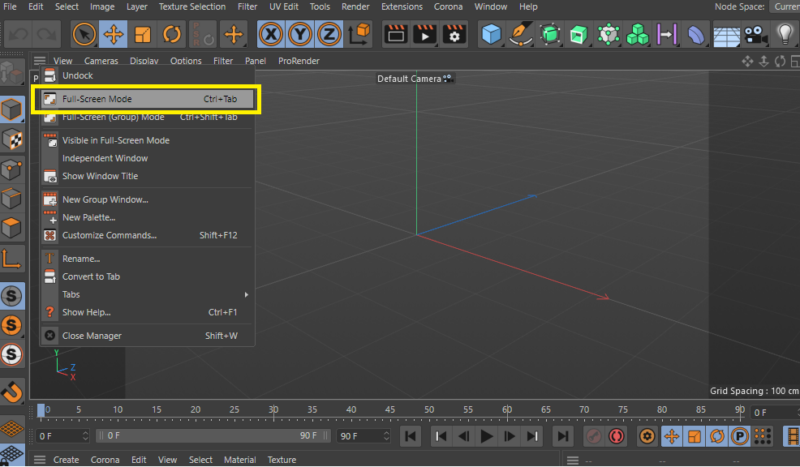
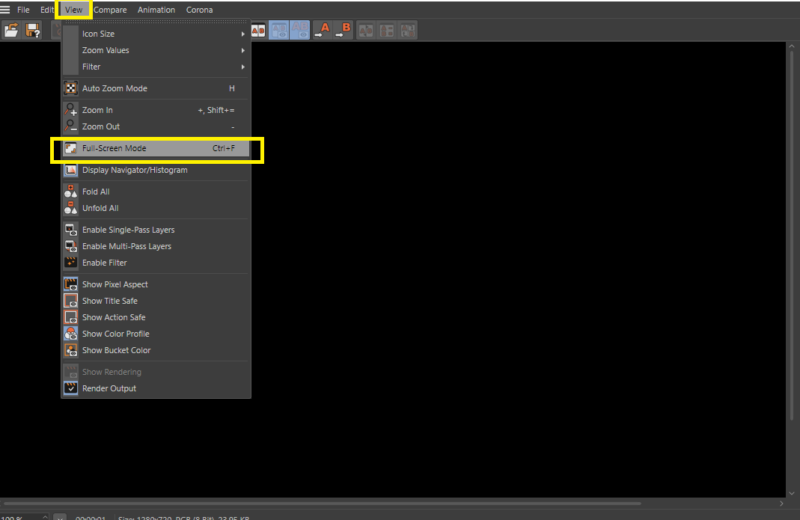
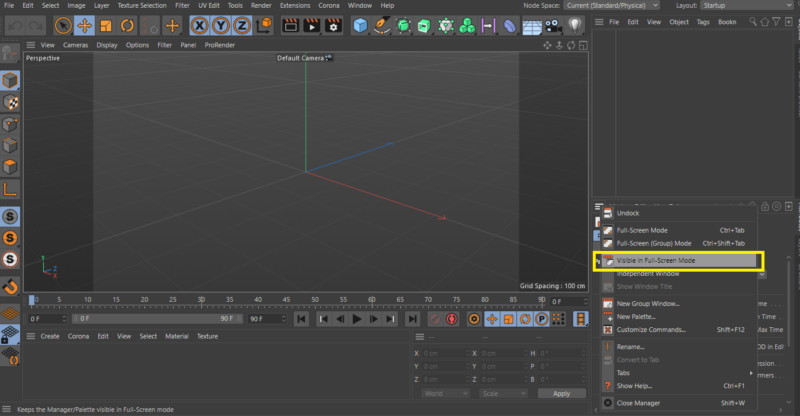
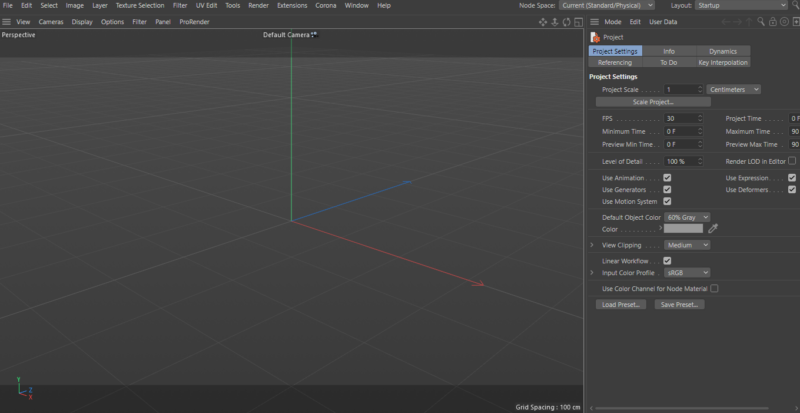
    As for the first part of your question, I have posted below screenshots showing how to get full-screen mode in the viewport and the Picture viewer, as well as how to make one of the panels appear in full-screen mode. Still, as for the menu bar, on Mac, you can remove it by going to Edit>Preferences>Interface and then unchecking “Show Mac menu bar” and restart C4D, but there is nothing like that On Windows.

    As for the second part, I hope you can clarify more.

    Thanks!

We use anonymous cookies to give you the best experience we can.
Our Privacy policy | GDPR Policy