Creative Communities of the World Forums

The peer to peer support community for media production professionals.

Activity Forums Adobe After Effects Font ‘Breaking’ problem on scale/position in AE CS4

  • Font ‘Breaking’ problem on scale/position in AE CS4

    Posted by Alex Mann on October 11, 2011 at 8:16 pm

    Hi there,

    I’m having a problem with a couple of fonts in AE, namely that, when I try to keyframe scale or position a comp in which the resides something weird happens and the font suddenly flashes to a set of weird characters, and flashes back to normal(just one font is pictured in good/bad states). They are both from dafont.com and are regular ttfs. Does anyone know what’s happening here and what might be causing it? Autotrace isn’t really an option.

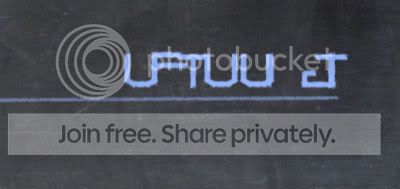
    Thanks to anyone that can suggest anything 🙂

    Walter Soyka replied 14 years, 9 months ago 3 Members · 3 Replies
  • 3 Replies
  • Angelo Lorenzo

    October 11, 2011 at 11:55 pm

    I don’t know if I’d trust the quality of fonts from free sources. While commercial fonts are insanely priced, they do come with a lot more “under the hood” information than hobbyist fonts.

    Since AE doesn’t handle keyframing font size directly (or at least not the animation of it), have you tried nesting the text layer and then animating the size of the nested composition? That’s a quick fix that shouldn’t disrupt your comp as a whole.

    – Angelo Lorenzo
    https://FilmsFor.Us Sell your film and connect with your audience

  • Alex Mann

    October 12, 2011 at 8:31 am

    Hi Angelo,

    Yeah totally understand what you’re saying, it just becomes rather a tearful moment when you’ve got to pay such big bucks for a font that you’re just using for a 3-word subtitle.

    Thanks for the suggestion, I’ll try this out.

    Best wishes.

  • Walter Soyka

    October 12, 2011 at 8:57 pm

    Adobe has a document on troubleshooting font problems [link] that you might find helpful.

    Another option (if you don’t need text-specific AE features) might be setting your type in Illustrator and importing the AI file.

    Finally, most of the “free” fonts do have commercial restrictions. Double-check the license terms to make sure you’re in compliance.

    Myfonts.com has quite a few really well-made, low-cost specialty fonts from boutique foundries. You might find something that suits your project well.

    Walter Soyka
    Principal & Designer at Keen Live
    Motion Graphics, Widescreen Events, Presentation Design, and Consulting
    RenderBreak Blog – What I’m thinking when my workstation’s thinking
    Creative Cow Forum Host: Live & Stage Events

We use anonymous cookies to give you the best experience we can.
Our Privacy policy | GDPR Policy