-
Extruded shape not showing up correctly in composition
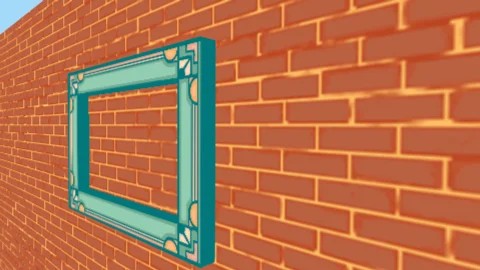
I’ve made some 3D picture frames in AFX (see first picture)
First I took the 2D drawing of the frame and made a shape layer the same size in Illustrator, then imported them both into AFX. I then extruded the shape layer and placed the 2D image over the top of it. I then placed this composition into another one which has a brick wall in it, to create the above. That all works fine.
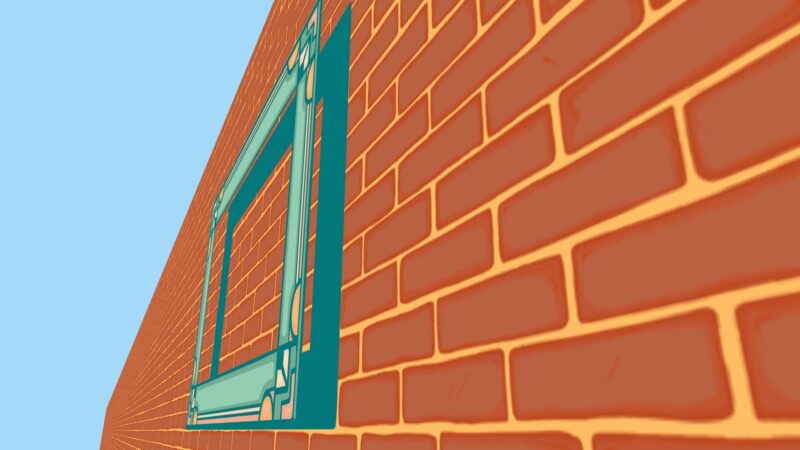
The problem is I then placed that composition in to another one, and suddenly in the new comp the extrusion isn’t showing up properly. It only shows the front and back with no solid for the extrusion (see second picture)
They should be identical surely. I don’t know if this is a bug or a setting I missed. All comps and layers are 3D and the nested comps have Collapse Transformations turned on. The same thing has happened with several of these frames. Does anyone know what might be causing this? Thanks