-
Exporting Premiere footing for beginners
I am a newbie and probably the issue is discussed somewhere else, so a direction would be greatly appreciated.
I started from a Zoom registration of 2hrs 50 min (info from Quicktime Inspector: zoom_0.mp4, H264, 1280×720, 25 fps, data dim 391,5 MB, data speed 299,08 kbit/s).
I edited it in Premiere Pro CS6 (life licence official version, can’t afford any upgrade) on a MacBook Pro:
– same sequence setup as source (possibly bad translation of commands, no English version)
– added a picture at the beginning for a few seconds
– no titles
– 3 cuts made for less than one minute
– just 1 crossfade
– nothing else
If I select as export setup “same as the sequence”, the following options are “promised”:
file .MXF, 960×720, 23,976 fps (!?), no estimation of file size
This seems a bit crazy to me: why size and frame rate change? why .mxf instead of .mp4? why the progress bar starts moving after after 20 minutes, announcing almost 2 hours completion time? why a resulting file of about 12 GB (Gigabytes!)?
The minimum size I could obtain bungling with codecs was a .flv file of 1.3 GB, unreadable by QuickTime player, if readable by VLC.
If I choose a codec H264, I am “promised” a .mp4 file of 6500 MB.
I would use the result to upload the file on the site of my course, which accepts files up to 100 MB.
No better luck with completely different projects: HD films of holidays, shooted by a Sony Handycam NEX-VG10 (HD AVCHD), which I tried to mount with fades and titles, to be viewed on a 55″ HD Tv set: huge files and lower quality than the source directly viewed on the TV.
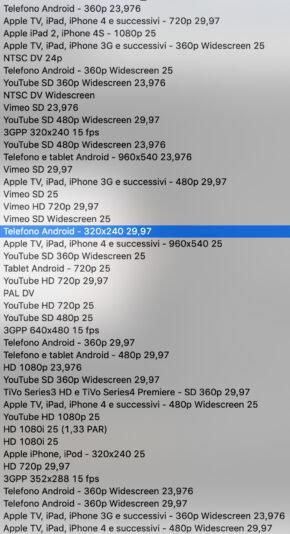
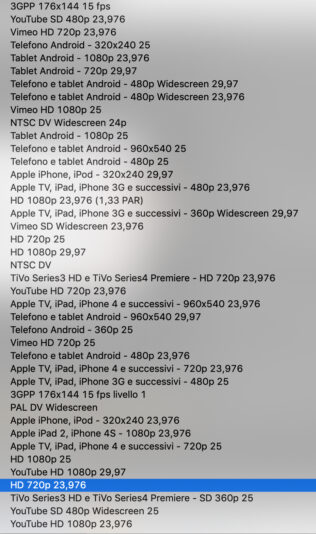
Where am I wrong? Perhaps I don’t have the right codecs? (The codecs I can choose among in annex)
Can please somebody support me or address to the right thread?
Thanks for your patience