Creative Communities of the World Forums

The peer to peer support community for media production professionals.

Activity Forums Adobe After Effects Element 3D – Ambient Occlusion – Ray-Traced issues

  • Element 3D – Ambient Occlusion – Ray-Traced issues

    Posted by Bart Stevens on January 11, 2022 at 7:16 pm

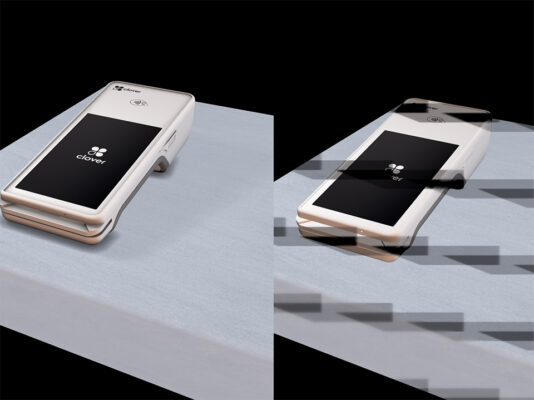
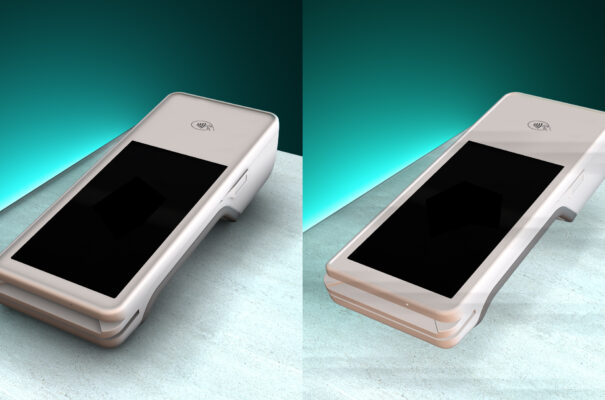
    Dealing with some strange rendering issues with Ambient Occlusion / Ray-Traced issues. On one frame, I get the accurate look I want. Then it disappears. Not really a flickering issue, but not getting consistent rendering through animation. When the shadow detail disappears, subtle banding is across the frame. I’ve experimented with many settings (samples, intensity, etc..) but nothing solving this issue. Any advice is greatly appreciated.

    Bart Stevens replied 1 year, 2 months ago 2 Members · 5 Replies
  • 5 Replies
  • Bart Stevens

    January 12, 2022 at 5:18 pm

    image of issue

  • Bart Stevens

    January 12, 2022 at 7:18 pm

    Okay, so I scaled up the object by 200%, and thought I had it figured out, but seems like it’s getting worse. Render freezes with obvious similar and more apparent artifacts. Strange, while previewing different frames in timeline, doesn’t present problems. But when I render, the whole thing crashes. I have a pretty good graphics card, that is listed as a supported card.

    Nvidia Quadro P4000 / 32 GB RAM. Intel i7 7700K cpu 4.2 GHz

    Anyone seen something like this before?

  • Alexey Nosov

    February 17, 2025 at 3:34 pm

    Bart, please tell me, have you solved this problem somehow? I have absolutely the same problem, and I don’t know what to do anymore…

  • Bart Stevens

    February 18, 2025 at 2:57 pm

    Alexey, Sorry it’s been a while, and I usually post answers when I figure out answers here. I don’t remember exactly how this was solved. I think I played around with the samples in AO – RTAO and multisampling? I might have even hit a block and reverted to SSAO in AO. Sorry I can’t be more help. Good luck

  • Bart Stevens

    February 24, 2025 at 10:07 pm

    Another possible solution, I’ve noticed if I’m rendering into the media encoder to a compressed format (.h264) it has a higher potential for problems. I’ve found rendering directly out of AE into a ProRes format can fix certain issues.

We use anonymous cookies to give you the best experience we can.
Our Privacy policy | GDPR Policy