

Activity › Forums › Adobe After Effects › Dropdown List copy Layer to Comp
-
Dropdown List copy Layer to Comp
Posted by Marcin Wiktorowski on December 6, 2020 at 3:45 pmHi,
I don’t know much about expressions and nothing about scripting – but I need help.
So, please be understanding and explain me step by step what I should do(and where).
I ve sytuation like this:
– Comp_Main
– Comp_Icons
– Comp_3
Inside Comp_Main I have dropdown List with Items.
Items – this is layer list from Comp_Icons
What I wanna do:
When i select item no.1 from dd list – the leyer no.1 from Comp_Icons will be copied to Comp_3;
when i select item no.2 from dd list – the leyer no.2 from Comp_Icons will be copied to Comp_3;
…. e.t.c.
Please help!
Marcin Wiktorowski replied 5 years, 9 months ago 3 Members · 7 Replies -
7 Replies
-

Jerard Ghrandem
December 6, 2020 at 7:07 pmHi Marcin,
To control what you see on stage using a drop menu, you can use a Drop Menu Control effect and connect it using some expressions. There is a very good tutorial on this topic that could be useful to you: https://youtu.be/nPTNtwSx9SE
I hope this helps.
Jerard.
Some contents or functionalities here are not available due to your cookie preferences!This happens because the functionality/content marked as “Google Youtube” uses cookies that you choosed to keep disabled. In order to view this content or use this functionality, please enable cookies: click here to open your cookie preferences.
-

Marcin Wiktorowski
December 6, 2020 at 11:47 pmYes, yes, but NO!
Yes, I know this tutorial very well – and I used it in my project. But it’s too complicated.
Take a look at my project below.
As you can see, there are 11 cities. Following this tutorial, I need to create 11 PreComps with items.
It wouldn’t be that scary – but what if I decide to add another item?
Any change I’d like to make, I have to do in each PreComp. (a lot of work)
So I found a better solution.
– Create one PreComp_Icons for all icons.
– Create PreComps for each city.
– Create a DDmenu for each city
– When selecting a specific icon for a city – copy the icon from PreComp_Icons to Precomp_City (display).
In this logic, I can add icons and items, and I won’t have so many complicated Precomps.
But I do not know how to do it 🙁
Exactly: I don’t know how to copy a layer from one composition to another after selecting in the DDmenu.
-

Walter Soyka
December 7, 2020 at 2:26 pmI think you should use an Essential Graphics workflow to build a re-useable “Weather Icon” comp. With Essential Graphics, you can make that drop-down selector a property of the comp that can be modified and keyframed independently for each instance when it’s used in other comps.
Check out the docs here:
https://helpx.adobe.com/after-effects/user-guide.html/after-effects/using/creating-motion-graphics-templates.ug.html -
Walter Soyka
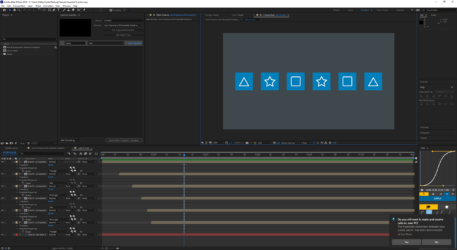
December 7, 2020 at 2:45 pmI put together a quick sample project that shows how this works.
-
Marcin Wiktorowski
December 13, 2020 at 2:09 amYOU MADE MY DAY !!!
This is exaclty what I was looking for !
Thanks a lot !!!!!!!!!!!!!!!

Reply to this Discussion! Login or Sign Up