

Activity › Forums › Adobe After Effects › Creating a falling wall that scatters…? Help!
-
Creating a falling wall that scatters…? Help!
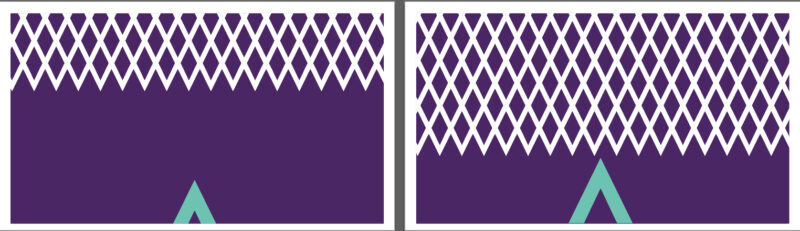
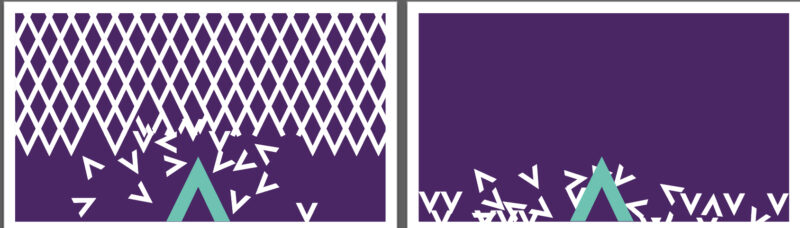
Posted by Alexandra Boylan on November 5, 2020 at 4:31 pmHi, does anyone know how i can create this illustrated below in AF? I want all the objects to jolt down and as they get to the bottom, the objects all fall to the ground in a heap. Any help would be massively appreciated. Thank you!
 Alexandra Boylan replied 5 years, 10 months ago 3 Members · 6 Replies
 -
6 Replies
-

Michael Szalapski
November 5, 2020 at 5:58 pmYou could use AE’s native Shatter effect to make shapes break apart and fall, but they will not interact with each other or pile up.
For piling things up in AE, I’d suggest a plugin like Newton 3 (original and long-standing 2d physics solver for AE), Physics Now (the newcomer), or maybe Stardust (ridiculously full of features 3d particle engine that does physical simulation as well as volume rendering and a bunch of other stuff).
Or, if you don’t mind stepping outside AE, Adobe’s Character Animator has a fun 2d physics solver in it that could do this too.
-

Alexandra Boylan
November 5, 2020 at 6:32 pmFabulous, thanks so much for the advice Michael. Will try those suggestions out. Thanks again. Alex
-

Santanu Bhattacharjee
November 5, 2020 at 6:46 pmYou can do this easily with Red Giant Particular for AE. You can create the grid of those rhombuses and fall due to gravity.
-
Michael Szalapski
November 5, 2020 at 6:52 pmYou can make them fall and even bounce on the floor, but they won’t pile up on each other.
Actually, I was thinking about this, you MIGHT be able to do something with AE’s native Particle Playground, but I haven’t messed with that in a while.
Reply to this Discussion! Login or Sign Up