-
Convert vertex color to base color
Working on a drone show. There is a software that converts project files into the necessary .PATH files that can be read by the drone operation software. Contains info for position and color. I use C4D to animate, and the plugin does not
work. The work around is to export as Alembic , import into Blender
where the plugin DOES work, then export to final .PATH files from there. This works fine except for the color information. ..The setup is simple. A cloner of 240 spheres that i animate around and have the color shader applied to the clones material so that it changes with the color effectors. Working great, exactly how I want it in the viewport. So I export as Alembic with Vertex color info.
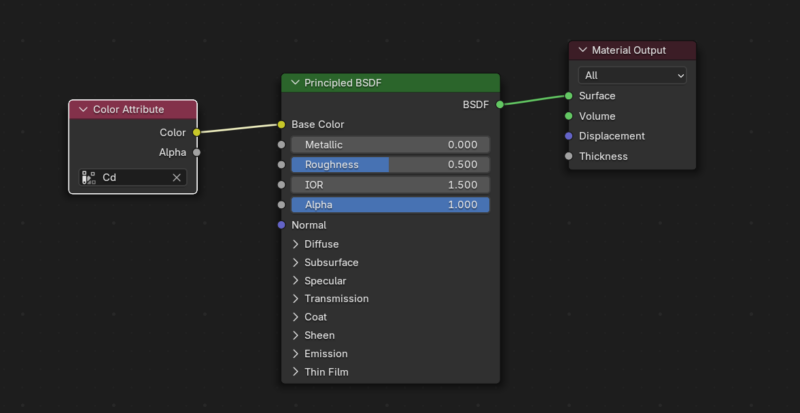
Import into Blender. I connect the ‘Cd’ attribute to the base color of the material and viola, there is the color from the vertex applied back on the alembic. Again, everything looks good in the viewport. However, when I then export as .PATH, no color information.
I have just spent a whole day trying every possible combination of inputs/outputs (with my limited knowledge on Blender) to try and get the color information to export. No success.
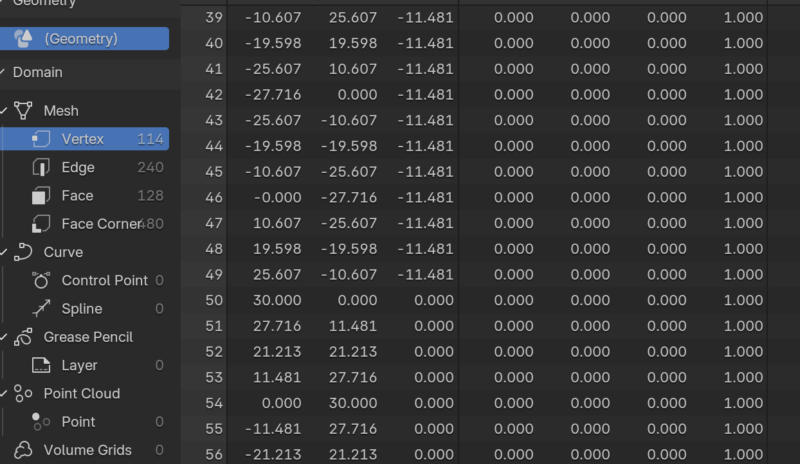
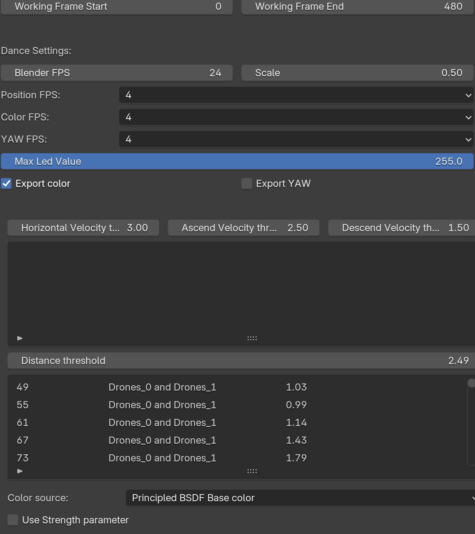
What am I plugging in wrong? I have attached a few images of the DDC plugin so you get an idea of the options for export. as well as the shader network. I did notice in the geometry node that there seems to be no color info changing with the vector, all remaining zero. Thanks in advance