Creative Communities of the World Forums

The peer to peer support community for media production professionals.

Activity Forums Adobe After Effects Expressions Control slider with variation

  • Control slider with variation

    Posted by Jack Brown on August 30, 2016 at 4:21 pm

    Hi everyone,

    I have a shape layer with 20 shapes, all with a Stroke and a Trim Paths.

    The 20 separate shapes’ Trim Paths are linked to a Slider Control which animates from 0 to 100.

    In order to add some variation in the time it takes for the Trim Paths to animate on, I am trying to add an expression to the individual shapes that takes into account the Slider Control animation, but then adds a random time offset.

    Ideally, the random time offset would not let the animation of the Trim Paths start before my first keyframe on the Slider Control.

    Can you help?

    Thanks – Jack

    Eduardo Asta replied 5 years ago 3 Members · 6 Replies
  • 6 Replies
  • Dan Ebberts

    August 30, 2016 at 5:32 pm

    Something like this maybe:


    maxOffset = .2;
    s = effect("Slider Control")("Slider");
    if (s.numKeys > 1){
    seedRandom(index,true);
    offset = random(-maxOffset,maxOffset);
    t1 = s.key(1).time;
    t2 = s.key(2).time;
    t = linear(time,t1,t2+offset,t1,t2);
    s.valueAtTime(t);
    }else
    value

    Dan

  • Jack Brown

    August 31, 2016 at 2:47 pm

    Thanks for getting back to me, Dan.

    The script you suggested is throwing up a few errors (namely that the use of ‘else’ at the end is illegal!).

    I’m attaching a screengrab of the composition which I hope will shed light on the issue.

    Thanks again,

    Jack

  • Dan Ebberts

    August 31, 2016 at 4:25 pm

    It looks like you didn’t quite get the second and third lines copied correctly. The second line is missing a semi-colon at the end, the third is missing an opening curly bracket at the end.

    Dan

  • Jack Brown

    August 31, 2016 at 5:00 pm

    Thanks, Dan!

    User error, as always.

    Thanks for your time on this.

    Jack

  • Eduardo Asta

    July 28, 2021 at 12:38 pm

    Hi Dan,

    I have a shape layer with one stroke inside and I would like to animate the shape property using a slider control.

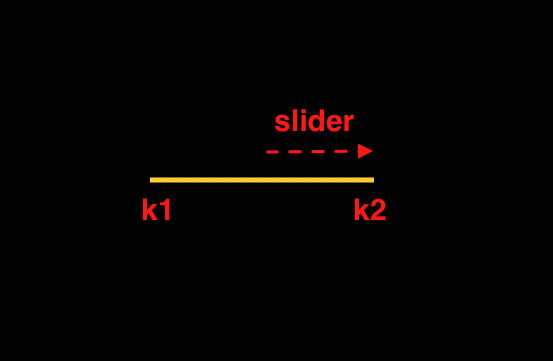
    When time = 0, k1 = k2, but when time in 1s. (exemple), k2 = k1 + slider controle value.

    Do you know how to do it?

    Thks,

    edo

  • Eduardo Asta

    July 28, 2021 at 2:40 pm

    Dan, don’t need it.

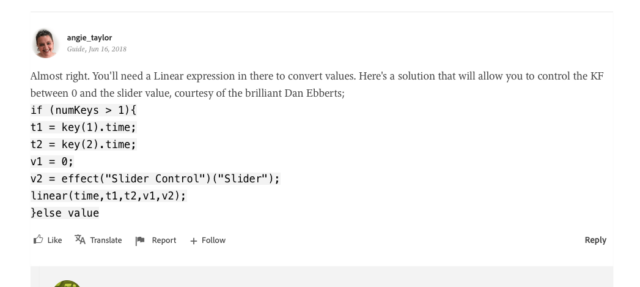
    You have already answered it before in another place. I found it on Adobe Groups. The girl even mentioned you as a brilliant (what you really are).

    Thks

    https://community.adobe.com/t5/after-effects/link-a-keyframe-to-slider-control-without-affecting-other-keyframes/td-p/9887407

We use anonymous cookies to give you the best experience we can.
Our Privacy policy | GDPR Policy